Manual for Lite Panel Pro

Manual for Lite Panel Pro

Brand: ABB

Category: Other

Document Type: Manual

Language: EN
Uploaded: April 20, 2026, 8:09 p.m.

Manual Publish Date: 2023-10-05

Warranty Information

This manual does not contain specific warranty information.

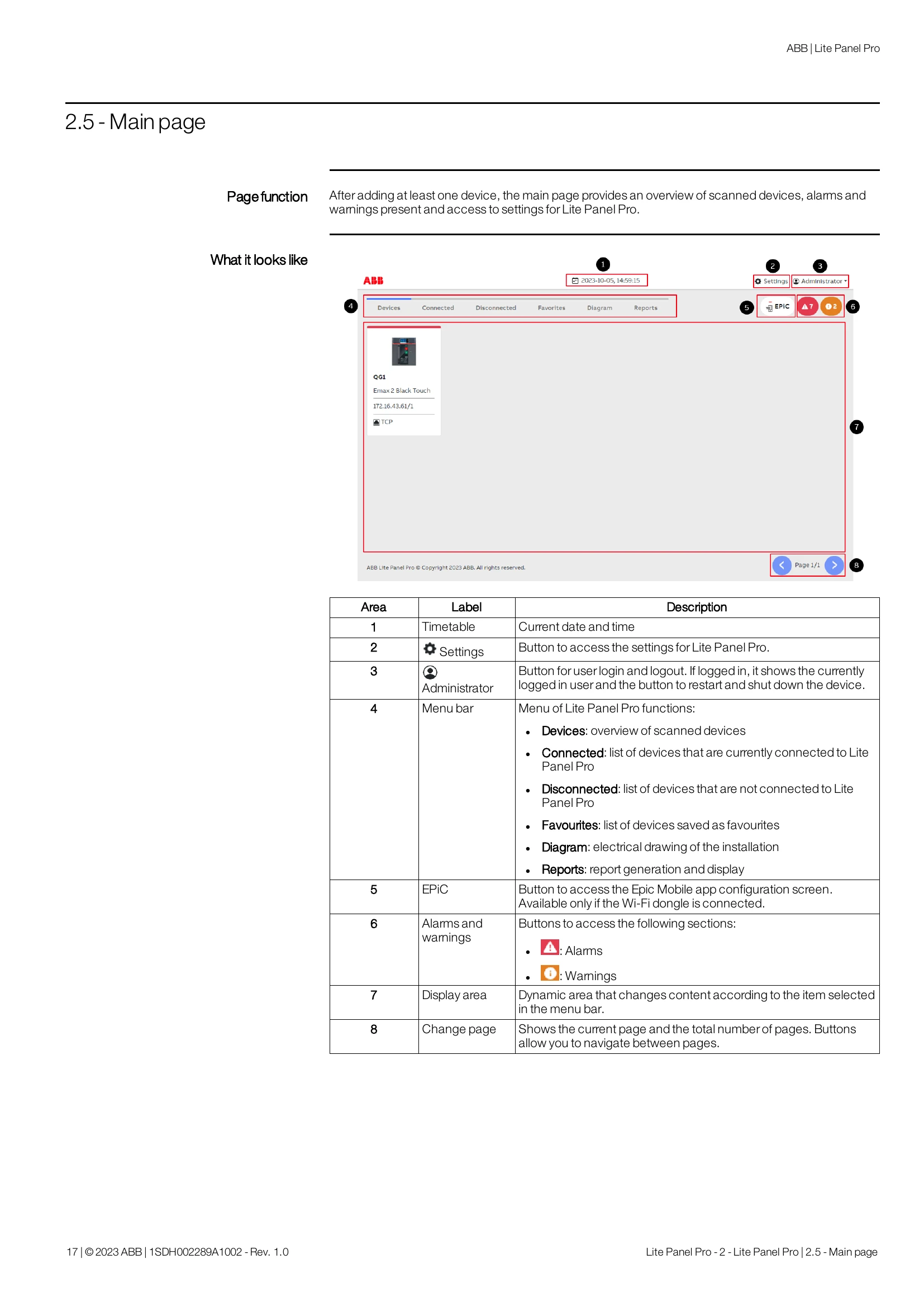
The Lite Panel Pro is an industrial control panel for monitoring and controlling ABB and third-party devices. It offers functions such as communication configuration (Modbus RTU and TCP), management of third-party devices, protocol translation, device search, remote operation, real-time monitoring of measures, historical data logging, report generation, diagram visualization, and multi-language support. It connects via Modbus RTU and Modbus TCP/IP protocols and supports a maximum of 90 devices. The device also provides user management with different access levels (Administrator, Developer, Engineer, Operator, Guest) and allows access via a web server from a computer. Additional features include a diagram function for visualizing electrical installations with device status tags, report generation for tracking historical trends, and management of third-party devices through templates. It also supports a protocol translator for external systems to communicate with RTU devices and an Epic Mobile app for smartphone access. Maintenance includes software updates, troubleshooting, device reset (soft and hard), battery replacement, and disposal instructions.

Troubleshooting and error codes

Type Action Effect on data When to perform it
Soft reset Performs a forced and immediate restart of the device. Data saved in Lite Panel Pro will not be lost The device needs to be restarted due to problems
Hard reset Performs a full reset to the factory settings of the device. Data saved in Lite Panel Pro will be lost and will no longer be recoverable. The password to access the device has been forgotten
Privacy Policy