Brand: ABB
Category: Smart Home
Document Type: Manual
Language: EN
Brand: ABB
Category: Smart Home
Document Type: Manual
Language: EN
Uploaded: April 20, 2026, 8:04 p.m.
Manual Publish Date: 2019-10-21
The system will take the first card swiped after powering up the system within 60s as the admin card.
After entering settings, the following functionalities can be implemented:
Exit settings: Swipe admin card 1x or no cards swiped within 15 seconds
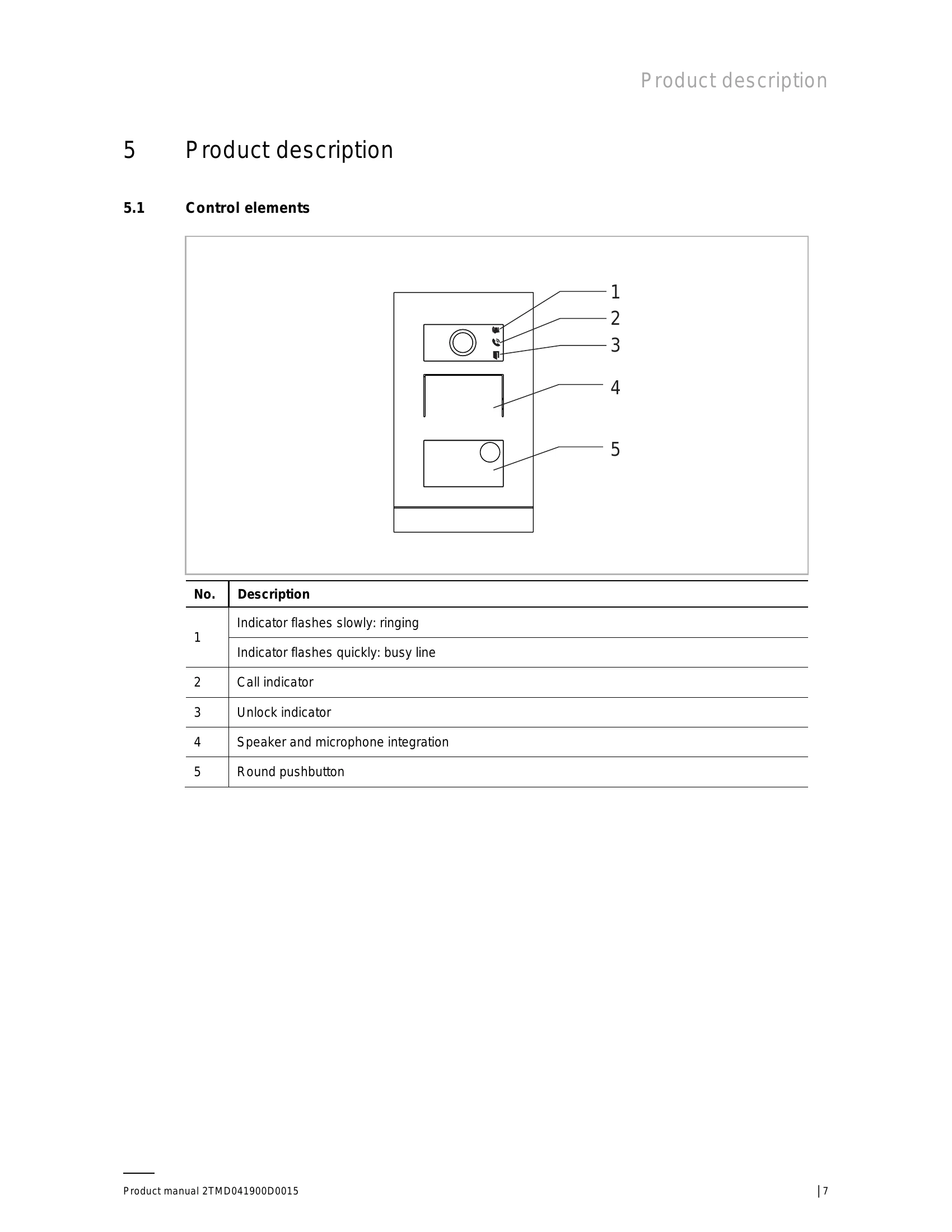
Open a door: Swipe the enrolled keycard (Unlock indicator: Green)
Reset to factory default: Press and hold the 1st button for 10 s to reset to factory default. (3 LED: OFF)
Reboot the device: (Door open LED: red, green, orange cycle flash)
| Function | Action | Unlock indicator |
|---|---|---|
| Create admin card | Swipe card 1x | Green |
| Enter settings | Swipe admin card 1x | Orange |
| Function | Action | Unlock indicator |
|---|---|---|
| Enroll user | Swipe admin card 1x Swipe user card 1x |
Orange flash 1x Green |
| Delete user | Swipe admin card 2x Swipe user card 1x |
Orange flash 2x Green |
| Enroll new admin | Swipe admin card 3x Swipe new admin card 1x |
Orange flash 3x Green |
| Delete admin | Swipe admin card 4x Swipe other admin card 1x |
Orange flash 4x Green |
| Delete all users | Swipe admin card 5x Swipe admin card 1x |
Orange flash quickly Green |
| Function | Action | Unlock indicator |
|---|---|---|
| Exit settings | Swipe admin card 1x or no cards swiped within 15 seconds | - |
| Function | Action | Unlock indicator |
|---|---|---|
| Open a door | Swipe the enrolled keycard | Green |
| Reset to factory default | Press and hold the 1st button for 3 s to enter configuration mode. Press and hold the 1st button for 10 s to reset to factory default. |
3 LED: flash green 3 LED: OFF |
| Reboot the device | Door open LED: red, green, orange cycle flash |