Manual for M2233

Manual for M2233

Brand: ABB

Category: Smart Home

Document Type: Manual

Language: EN
Uploaded: Nov. 21, 2025, 9:23 p.m.

Manual Publish Date: 2014-04-04

Warranty Information

None

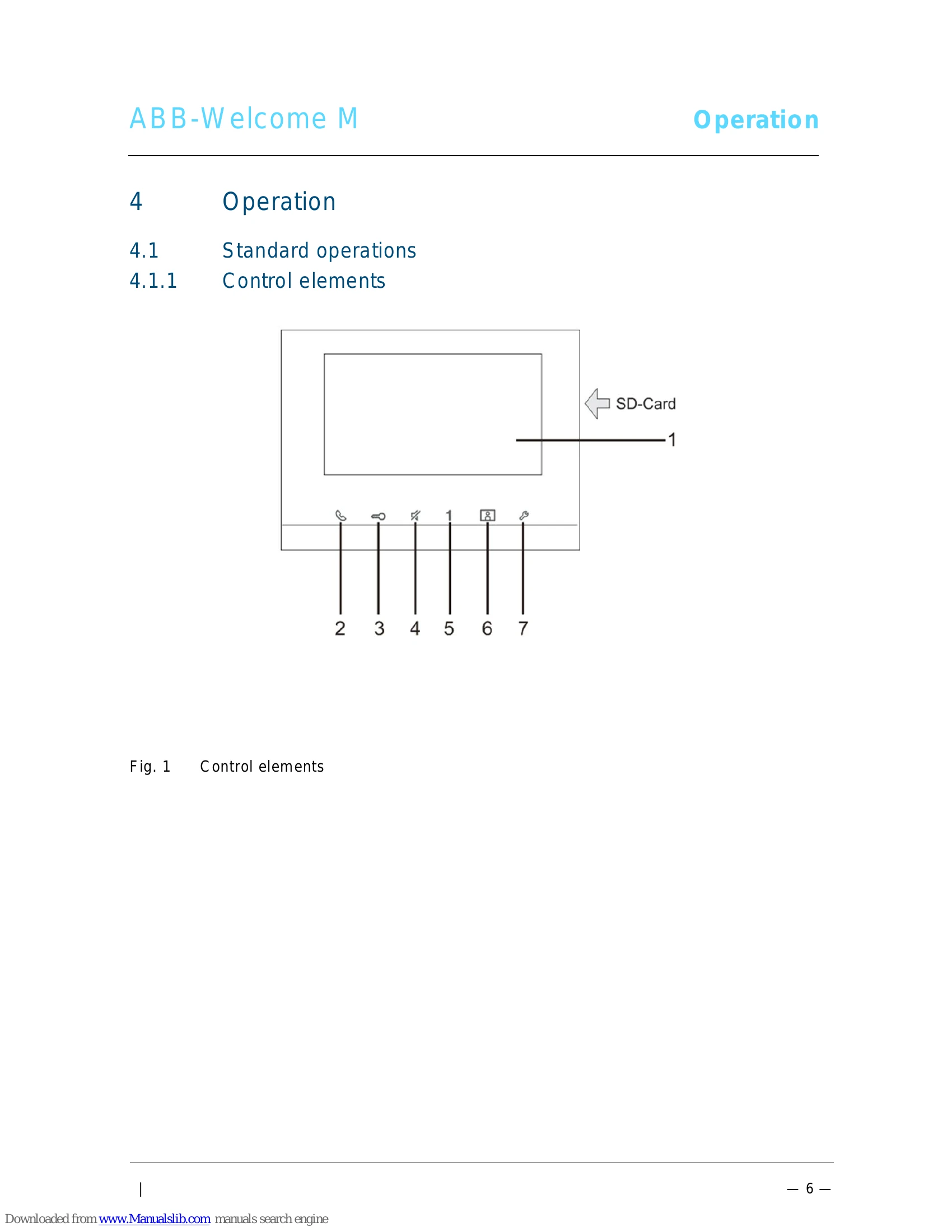
  • Control Elements: The device features a 7" touch screen and several buttons for communication, unlocking doors, muting, and system settings.
  • Welcome Screen & Status Bar: Displays date, time, and various icons indicating system status, calls, and functions like SOS, Surveillance, Intercom, Guard Unit, and Switch Actuator.
  • Control Actions: Includes operations such as Surveillance (viewing outdoor stations), Intercom (making calls between units), Calling Guard Unit, Switch Actuator control, and setting up voice/video connections.
  • Special Functions: Features include opening the door, muting calls, activating custom functions (e.g., 2nd-lock release, guard unit call), and managing events/picture history.
  • Settings: Allows configuration of snapshots, door status, key illumination, and indoor station address.
  • Maintenance: Includes instructions for cleaning the screen and adjusting the device, such as setting terminal resistors and master/slave functions.

Troubleshooting and error codes

No. Function
1 Designation of camera. Set volume with the "Plus / minus" buttons. If several outdoor stations or external cameras are connected. Select a camera with the "Forward/back" buttons
2 Set volume with the "Plus / minus" buttons.
3 If several outdoor stations or external cameras are connected. Select a camera with the "Forward/back" buttons
4 Touch the button to set the display. • Saturation of the display (plus and minus). • Contrast of the display (plus and minus).
Privacy Policy