Brand: Acer
Category: Handheld Device
Document Type: Manual
Language: EN
Brand: Acer
Category: Handheld Device
Document Type: Manual
Language: EN
Uploaded: April 20, 2026, 8:04 p.m.
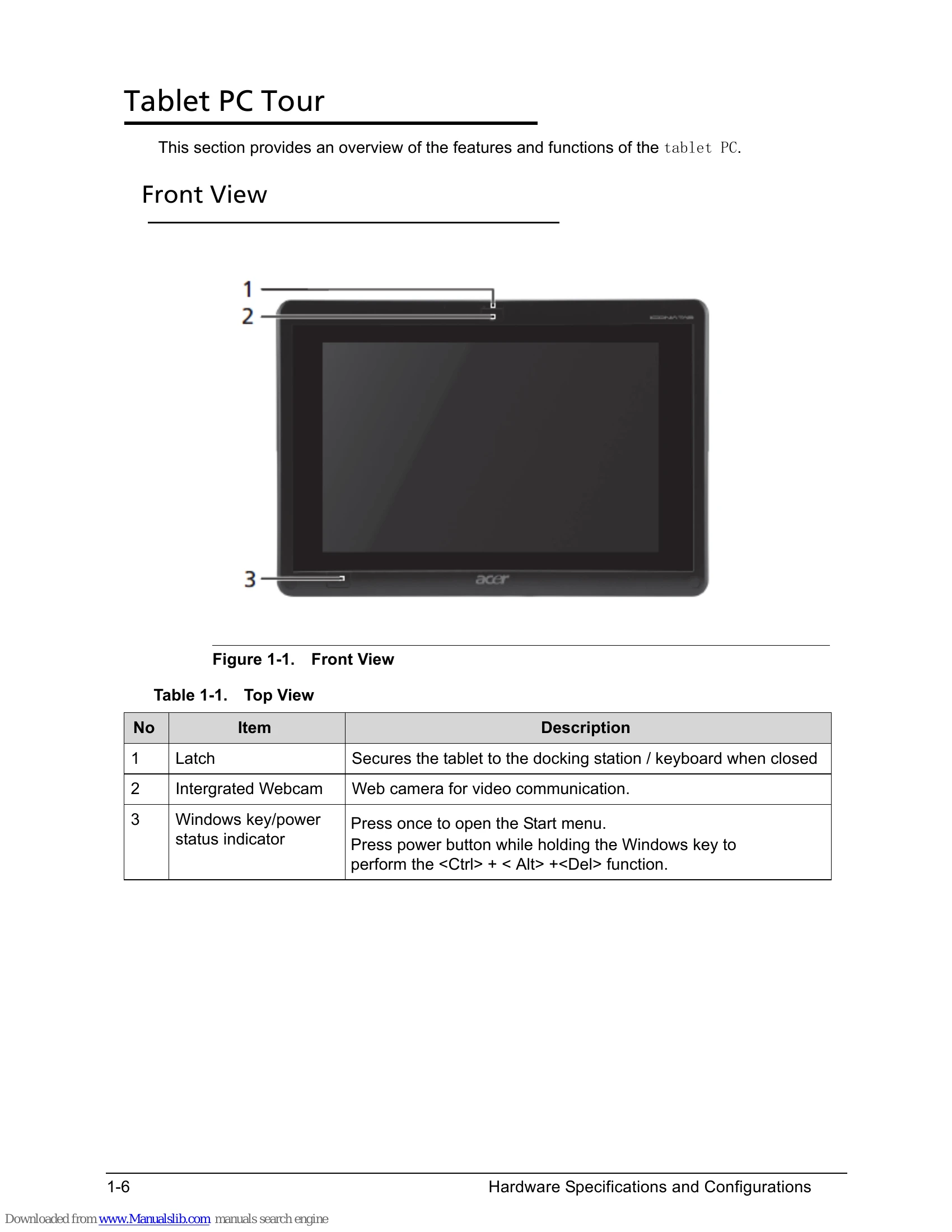
| LED | State | Color | Description |
|---|---|---|---|
| Windows Home (Power) | Steady On | Blue | Power on |
| Windows Home (Power) | Steady On | Amber | System standby |
| Windows Home (Power) | Flashing | Amber | System is entering hibernation |
| Windows Home (Power) | Off | N/A | Power off |
| Battery | Steady On | Amber | Charging battery |
| Battery | Steady On | Blue | Full charge (Stop charging) |
| Battery | Off | N/A | No adapter in |