Manual for 4SAFETY™ MODEL DB51xx

Manual for 4SAFETY™ MODEL DB51xx

Brand: AEG

Category: Appliances

Document Type: Manual

Language: EN
Uploaded: April 20, 2026, 7:46 p.m.

Warranty Information

Manufacturer cannot accept liability for damage caused by improper or incorrect use.

Getting Started

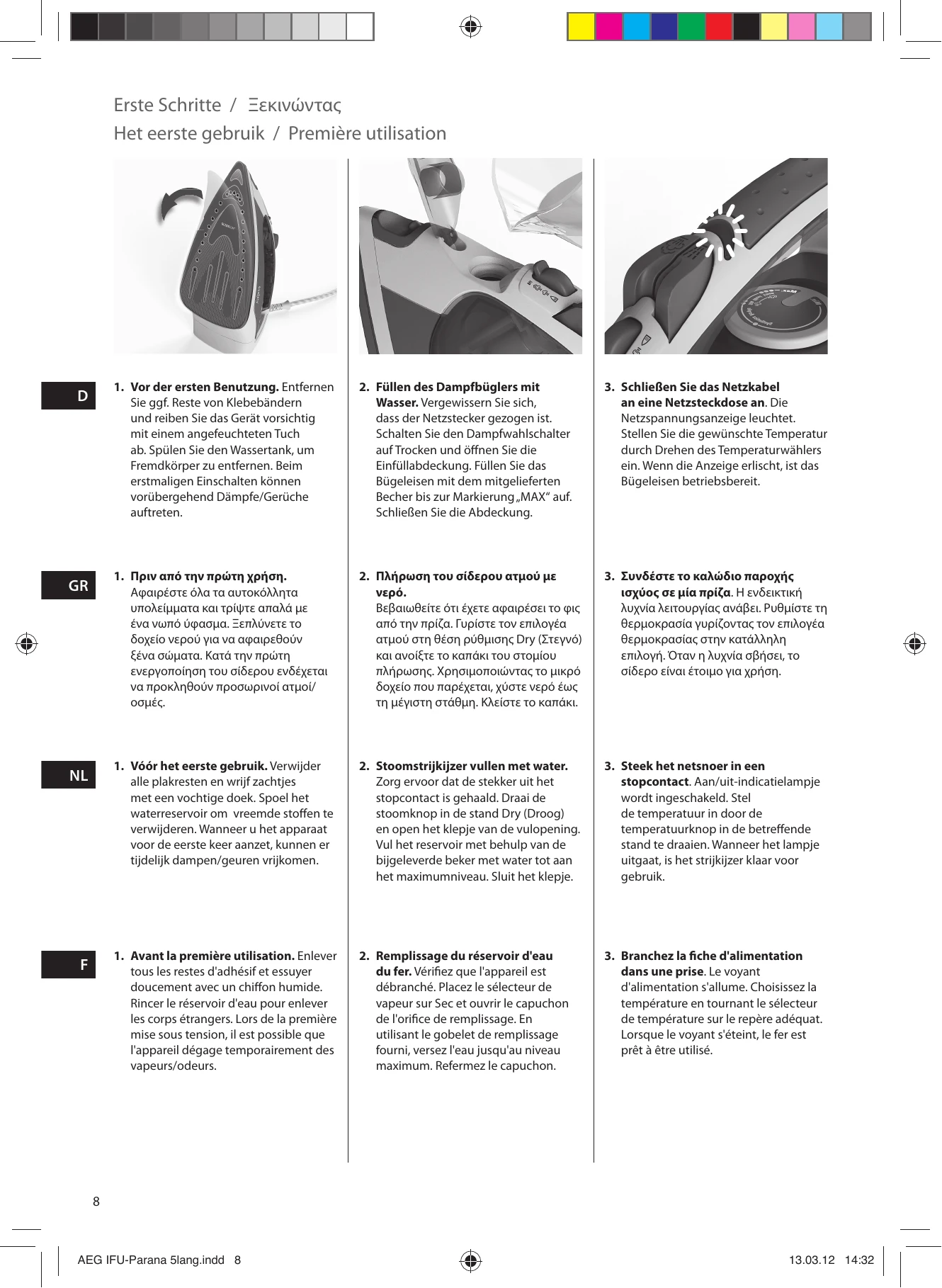
  1. Before first use, remove adhesive remains and clean with a damp cloth. Rinse the water tank. Temporary vapors/odors may occur on first use.
  2. Fill the steam iron with water up to the maximum level, ensuring the steam selector is on 'Dry' and the filling aperture is open.
  3. Plug in the power cable. The power indicator light will turn on. Set the desired temperature using the selector. The iron is ready when the light turns off.
  4. Using spray mist and steam jet: Ensure water tank is at least 1/4 full for spray mist (press spray button). Ensure tank is at least 1/2 full for steam jet (press steam jet button multiple times).
  5. Steaming hanging items: For curtains, suits, and delicate fabrics, hang item, hold iron 10-20 cm away, and press steam jet button.
  6. 3-way Auto-OFF: The iron turns off automatically after 30 seconds if left on the soleplate or side, or after 8 minutes if left on the heel. Resume ironing to turn it back on.

Cleaning

  1. Always store iron on its heel rest. Clean exterior surfaces with a damp soft cloth and wipe dry. Avoid chemical solvents.
  2. Self-cleaning: Hold iron over a sink, fill with water, heat up, set steam button to self-cleaning for 5 seconds, then release.
  3. Soleplate cleaning: Do not use scouring pads. For burnt residue, iron over a damp cloth while hot. Clean Glissium™ soleplate with a soft damp cloth.

Disposal

  1. Packaging: Dispose of environmentally friendly packaging materials in designated community waste facilities.
  2. Old appliance: Do not dispose of with household waste. Hand over to an electrical and electronic equipment recycling collection point.

Troubleshooting and error codes

Problem Possible cause Solution
Soleplate is not heating even though iron is turned on. Connection problem Check main power supply cable, plug and outlet.
Temperature control is in MIN position. Select adequate temperature.
Iron does not produce steam. Not enough water in tank. Fill water tank (see "Getting started", no 2).
Steam control is selected in non-steam position. Set steam control between positions of minimum steam and maximum steam (see "Ironing chart").
Spray function does not work. Selected temperature is lower than that specified to use with steam. Increase temperature to at least .
Not enough water in tank. Fill water tank (see "Getting started", no 2).
Steam jet and vertical steam jet function does not work. Steam jet function was used very frequently within a short period. Put iron on horizontal position and wait before using steam jet function.
Iron is not hot enough. Adjust the proper temperature to steam ironing (up to). Put iron in vertical position and wait until temperature indicator light turns off.
Privacy Policy