Brand: AEG
Category: Other
Document Type: Manual
Language: EN
Brand: AEG
Category: Other
Document Type: Manual
Language: EN
Uploaded: April 20, 2026, 8:07 p.m.
Manual Publish Date: 2017-05-01
Refer to your dealer for any questions regarding operation, commissioning, or unexpected issues.
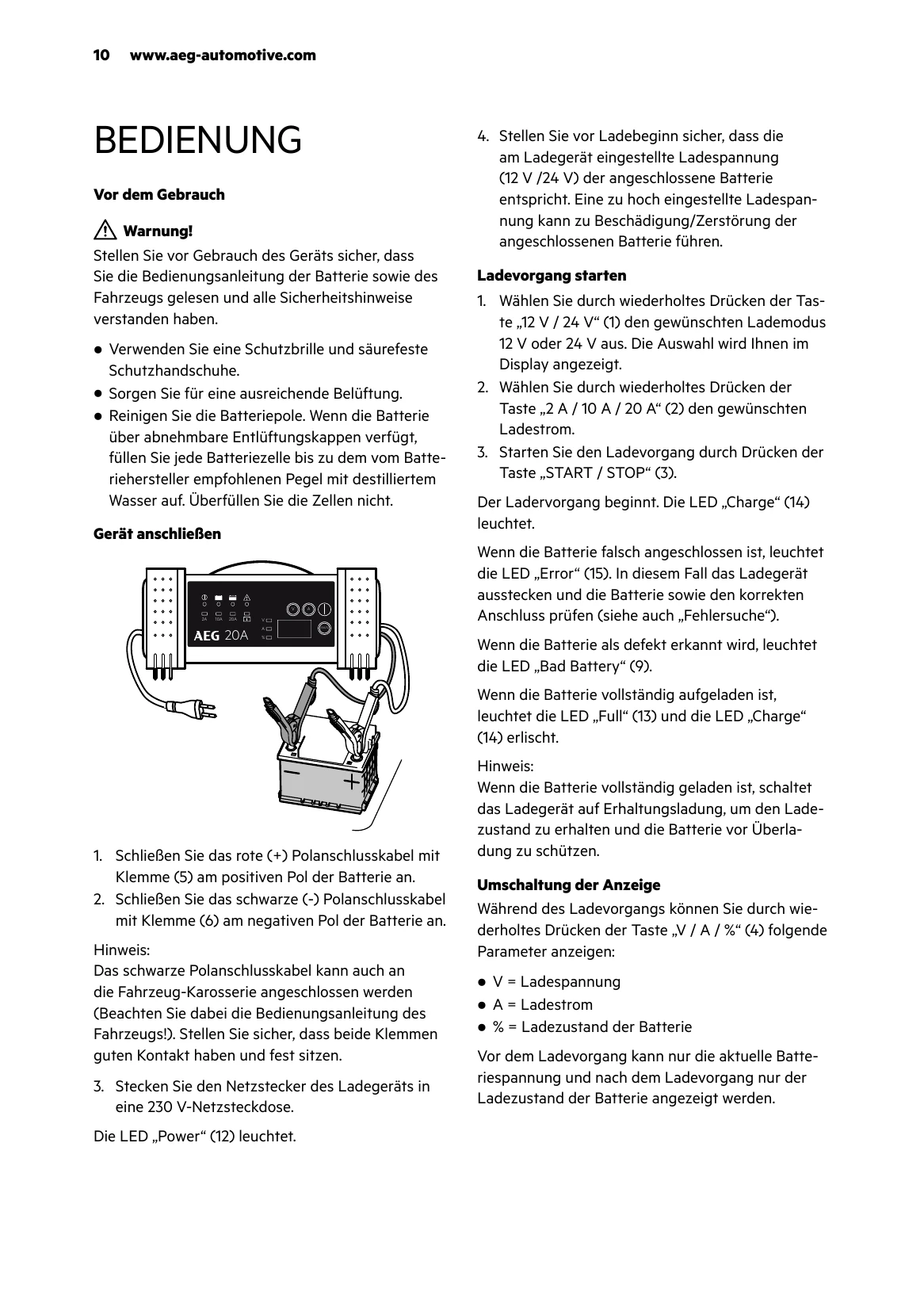
Connecting the Device:
Starting Charging:
Display Information: During charging, press the 'V / A / %' button (4) to cycle through voltage (V), current (A), and charge level (%).
| Problem/Error | Possible Cause | Solution |
|---|---|---|
| LED "Bad Battery" (9) lights up | Defective battery | Have the battery checked by a specialist workshop. Replace the battery. |
| LED "Error" (15) lights up | Battery connected incorrectly. Incorrect battery voltage (12 V / 24 V) selected. | Unplug the charger and check connections. Unplug the charger and wait until LEDs turn off. Reconnect the charger and set the correct battery voltage. |
| Battery cannot be charged | No mains voltage, charger not plugged in. | Ensure the charger is plugged into a 230V mains socket and the "Power" LED (12) is lit. Battery may also be defective. |
| Long charging time | Very low temperatures (below 0°C) lead to very low charging current, extending charging time. Battery temperature increase will adjust charging current. Excessive battery capacity for the charger. | Charge battery under normal conditions. Do not charge frozen batteries (explosion hazard!). Use a suitable charger. Ensure battery is charged for a sufficient duration. |
| Battery voltage too low | Battery was not charged long enough. | Ensure the battery has been charged for a sufficient duration. |