Manual for AGFAMATIC 300

Manual for AGFAMATIC 300

Brand: Agfa

Category: Camera

Document Type:

Language: EN
Uploaded: Aug. 9, 2025, 11:36 p.m.

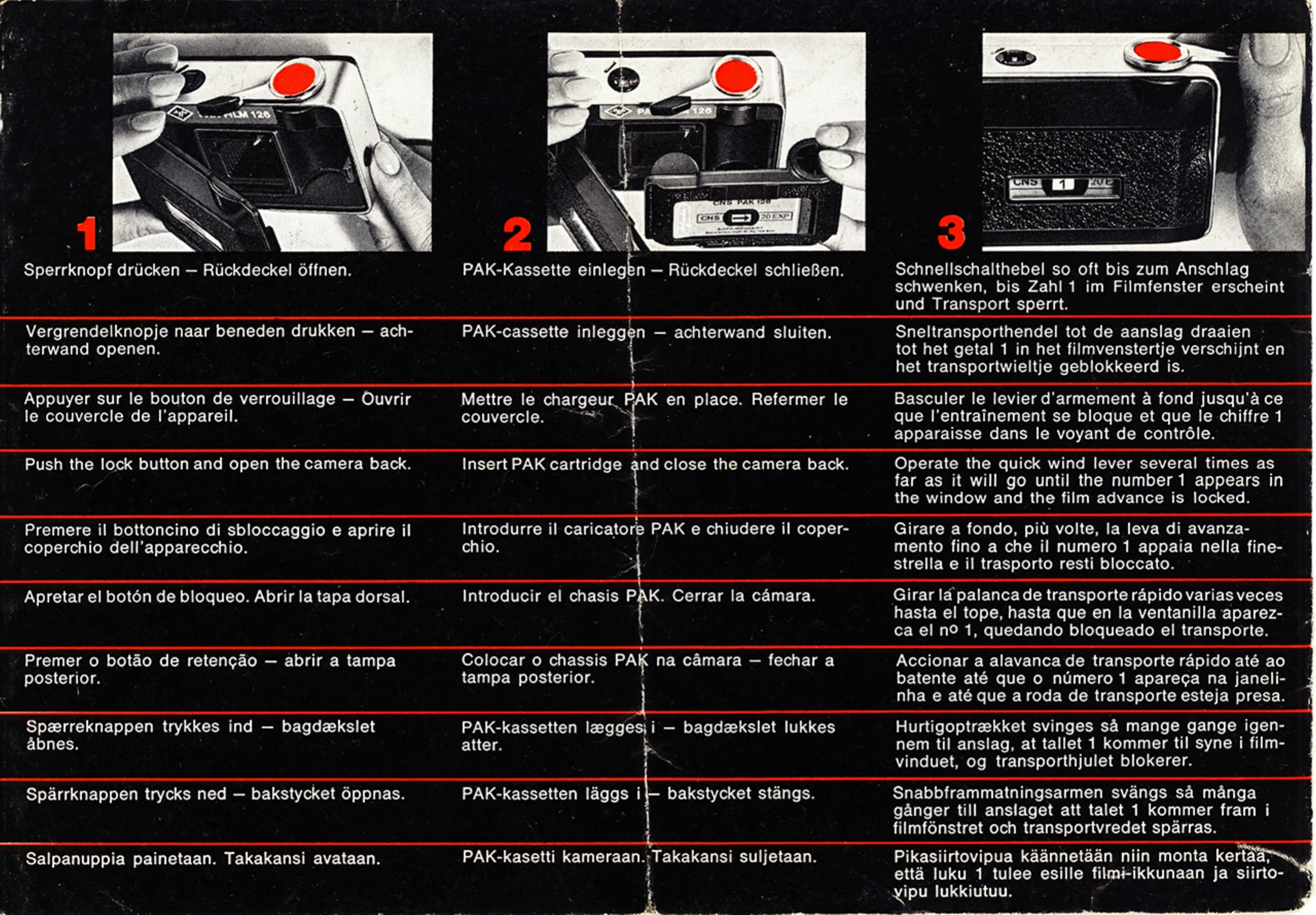
  1. Insert film cartridge and close the camera back.
  2. Operate the quick wind lever several times as far as it will go until the number 1 appears in the window and the film advance is locked.
  3. Set the distance by choosing from the marked ranges (1.2-2.5 m, 2.5-5 m, 5m-∞).
  4. Press the red Sensor spot to release the shutter.
  5. When using long shutter speeds (from 1/30 sec. on), a red light in the viewfinder indicates the need for a tripod.
  6. Attach an X flashcube and set the flash range according to the distance scale (1.5-2.5 m or 2.5-3.5 m).
  7. When the flashbulb is burned, a red signal appears on the right side of the viewfinder.
  8. The flashcube turns automatically as the film is advanced.
  9. To finish, operate the quick wind lever until it locks, open the back cover, and remove the cartridge.
  10. To check the batteries, cover the CdS system's electric eyes and tap the Sensor. If the red light in the viewfinder does not show, replace the batteries.
  11. To replace batteries, open the back cover, push down the film ejector, and insert two Varta 246 or Mallory Mn 625 G batteries with the positive pole up.

Troubleshooting and error codes

Header 1 Header 2 Header 3 Header 4
Value 1A Value 2A Value 3A Value 4A
Value 1B Value 2B Value 3B Value 4B
Value 1C Value 2C Value 3C Value 4C
Privacy Policy