Brand: Agfa
Category: Camera
Document Type:
Language: EN
Brand: Agfa
Category: Camera
Document Type:
Language: EN
Uploaded: Aug. 9, 2025, 11:37 p.m.
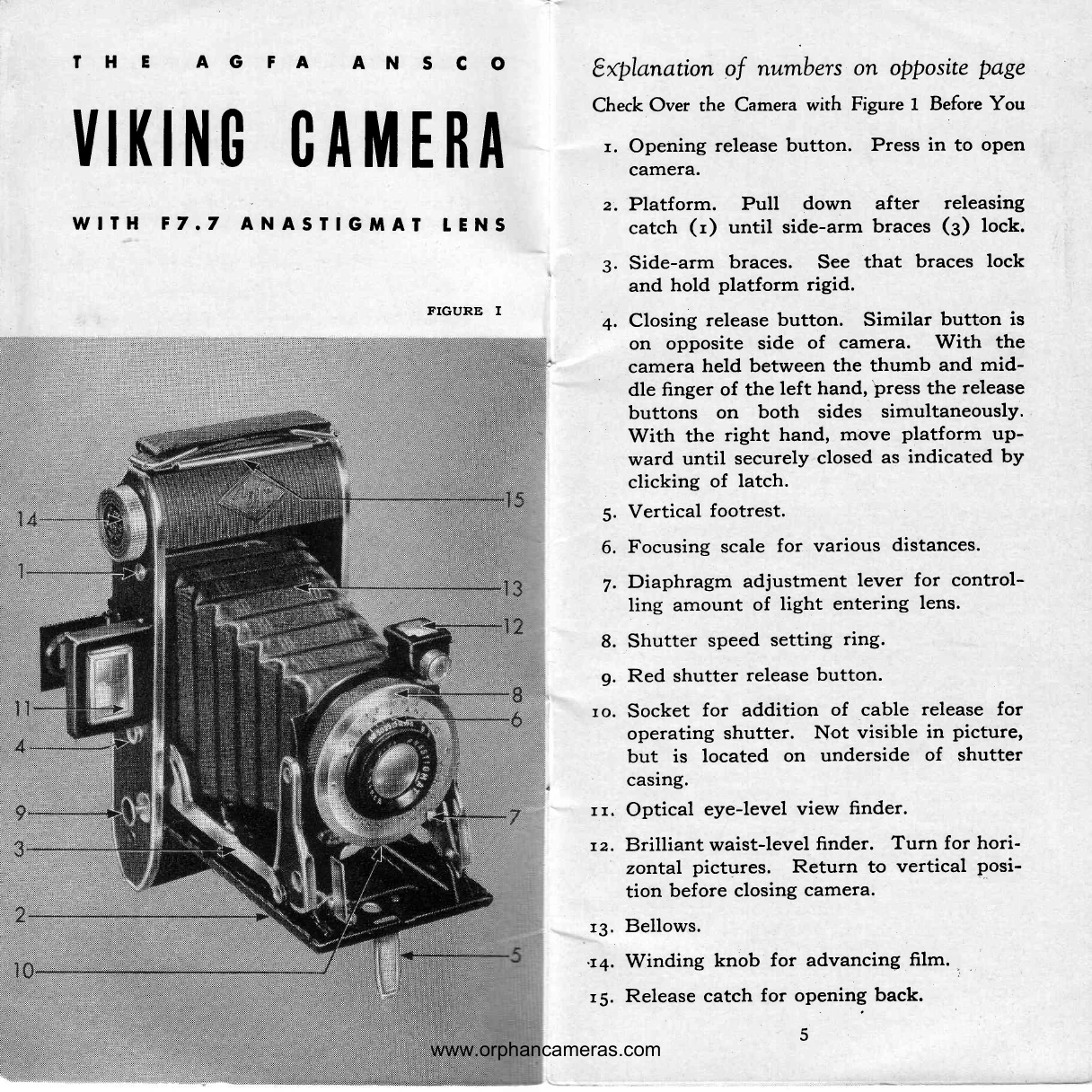
Opening the Camera: Hold the camera in your left palm. Press the opening release button (1) with your left thumb. Pull down the platform with your right hand until the side-arm braces (3) lock firmly.
Closing the Camera: Ensure the waist-level view-finder (12) is vertical and any cable release is disconnected. Grasp the camera in your left palm. Simultaneously press both closing release buttons (4) with your thumb and middle finger. Move the platform upward with your right hand until it latches securely.
Focusing: Locate the focusing scale on the top outer edge of the lens barrel. Turn the lens barrel to align the desired distance figure with the indicating arrow. For distances over 50 feet, set to INF (Infinity). For a fixed focus, set at 15 feet and diaphragm at f:16.
Setting Shutter Speed: Turn the ring (8) until the black line aligns with the desired speed (T, B, 100, 50, 25 for 1/25 sec.).
Using the Diaphragm: Move the lever (7) to adjust the opening, controlling light. Larger numbers (e.g., 32) mean smaller openings.
Loading Film: Open the back catch (15). Swing up the spool carrier, insert the fresh spool, ensuring the paper feeds from the top. Thread the paper into the slot on the empty spool. Wind the knob until the paper is snug. Close the camera back.
Taking Pictures: After loading, wind until figure 1 appears in the red window. Hold the camera level and steady. Adjust shutter speed and diaphragm according to light conditions and subject (refer to exposure table). Wind to the next number after each shot.
Unloading Film: Once the roll is exposed, open the back. Pull out the winding knob to release the upper spool carrier. Remove the exposed roll. Transfer the empty spool to the upper chamber.