Brand: ALCATEL
Category: Mobile Phone
Document Type:
Language: EN
Brand: ALCATEL
Category: Mobile Phone
Document Type:
Language: EN
Uploaded: Aug. 10, 2025, 12:02 a.m.
Manual Publish Date: 2013-05-20
Your phone is warranted against defects for 12 months from the date of purchase.
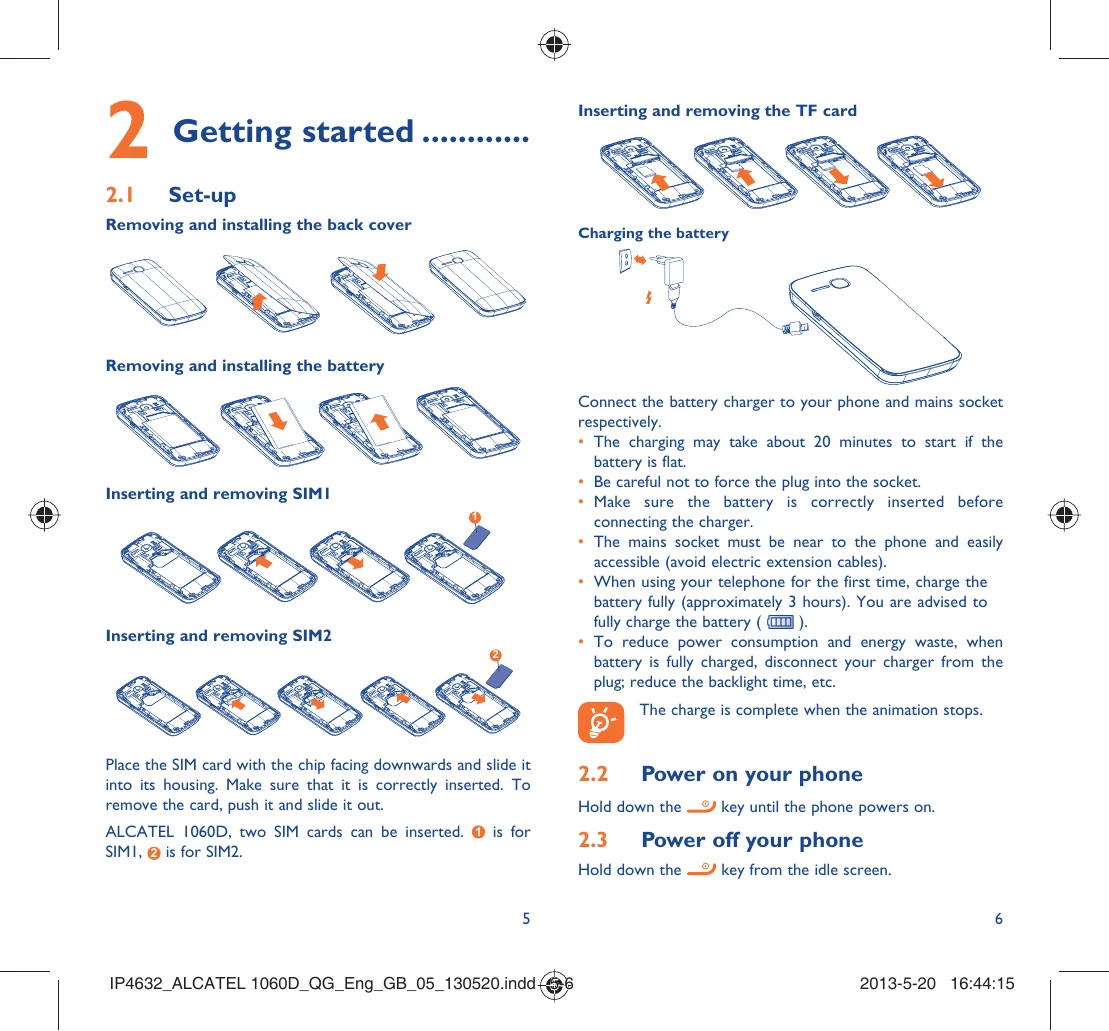
Hold down the power key until the phone powers on.
Hold down the power key from the idle screen.
| Problem | Solutions |
|---|---|
| Phone is frozen or cannot switch on | Check battery contacts, remove and reinstall battery. Charge battery for at least 20 minutes. Reset phone using power key + #. |
| Phone has not responded for several minutes | Remove and reinstall the battery, then restart the phone. |
| Phone turns off by itself | Check screen lock, check battery charge. Reset phone or upgrade software. |
| Cannot charge properly | Use ALCATEL ONE TOUCH battery and charger. Ensure battery is inserted properly. Charge under normal conditions. Check voltage compatibility abroad. |
| Cannot connect to network or "No service" | Try another location. Verify network coverage. Check SIM validity. Select network manually. Try later. |
| Cannot connect to the Internet | Check IMEI. Ensure internet access service is available. Check connection settings. Ensure network coverage. Try later or another location. |
| Invalid SIM card | Ensure SIM is inserted correctly and chip is not damaged. Check SIM service availability. |
| Unable to make outgoing calls | Dial valid number, check international codes, ensure network connection, check subscription status, check call barring, ensure not in flight mode. |
| Unable to receive incoming calls | Ensure phone is on and connected to network, check subscription, check call forwarding, check call barring, ensure not in flight mode. |
| Caller's name/number not shown | Check service subscription with operator. Caller may have concealed their details. |
| Cannot find contacts | Check SIM card integrity and insertion. Import contacts from SIM to phone. |
| Poor call sound quality | Adjust volume. Check network strength. Ensure receiver/speaker is clean. |
| Unable to use described features | Check with operator if subscription includes the service. Ensure no special accessory is required. |
| Cannot dial number from contacts | Verify number recording. Select correct country prefix for international calls. |
| Unable to add contact | Check if SIM contacts are full; delete files or save to phone memory. |
| Callers cannot leave voicemail | Contact operator to check service availability. |
| Cannot access voicemail | Check voicemail number entry. Try later if network is busy. |
| Unable to send/receive MMS | Check phone memory. Contact operator for service availability and MMS parameters. |