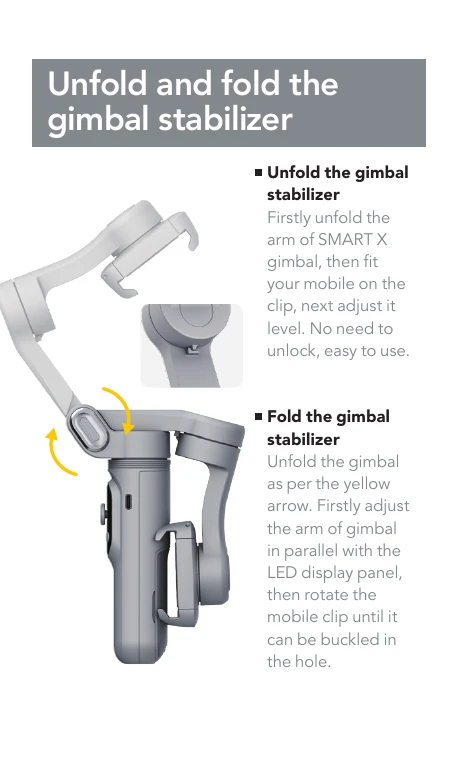
Unfolding: Unfold the arm, attach your mobile, and adjust for level.
Folding: Align the arm parallel to the LED panel, then rotate the mobile clip to secure.
Mode Selection: Use the OLED display to select between Full Lock (L), Semi-follow (PF), Full follow (F), Selfie (POU), and Inception (DM) modes.
Joystick Control: Move the joystick up/down, left/right. Single click to cycle modes (PF/F/L/POV), double click to return to center, triple click for inception mode.
Button Functions: Hold down the power button to turn on/off. Single click to switch fill light stages (1/2/3/off). Double click to check battery life. Single click the other button to switch between camera/video or horizontal/vertical panel. Hold down to toggle wireless charging.
Charging: Connect the Type-C cable to charge. The LED display indicates charging status, showing a full battery when the battery symbol is displayed.
Battery Replacement: Open the magnetic cover to replace the Li-battery.