Manual for iOS 5.1 Software

Manual for iOS 5.1 Software

Brand: Apple

Category: Smartphone

Document Type: Manual

Language: EN
Uploaded: Aug. 10, 2025, 12:12 a.m.

Warranty Information

Refer to the Important Product Information Guide for safety and regulatory information.

iPhone at a Glance

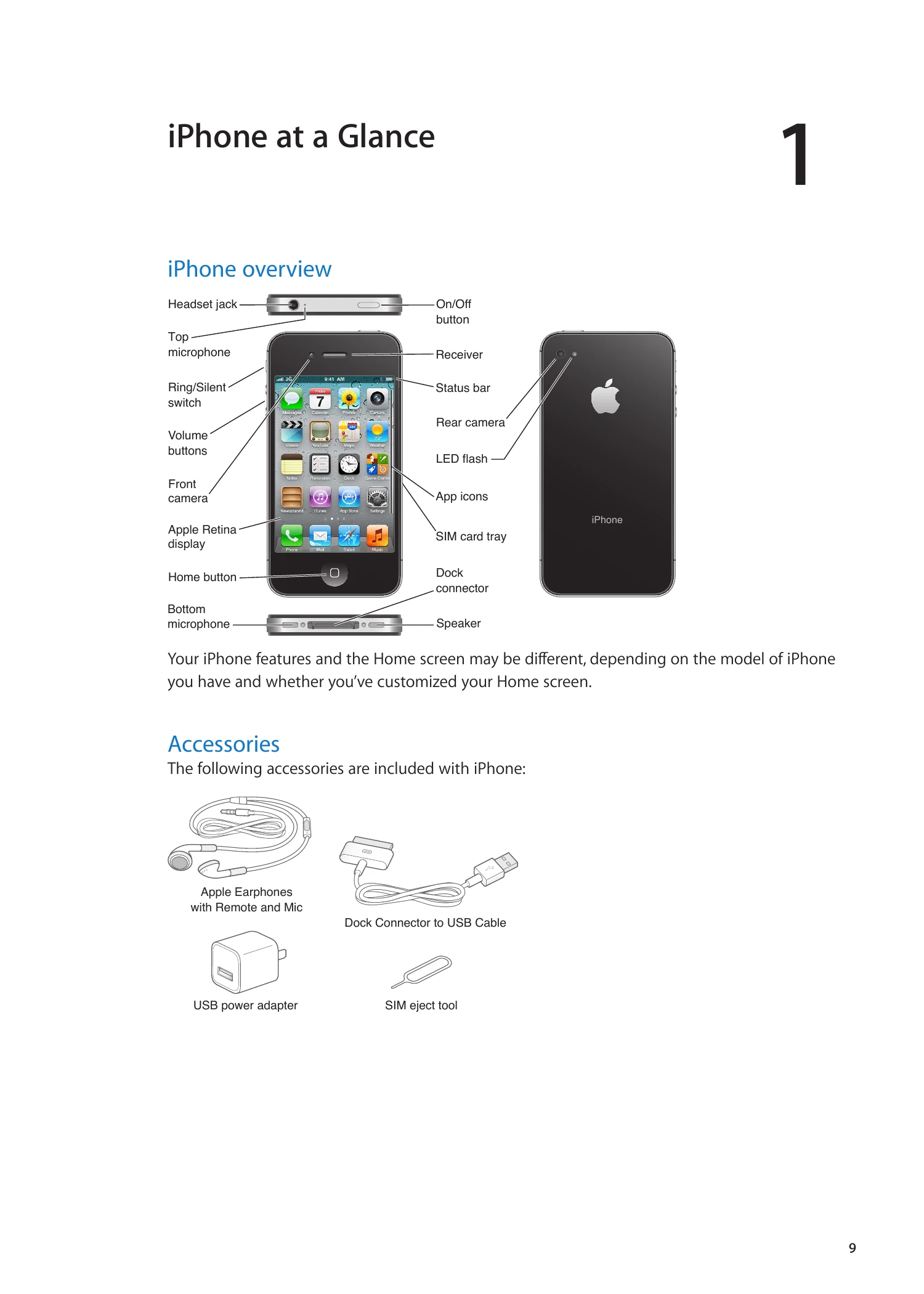
  • iPhone overview: Familiarize yourself with the physical components of your iPhone, including buttons, ports, and cameras.
  • Accessories: Learn about the included accessories like earphones, USB cables, and power adapters.
  • Buttons: Understand the functions of the On/Off button and Home button for various operations like locking, unlocking, and opening apps.
  • Status icons: Recognize and interpret the icons in the status bar for information on network signal, battery, Wi-Fi, and more.

Getting Started

  • Viewing user guide: Access the user guide on your iPhone via Safari or the iBooks app.
  • What you need: Ensure you have a wireless service plan, an Apple ID, a compatible computer, internet connection, and iTunes.
  • SIM card installation: Learn how to insert the SIM card before setting up your iPhone.
  • Setup and activation: Follow the Setup Assistant to connect to Wi-Fi, sign in to Apple ID, and activate your iPhone with your carrier.
  • Connecting to computer: Use the Dock Connector to USB Cable to connect to your computer for activation and syncing.
  • Connecting to Internet: Understand how your iPhone connects to the internet via Wi-Fi or cellular networks.
  • Setting up accounts: Configure mail, contacts, and calendar accounts, including iCloud.
  • Managing content: Learn about transferring and syncing content using iCloud and iTunes.

Basics

  • Using apps: Discover how to open, switch between, and remove apps.
  • Scrolling: Learn to drag and flick to navigate through content.
  • Zooming: Pinch to zoom in and out on photos, webpages, and more.
  • Viewing orientations: Understand portrait and landscape modes and how to lock orientation.
  • Customizing Home screen: Rearrange app icons, create folders, and reset the layout.
Privacy Policy