Manual for iPhone

Manual for iPhone

Brand: Apple

Category: Smartphone

Document Type: Manual

Language: EN
Uploaded: Aug. 10, 2025, 12:12 a.m.

Manual Publish Date: 2014-03

Warranty Information

Refer to Apple's website for warranty information and service options.

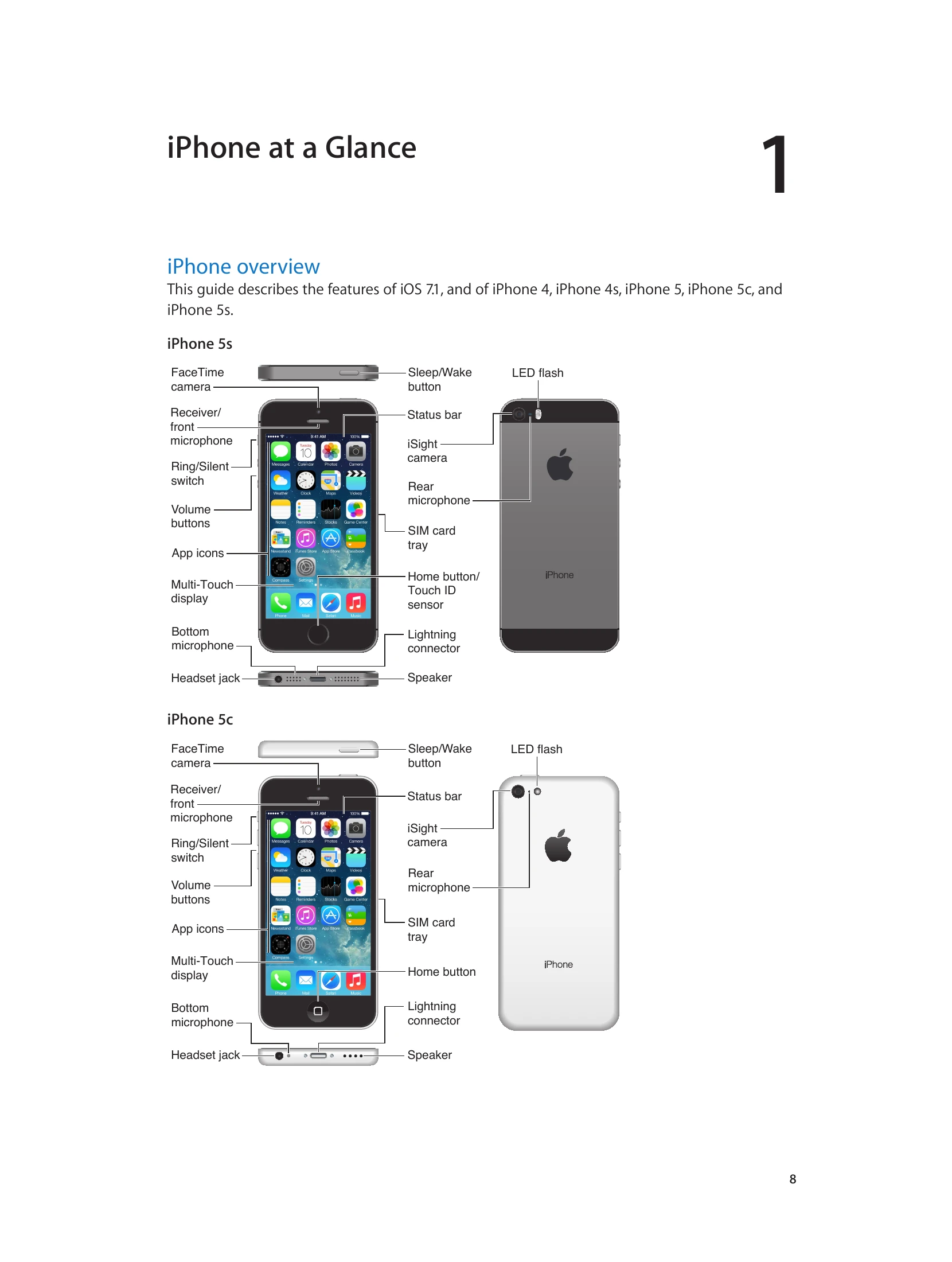
iPhone Overview: This guide covers features of iOS 7.1 for iPhone 4, 4s, 5, 5c, and 5s.

Key Physical Features:

  • iPhone 5s/5c: Sleep/Wake button, Volume buttons, Ring/Silent switch, Home button (with Touch ID on 5s), FaceTime camera, iSight camera, microphones, speaker, Lightning connector, headset jack.
  • Multi-Touch Screen: Used for basic gestures like tap, drag, swipe, and pinch/stretch.

Basic Operations:

  • Power: Press and hold Sleep/Wake to turn on/off.
  • Locking: Press Sleep/Wake to lock. Auto-Lock can be configured.
  • Unlocking: Press Sleep/Wake or Home, then drag the slider. A passcode can be set for security.
  • Multitasking: Double-click Home to view running apps. Swipe up on an app in the multitasking display to close it.
  • Navigation: Press Home to return to the Home screen. Swipe left/right to view other screens.
  • Zooming: Pinch to zoom in/out on photos, webpages, and maps. Double-tap to zoom.
Privacy Policy