Brand: Apple
Category: Smartphone
Document Type: Manual
Language: EN
Brand: Apple
Category: Smartphone
Document Type: Manual
Language: EN
Uploaded: Aug. 10, 2025, 12:12 a.m.
Manual Publish Date: 2014-09-01
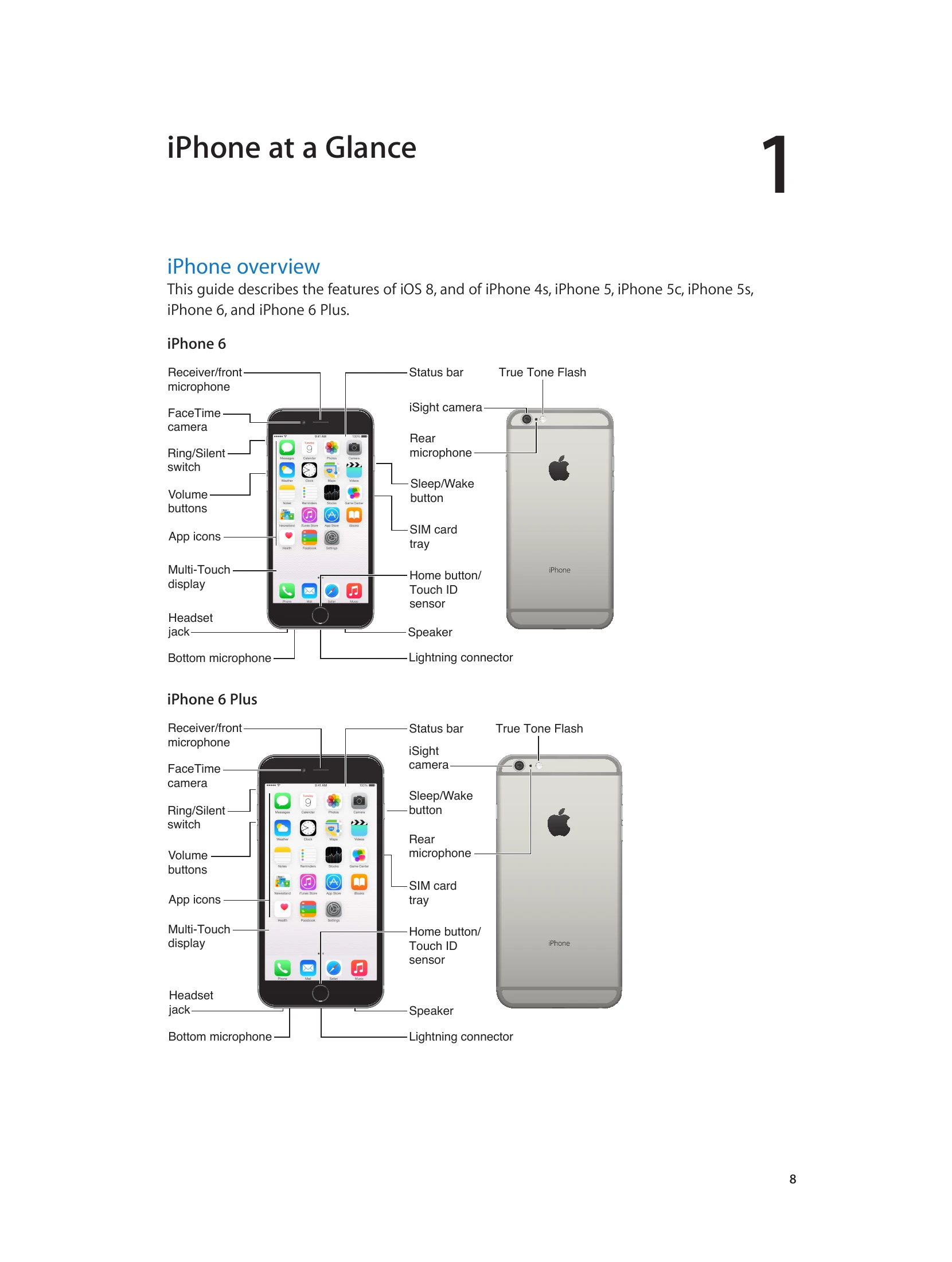
The iPhone features a Multi-Touch display for navigation and interaction. Physical buttons control basic functions like locking the device and adjusting volume. The Sleep/Wake button turns the iPhone on/off and locks the screen. The Home button returns you to the Home screen and offers shortcuts.
To connect to Wi-Fi, go to Settings > Wi-Fi. Select a network and enter the password if prompted. You can choose to be prompted for new networks or forget existing ones.
iPhone connects to the internet via Wi-Fi or cellular data. It prioritizes the most recently used Wi-Fi network, then prompts for available Wi-Fi networks, and finally uses cellular data if available. Be aware that cellular data usage may incur additional fees.
Your Apple ID is used for all Apple services, including iCloud, App Store, and iTunes Store. You can create one during setup or when prompted.
iCloud offers free storage for mail, contacts, calendars, and other data, syncing across your Apple devices. It includes features like iCloud Drive for documents and Photo Sharing.
You can sync content between your computer and iPhone using iTunes, either via USB cable or wirelessly over Wi-Fi. This includes music, videos, photos, and apps.