Brand: Apricot
Category: Computer
Document Type: Quick Start Guide
Language: EN
Brand: Apricot
Category: Computer
Document Type: Quick Start Guide
Language: EN
Uploaded: Nov. 21, 2025, 6:50 p.m.
Step 1: Powering On
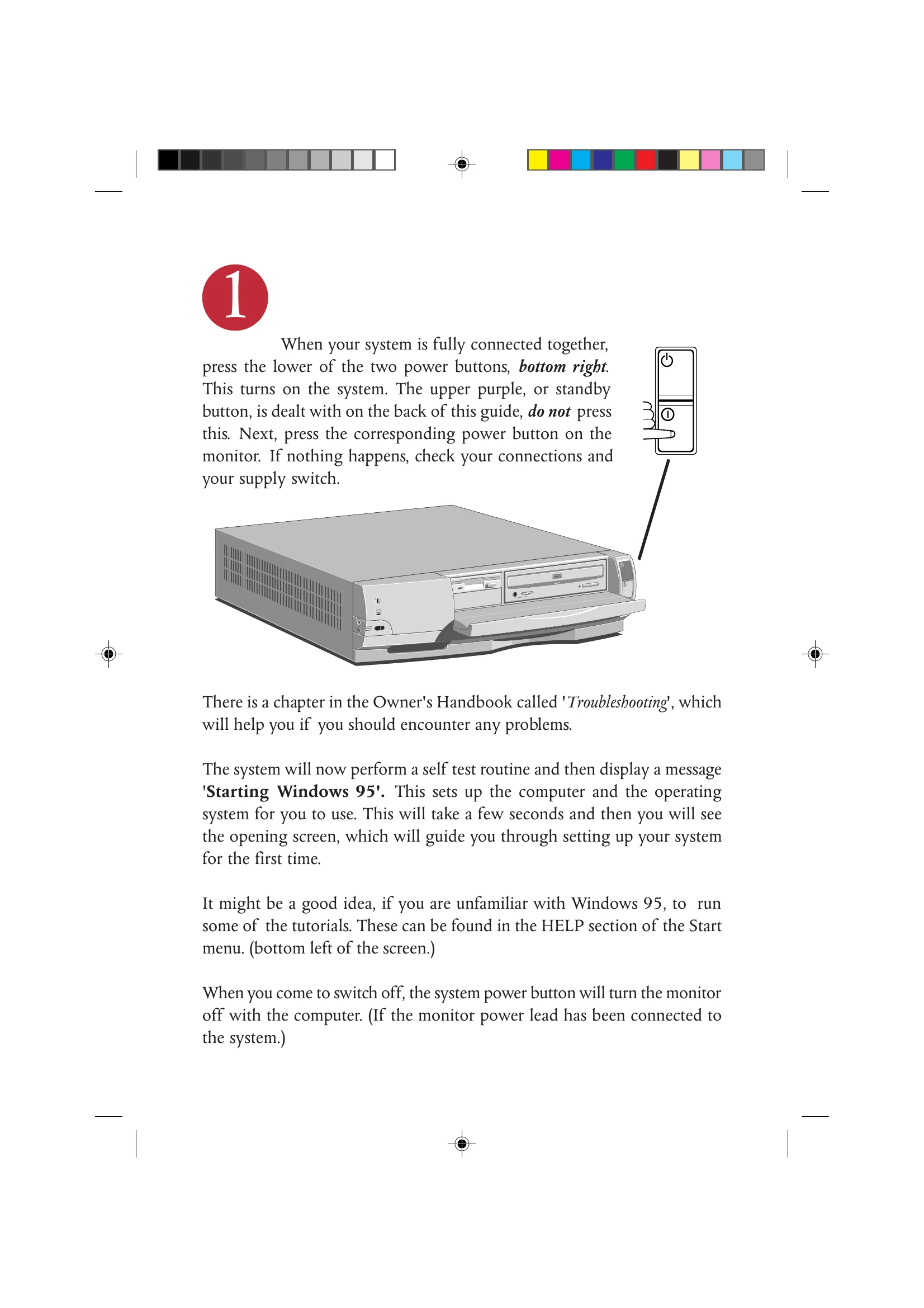
Press the lower of the two power buttons on the system unit. Then, press the power button on the monitor. If the system does not start, check all connections and the power supply switch.
Step 2: Loading Software
Your system can load software from floppy disks or CD-ROMs. New software, especially multimedia titles, is commonly issued on CD.
Step 3: Power Saving
The computer features Energy Star power saving. When left unattended, it enters 'Low Power' mode, indicated by a flashing standby light. To restore, move the mouse, press any keyboard key, or press the purple standby button.