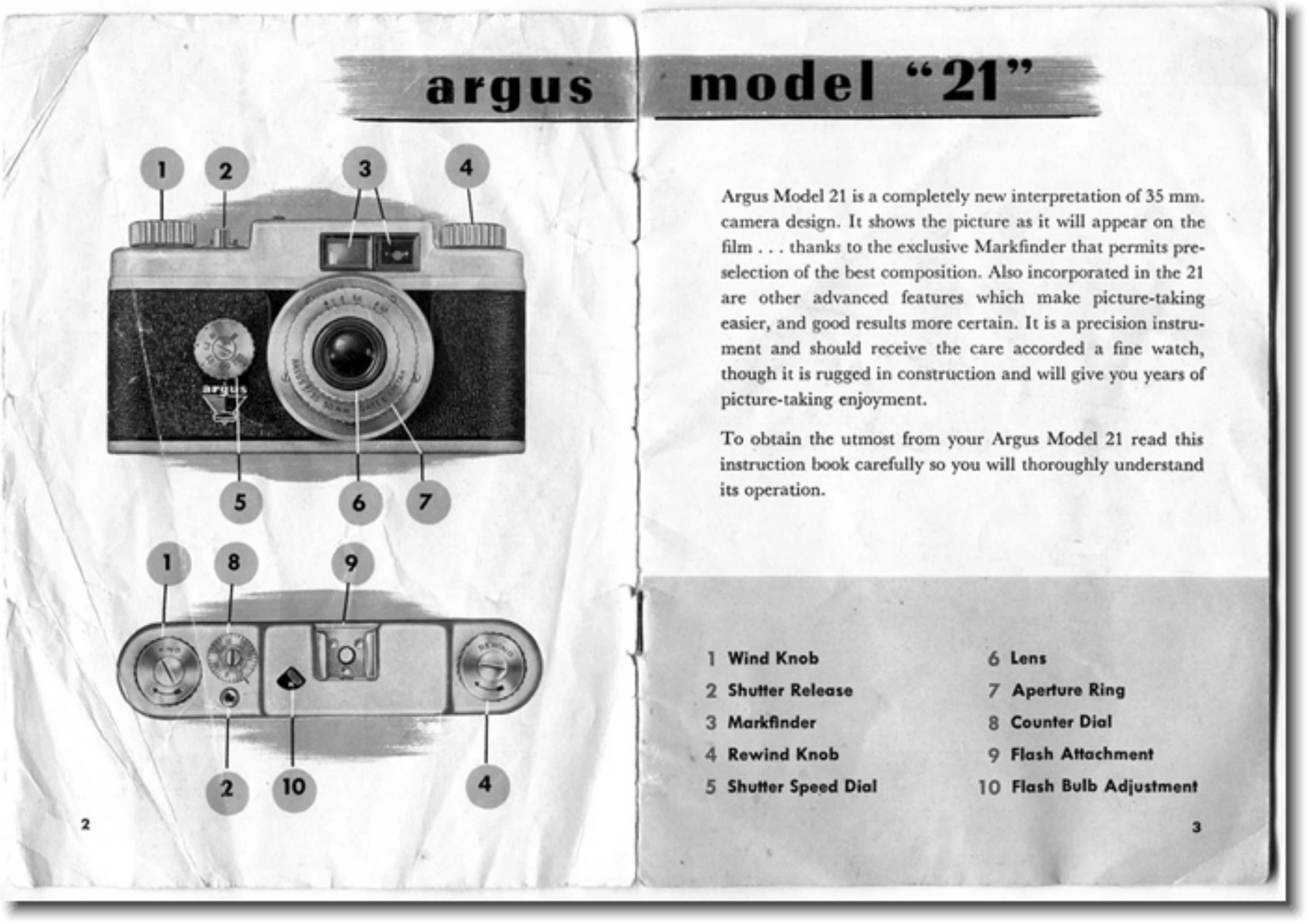
Manual for 21

Manual for 21

Brand: Argus

Category: Camera

Document Type:

Language: EN

Uploaded: Aug. 9, 2025, 11:35 p.m.

Loading Film:

  1. Unlock the back of the camera by turning the catch on the base to "open".
  2. Slide off the camera back.
  3. Place the 35mm film cartridge in the compartment and withdraw about 4 inches of film.
  4. Thread the film end under the friction roller on the take-up spool.
  5. Turn the winding knob a couple of turns to secure the film.
  6. Replace the camera back and secure the locking catch.
  7. Set the exposure counter dial to "O".

Taking a Picture:

  1. Adjust shutter speed and aperture based on lighting and subject (refer to Exposure Guide).
  2. Focus the lens by turning the milled ring to the desired distance.
  3. Hold the camera steady and press the shutter release smoothly.

After Taking Pictures:

  1. Wind the film for the next shot.
  2. When all pictures are taken, pull out the winding knob and turn it a quarter turn to the "OUT" position.
  3. Rewind the film using the "Rewind" knob.
  4. Open the back and remove the film cartridge.
Privacy Policy