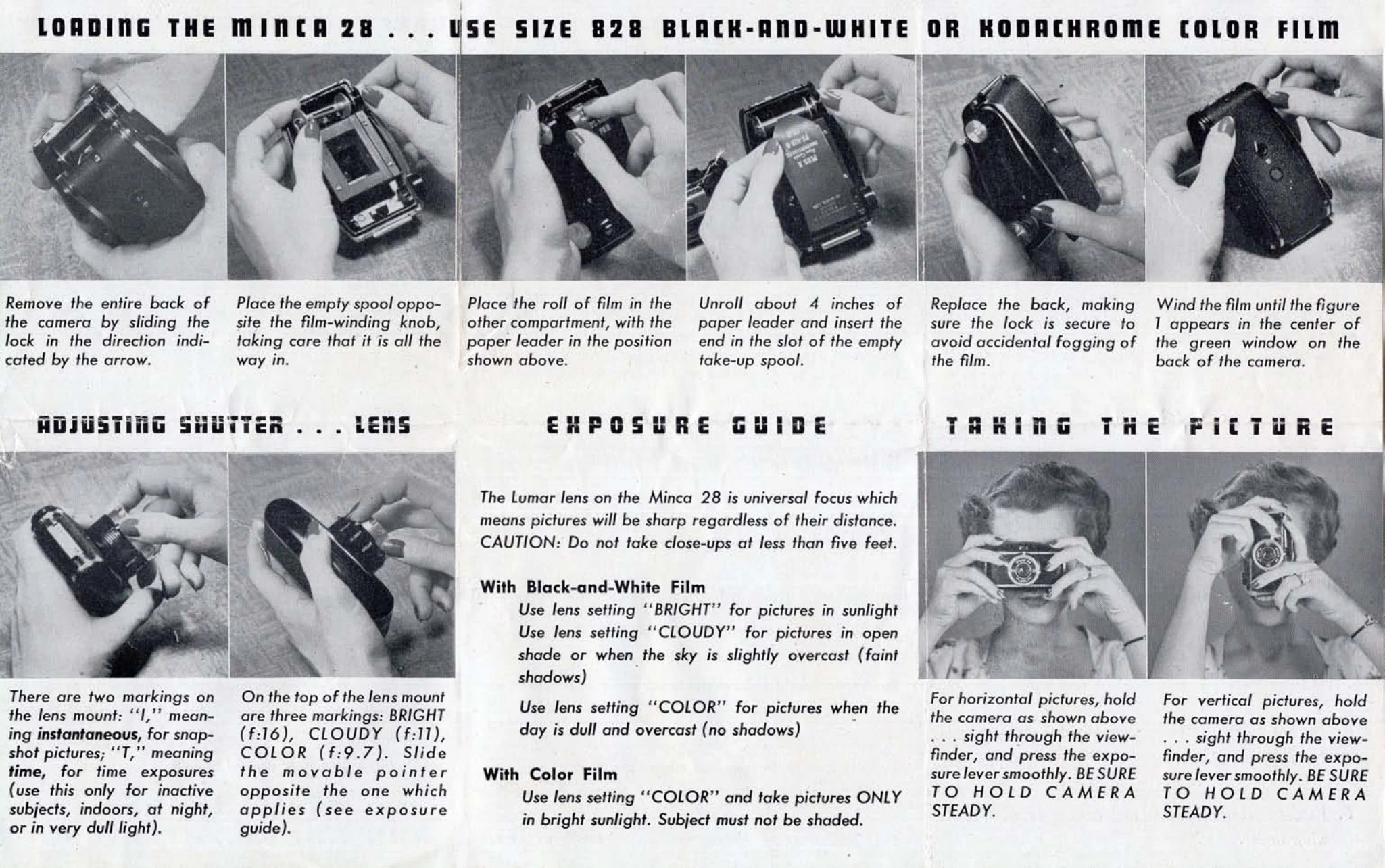
How to Use Your Minca 28:
1. Load Film: Remove camera back, place empty spool opposite winding knob, insert film roll with leader into other compartment, unroll leader and insert into take-up spool, replace back securely, and wind until '1' appears in green window.
2. Adjust Shutter: Use 'I' for instantaneous snapshots and 'T' for time exposures (for stationary subjects or low light).
3. Adjust Lens: Slide pointer on lens mount to 'BRIGHT' (f:16) for sunlight, 'CLOUDY' (f:11) for open shade/overcast, or 'COLOR' (f:9.7) for dull/overcast days. For color film, use 'COLOR' only in bright sunlight without shade.
4. Take Picture: Hold camera steady, sight through viewfinder, and press shutter lever smoothly. Avoid close-ups under five feet. When using 'T', use a tripod. Always keep sun at your back or overhead. Wind film after each shot to avoid double exposure. Do not load or open camera in direct sunlight.