Brand: ASAHI
Category: Camera
Document Type:
Language: EN
Brand: ASAHI
Category: Camera
Document Type:
Language: EN
Uploaded: Aug. 9, 2025, 11:46 p.m.
Guaranteed against defects in material or workmanship for twelve months from purchase date.
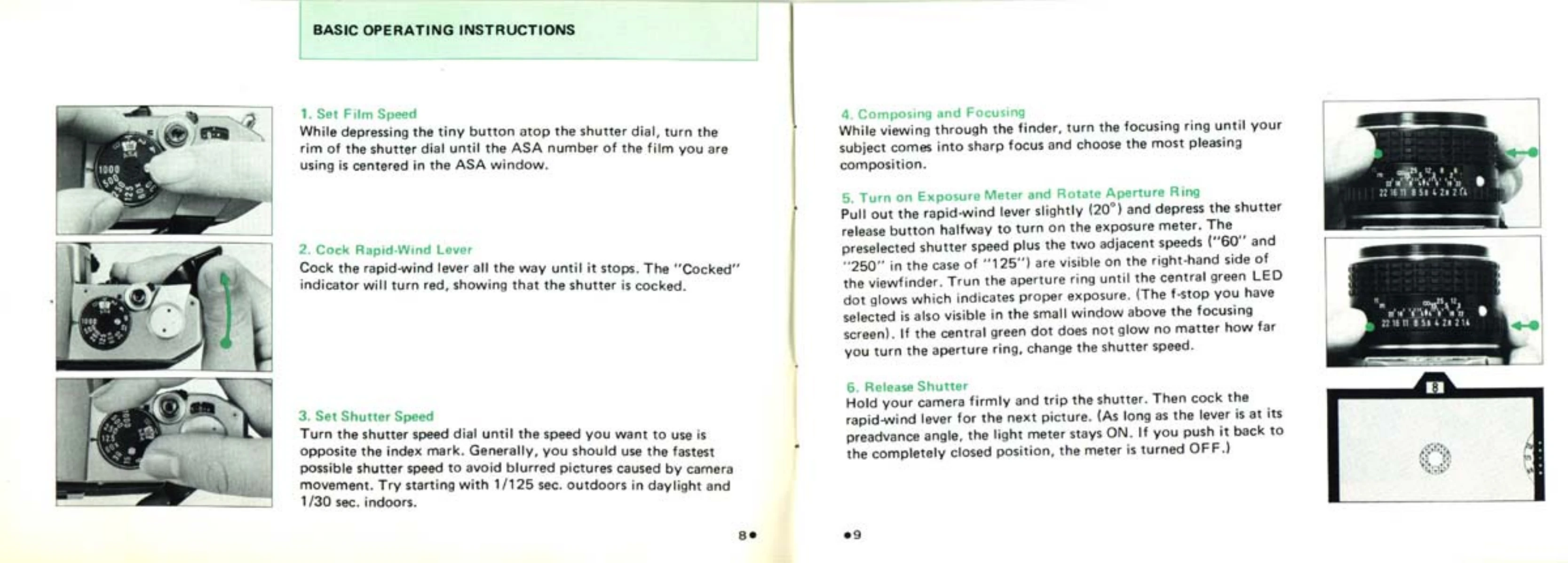
Basic Operation of your Asahi Pentax MX Camera:
Always avoid direct light when loading or unloading film.
| Problem | Possible Cause | Solution |
|---|---|---|
| Blurry Pictures | Camera Movement | Use a faster shutter speed, hold camera steady, use tripod. |
| No Exposure Meter Reading | Batteries depleted | Replace batteries. |
| Shutter Failure | Incorrect flash synchronization | Check flash synchronization settings (refer to page 18). |
| Film Not Advancing | Improper film loading | Reload film, ensuring sprockets engage perforations. |
| Camera Not Functioning After Tripod Mounting | Tripod screw too long | Ensure tripod screw is no longer than 5.5mm. |