Manual for MyPal A620

Manual for MyPal A620

Brand: ASUS

Category: Mobile Phone

Document Type: Manual

Language: EN
Uploaded: Aug. 10, 2025, 12:13 a.m.

Manual Publish Date: 2003-06-01

Warranty Information

No warranty information could be found in the provided document.

Getting Started

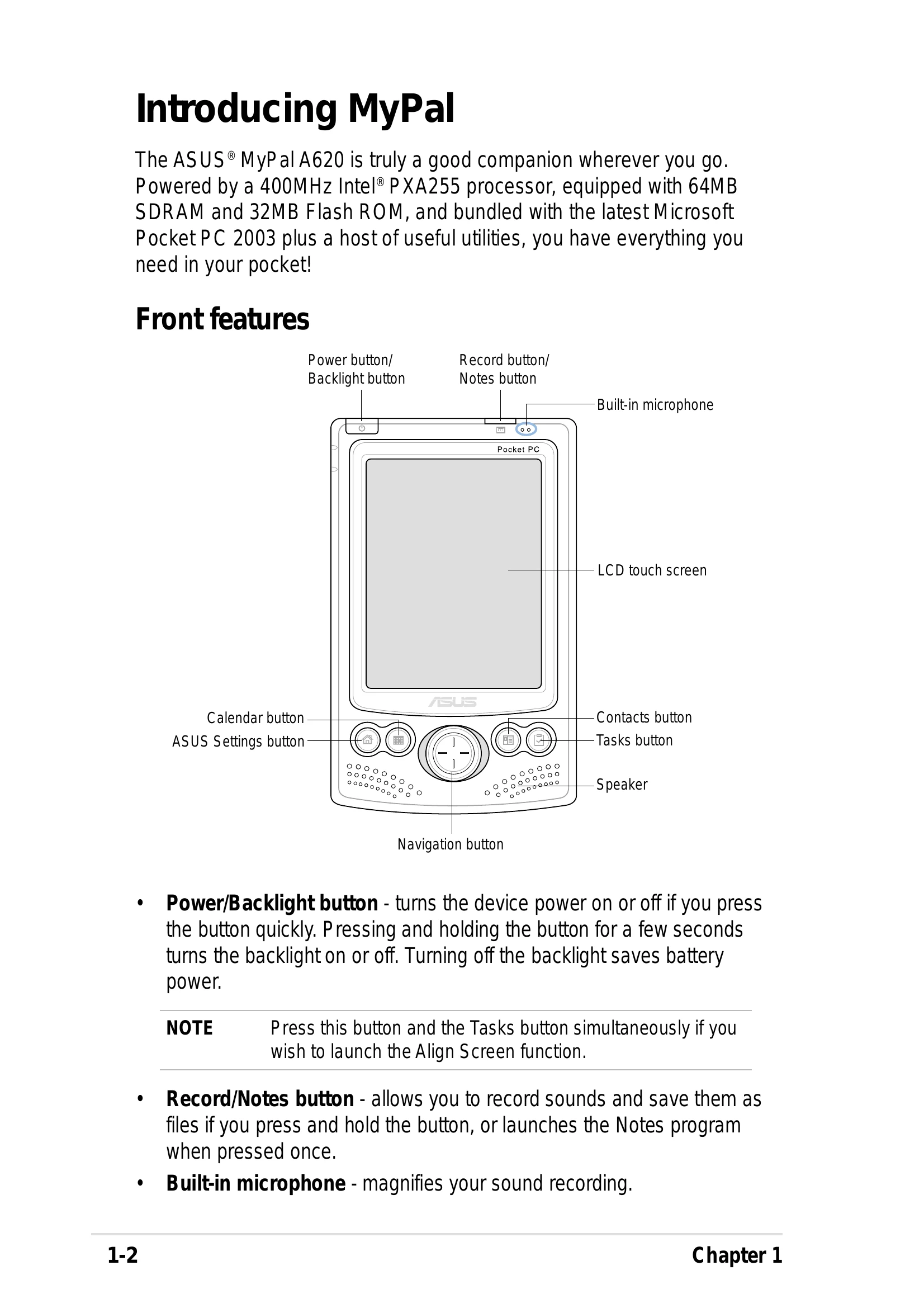
  • Powering On/Off: Briefly press the Power/Backlight button to turn the device on or off. Press and hold for a few seconds to turn the backlight on or off.
  • Using the Stylus: Tap to select, drag to move, and tap-and-hold for options on the touch screen.
  • Navigation: Use the navigation button like arrow keys and an Enter key.
  • Basic Screens: The Today screen shows a summary of daily information. The Start menu provides access to programs, settings, and help.
  • Input Methods: Use the soft keyboard, Letter Recognizer, Block Recognizer, or Transcriber via the Input Panel.

Connectivity

  • Wireless Setup: Configure Wi-Fi connections through Settings > Connections.
  • Infrared (IR) Beaming: Align IR ports to send/receive data.
  • Bluetooth: Enable Bluetooth for short-range wireless communication and data transfer.
Privacy Policy