Manual for WL-103g

Manual for WL-103g

Brand: ASUS

Category: Networking

Document Type: Manual

Language: EN
Uploaded: April 20, 2026, 8:10 p.m.

Manual Publish Date: 2003-04-01

Warranty Information

Warranty or service will not be extended if the product is repaired, modified, or altered without authorization, or if the serial number is defaced or missing.

Installing the ASUS WLAN Card Driver

  1. Turn ON your computer and enter Windows.
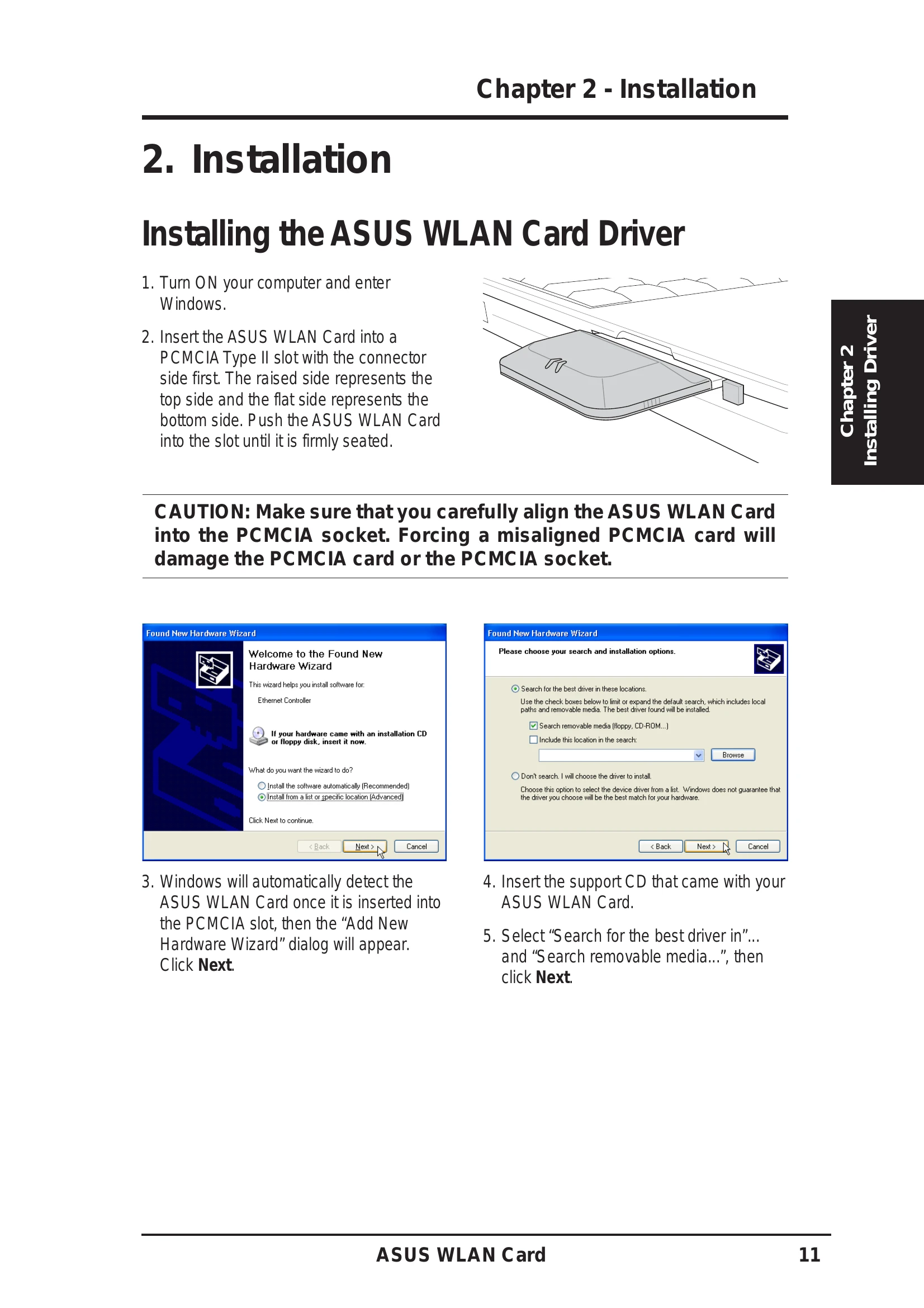
  2. Insert the ASUS WLAN Card into a PCMCIA Type II slot.
  3. Follow the prompts of the "Add New Hardware Wizard" to install the driver from the support CD.

Installing the ASUS WLAN Card Utilities

  1. Insert the ASUS WLAN Card support CD.
  2. Run SETUP.EXE or double-click the autorun menu to launch the installer.
  3. Select "Install ASUS WLAN Card Utilities" and follow the on-screen instructions to complete the installation.

ASUS WLAN Utility Quick Start

  1. Right-click the ASUS WLAN icon and select "Wireless Settings".
  2. Configure the Network Name (SSID) and encryption settings to match your access point.
  3. Use "Site Survey" to find available networks.
  4. Click "Apply" to save settings and check the "Status" page for connection confirmation.

Troubleshooting and error codes

Problem Solution
A question mark over a card in Device Manager No driver has been installed. Repeat the installation.
An exclamation mark over a card in Device Manager The driver is incorrect. Verify you are using the correct product and driver CD. Repeat the installation.
Privacy Policy