Brand: ASUS
Category: Networking
Document Type: Manual
Language: EN
Brand: ASUS
Category: Networking
Document Type: Manual
Language: EN
Uploaded: April 20, 2026, 8:14 p.m.
Manual Publish Date: 2003-12-01
Product warranty or service will not be extended if the product is repaired, modified or altered, or if the serial number is defaced or missing.
The ASUS WLAN Card is a PCI compliant wireless network interface card (NIC) for computers with a PCI slot. It supports IEEE 802.11g and 802.11b standards, offering high-speed wireless local area network (WLAN) solutions. The card supports data rates up to 11 Mbps and operates in the 2.4 GHz ISM band. It comes with a user-friendly utility for easy setup and management of network connections.
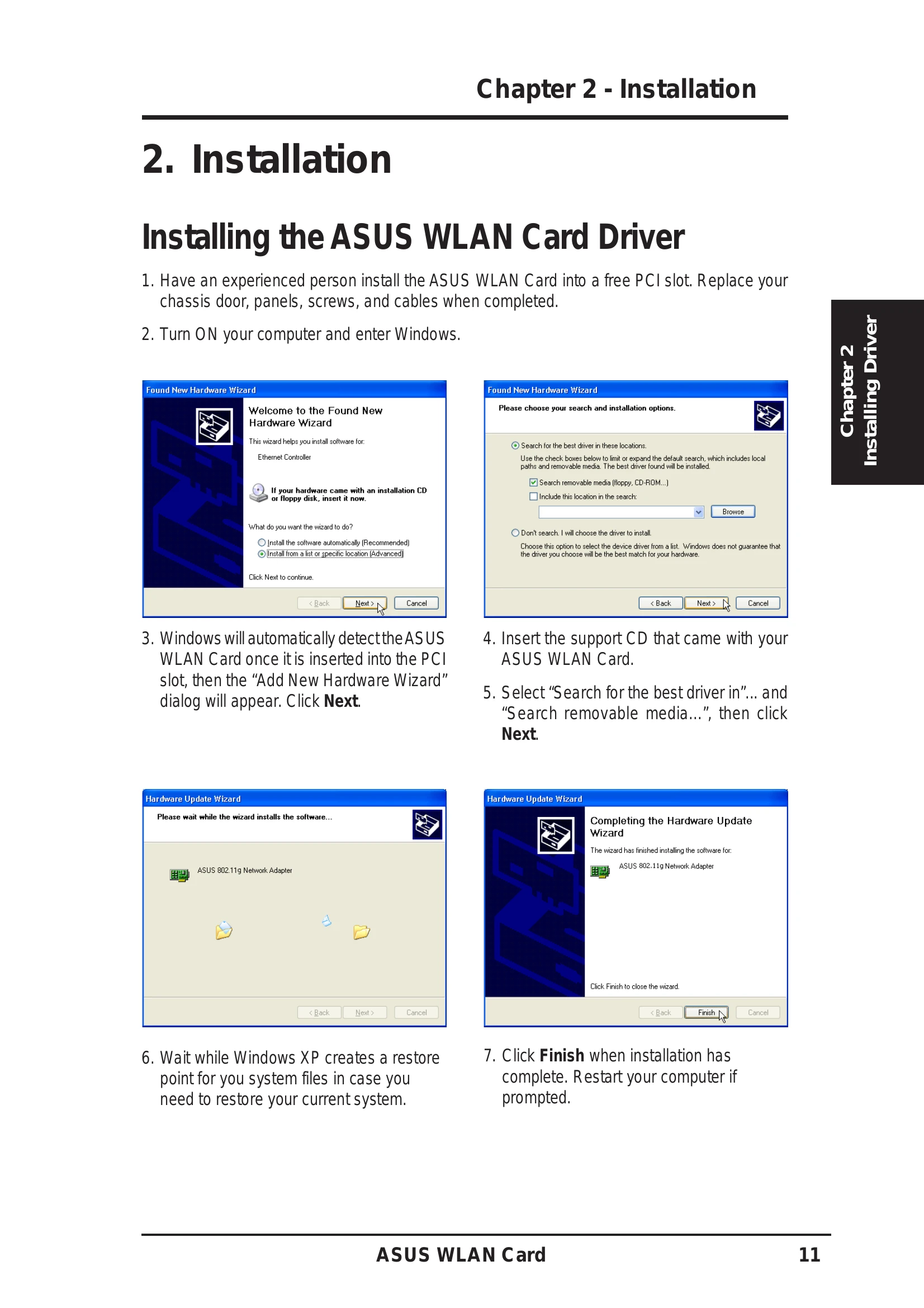
The installation process involves inserting the WLAN Card into a PCI slot, installing the driver using the support CD, and then installing the WLAN Adapter utilities. The manual guides users through the hardware and software installation steps, including driver verification and utility setup.
The software suite includes Control Center, Live Update, Mobile Manager, Site Monitor, Troubleshooting Utility, and Wireless Settings. These utilities allow users to manage network settings, update drivers, monitor network status, and troubleshoot connection issues.
The manual provides a dedicated section for troubleshooting common issues, including a table that helps identify and resolve problems.
A glossary of terms related to wireless networking, such as Access Point (AP), Ad Hoc, SSID, and various IEEE standards (802.11b, 802.11g, 802.11a), is included for better understanding.
This section covers FCC compliance, RF exposure guidelines, and specific regulations for different regions like Canada and France, ensuring safe and legal operation of the device.