Brand: ASUS
Category: Smartphone
Document Type: Manual
Language: EN
Brand: ASUS
Category: Smartphone
Document Type: Manual
Language: EN
Uploaded: April 20, 2026, 7:57 p.m.
Manual Publish Date: 2022-05-01
Refer to the user manual or ASUS Support Site for warranty information.
Welcome to ASUS ZenUI, a charming and intuitive interface exclusively for ROG Phones. Explore special apps for your needs and enjoy your ROG Phone. Key apps include:
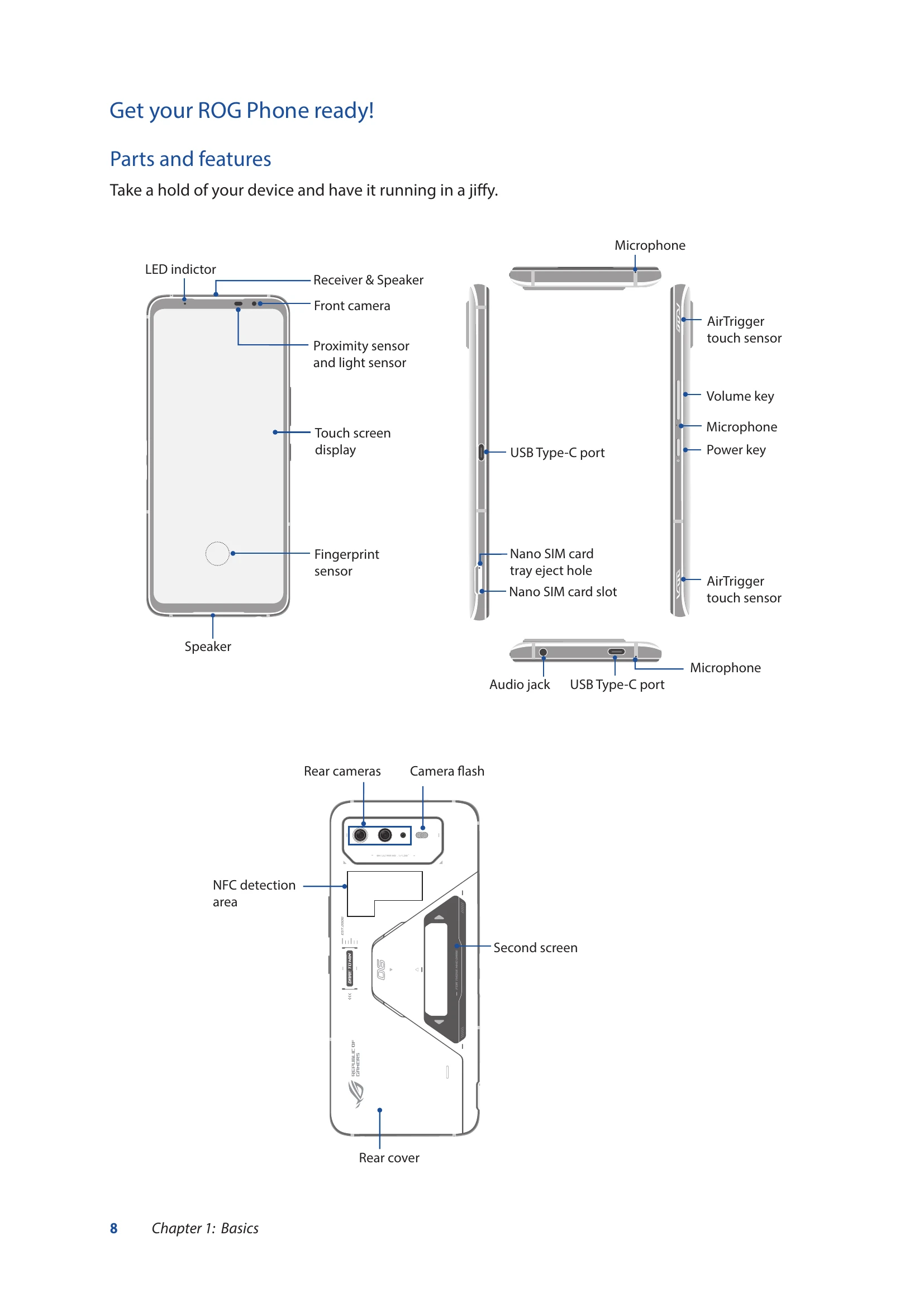
Familiarize yourself with the parts and features of your device, including the LED indictor, receiver & speaker, front camera, proximity sensor, touch screen display, fingerprint sensor, speaker, microphones, AirTrigger touch sensors, volume key, power key, USB Type-C ports, nano SIM card tray, rear cameras, camera flash, NFC detection area, rear cover, and second screen.
Push the eject pin into the hole on the card slot to eject the tray. Place the nano SIM card(s) in the tray and gently push it back in.
Charge your ROG Phone fully before first use. Connect the USB cable to the power adapter, then to your phone, and plug into a grounded power outlet. Peel off protective film from adapter and cable before use. The phone may become warm during charging.
On: Press and hold the power button until it vibrates. Off: Press and hold the power button, then tap 'Power off'. Sleep mode: Press the power button once.
Follow the Setup Wizard to select language, set up network, Wi-Fi, security, and sync accounts. Use your Google or ASUS account.
Use gestures like tapping to launch apps, tapping and holding to move or delete items, swiping to navigate screens, and pinching to zoom.