Brand: beko
Category: Television
Document Type: Manual
Language: EN
Brand: beko
Category: Television
Document Type: Manual
Language: EN
Uploaded: April 20, 2026, 7:45 p.m.
Intended use: TV set designed for dry rooms. Use with supplied stand or VESA bracket. Primarily for playback of TV programmes, streaming content, and music/video from external devices. Not for use as an information display or computer monitor. Avoid displaying static images for extended periods to prevent screen traces.
Security Warnings: Do not dismantle the TV. Use only supplied power cable/adapter. Ensure earthing contact. Connect antenna and external devices before plugging in. Protect from moisture. Keep candles and flames away. Do not cover ventilation slots. Unplug during lightning. Do not expose batteries to extreme heat.
Unique Features: Google TV access, Internet connection required for many features (WLAN/LAN), DVB-S/T/C digital reception (HD capable), Time Shift function, programme recording to external media.
Energy Saving: Disconnect from mains when not in use for extended periods. Use main switch if available. Reduce brightness/contrast.
Still Images: Avoid displaying the same channel or non-full-screen images for long durations to prevent screen traces.
Antenna & Power: Connect satellite antenna to SATELLITE socket, terrestrial/cable antenna to ANT IN socket. Connect AC power cable to AC IN socket and then to the wall socket. Ensure external devices and antenna are connected before plugging in the TV.
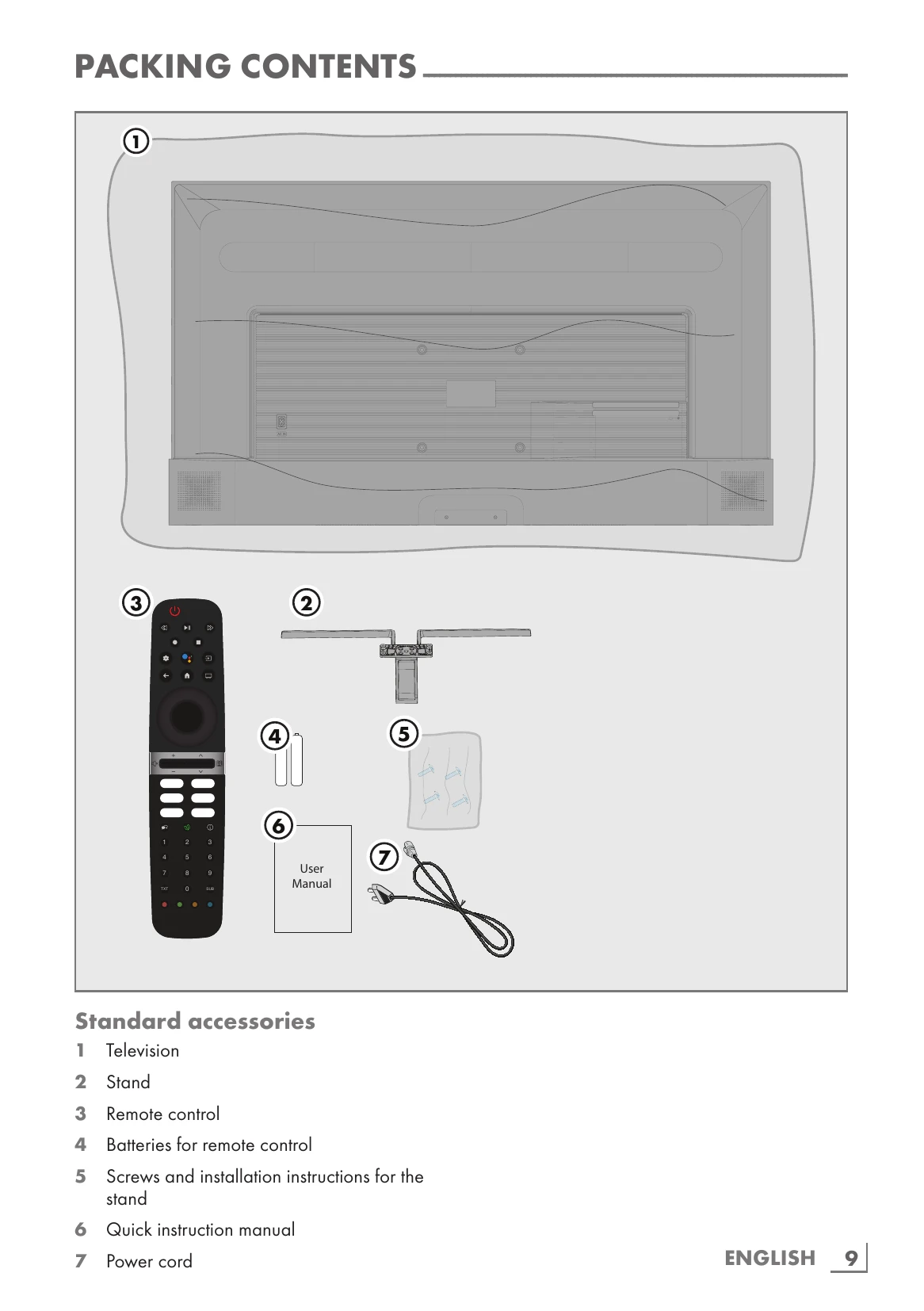
Installation: Choose a location with no direct sunlight. For stand installation, refer to separate instructions. For VESA mounting, contact authorized dealer and follow kit instructions.
Remote Control: Insert batteries (2x AAA). Ensure correct polarity.
| Problem | Possible cause | Solution |
|---|---|---|
| Screen is on (black screen), but there is no channel | Antenna cable | Is the antenna cable connected? |
| No TV station programmed | Start a channel scan | |
| Poor picture contrast | Picture settings incorrectly set | Adjust the brightness, contrast or color setting |
| Ghosting, reflection | Problem at station | Test with a different station |
| Channel setting | Automatic or manual channel setting | |
| No color | Antenna | Have the antenna cable or system checked |
| Color intensity at maximum | Turn up the colour | |
| TV standard setting (if setting option is available) | Select the correct color standard | |
| Picture but no sound | Problem at station | Test with another channel |
| Volume set to minimum | Turn up the volume | |
| Remote control does not work | No optical connection | Point the remote control at the television set |
| Remote control batteries | Check the batteries, change if necessary | |
| Picture is dark in PC mode | Operating condition undefined | Switch off the TV by pressing the main power key (if any) or unplugging the mains plug, and leave it off for about 2 minutes. |
| Incorrect setting for picture resolution and picture frequency on the PC | Change the setting on the PC (for example, picture resolution 1280 x 768, picture frequency 60Hz) | |
| Warnings about the connection problems on the display | Network Cable or wireless USB network device may be disconnected | Check network cable or wireless USB network device |
| Videos in video applications are lagging during playback in wireless connection | Modem does not have Internet connection or has problems | Make sure that your modem has Internet connection |
| Videos in video applications are lagging during playback in cable connection | Internet connection speed is low. | Low Internet connection speed is a problem that is related with the speed of your subscription or a failure in the Internet infrastructure. Contact your service provider (ISP). |