Brand: BLACK & DECKER
Category: Microwave Ovens
Document Type: Manual
Language: EN
Brand: BLACK & DECKER
Category: Microwave Ovens
Document Type: Manual
Language: EN
Uploaded: April 20, 2026, 7:51 p.m.
Refer to the warranty registration card for details.
Do not operate any appliance with a damaged cord or plug, or after the appliance malfunctions, or is dropped or damaged in any manner. Return the complete appliance to your nearest authorized service facility.
Do not attempt to repair the appliance yourself; instead, take it to your Black & Decker-owned or Authorised Service Centre for repair.
Do not let the cord hang over the edge of a table, counter, or touch hot surfaces.
Avoid touching hot surfaces, use handles and knobs.
Do not operate or place any part of this appliance on or near any hot surfaces.
Do not abuse the cord. Never carry the appliance by the cord or yank it to disconnect it from the outlet; instead, grasp the plug and pull to disconnect.
When using an extension cord with your appliance, make sure the extension cord is correctly wired, and rated for its use.
The microwave oven should be placed on a flat stable surface which can hold the weight of the appliance and the heaviest of food likely to be cooked inside.
Do not place any item on top of the oven.
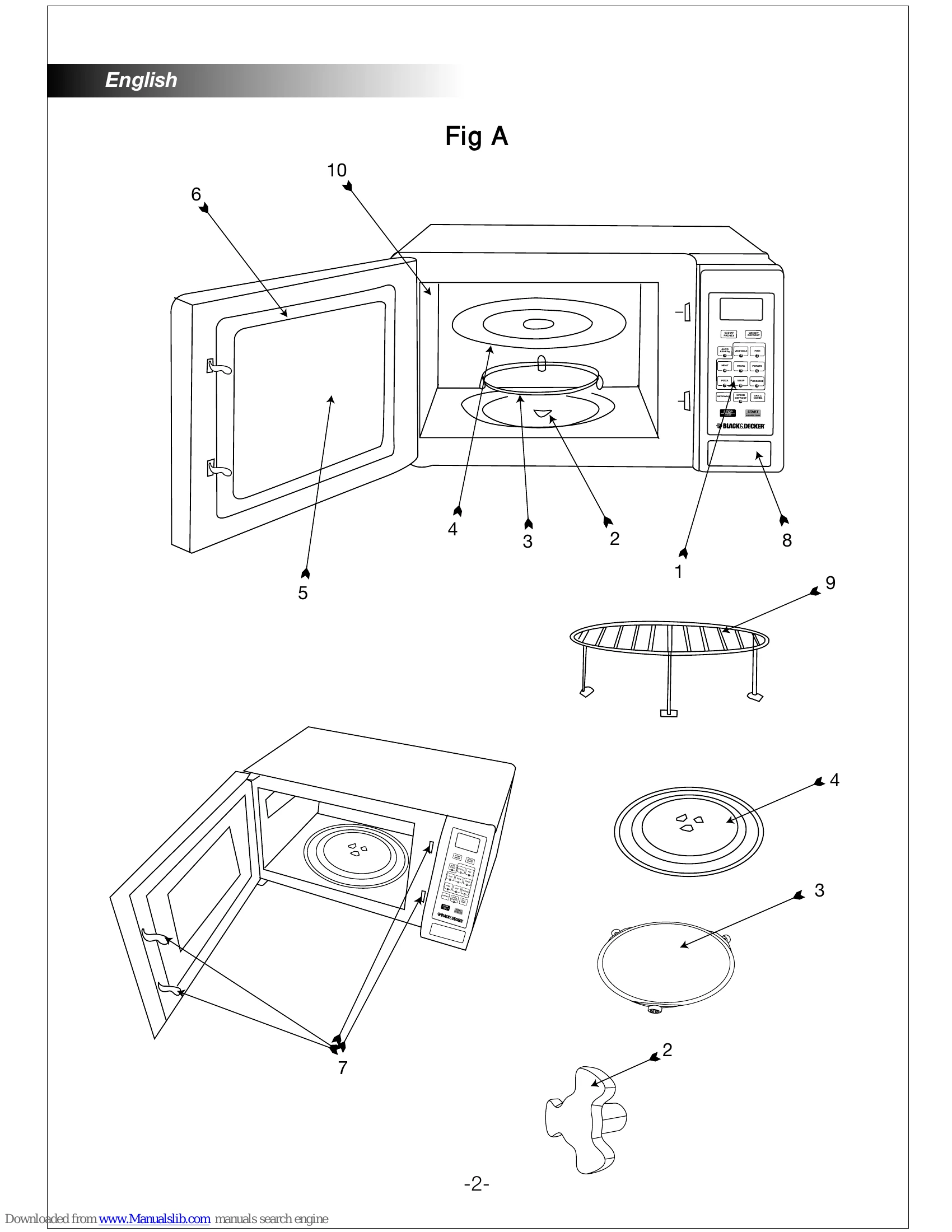
Do not operate the microwave oven without the glass tray or roller support in their proper positions.
Make sure that the power supply cord is undamaged and does not run under the microwave oven or over any hot or sharp surfaces.
When the microwave oven is connected to a suitable electrical supply, the oven will display "0:00".
To set the correct time, for example: To set 8:00.
Note: If "STOP/CLEAR" button is pressed or if there is no operation within 1 minute, the oven will revert to its previous state automatically.