Brand: BLACK+DECKER
Category: Portable Air Conditioner
Document Type: Manual
Language: EN
Brand: BLACK+DECKER
Category: Portable Air Conditioner
Document Type: Manual
Language: EN
Uploaded: April 20, 2026, 8:04 p.m.
2-year guarantee from the original date of purchase, valid in the UK and Republic of Ireland.
Turning On/Off: Press the Power button on the remote or control panel. The display will light up, and air will emit from the vents when on. Press again to turn off.
Speed Selection: Use the Speed button to choose High, Medium, or Low. An indicator light shows the selected speed.
Mode Selection: Press the Mode button to cycle through Auto, Cooling, Fan, and Dehumidifying modes. Indicators show the active mode.
Temperature Control: Use the Up/Down or +/- buttons to adjust temperature between 18°C and 32°C.
Sleep Mode: Press the Sleep button for overnight operation with gradual temperature adjustment.
Timer Function: Set a timer for operation or delay start from 1 to 24 hours using the Timer button.
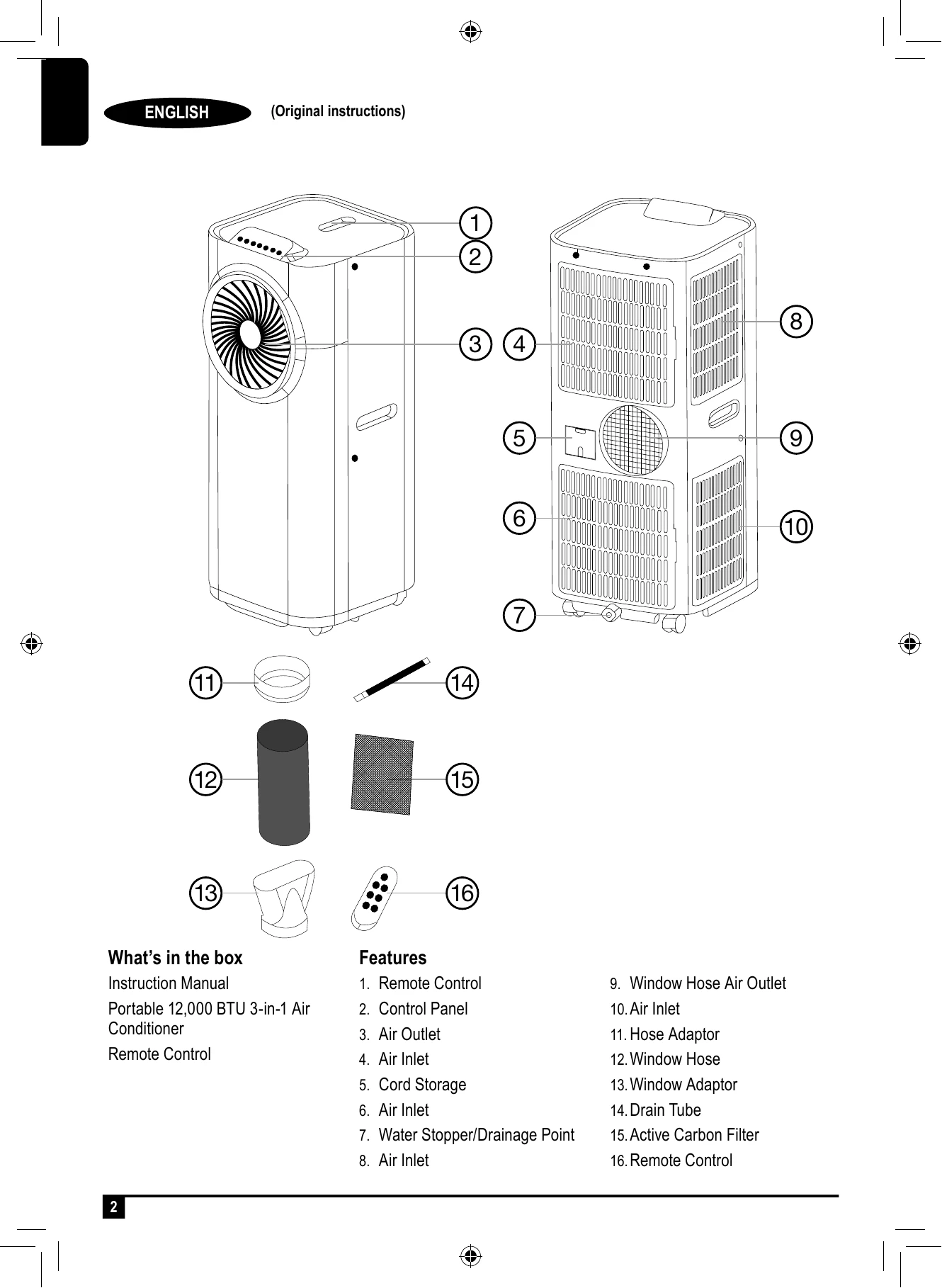
Draining: Empty the water tank when full using the drain plug, or use the drain tube for continuous drainage.
| Display | Possible Malfunction | Action |
|---|---|---|
| E1 or E2 | Self-diagnosis error code | Seek a specialized technician or contact customer support. |
| Water and Comp indicators flashing | Water tank full | Drain the water tank. |