Brand: BOBLOV
Category: Electronics
Document Type: Manual
Language: EN
Brand: BOBLOV
Category: Electronics
Document Type: Manual
Language: EN
Uploaded: April 20, 2026, 8:02 p.m.
Short press the Power button to turn on the unit. Long press for 2 seconds to power off.
Short press the "Up/Down" button to switch between Video, Photo, Audio, and Setting modes.
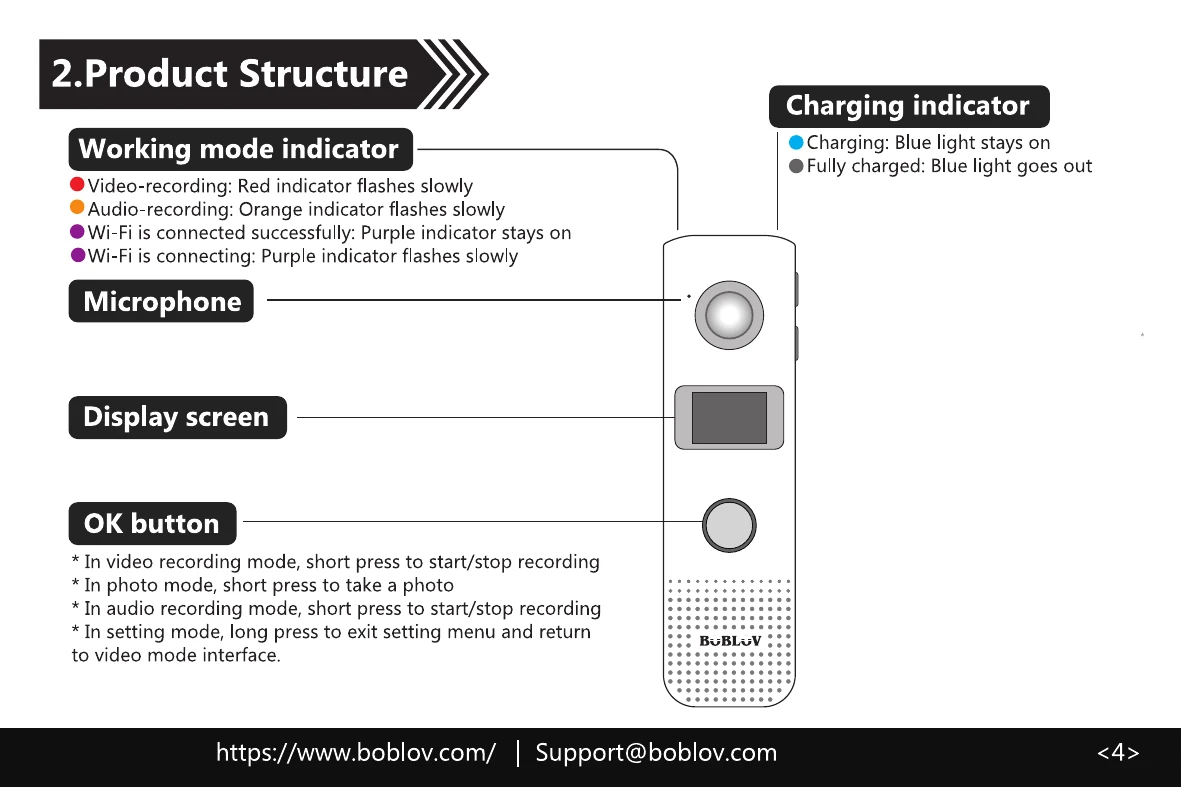
In Video Recording mode, short press "OK" to start/stop recording. Long press "Down" for 1 second to start/stop recording.
In Photo mode, press "OK" to take a photo. Long press "Down" for 1 second to start/stop taking photos.
In Audio Recording mode, short press "OK" to start/stop recording. Long press "Down" for 1 second to start/stop recording.
In Setting mode, use "Up/Down" to navigate and "OK" to select/confirm. Long press "OK" to exit.