Brand: BOLEX
Category: Camera Accessories
Document Type: Manual
Language: EN
Brand: BOLEX
Category: Camera Accessories
Document Type: Manual
Language: EN
Uploaded: Aug. 10, 2025, 12:38 a.m.
Clean lenses with distilled water and soft tissue. Avoid brushes and cleaning fluids. Keep rear dust cap attached.
Close-up device: Unscrew milled head to access rear lens surface. Use frontal knob to position prisms.
Twin-projection lens: Clean similarly. Avoid running projector lamp without film.
Clean viewing spectacles and projection screen before each show.
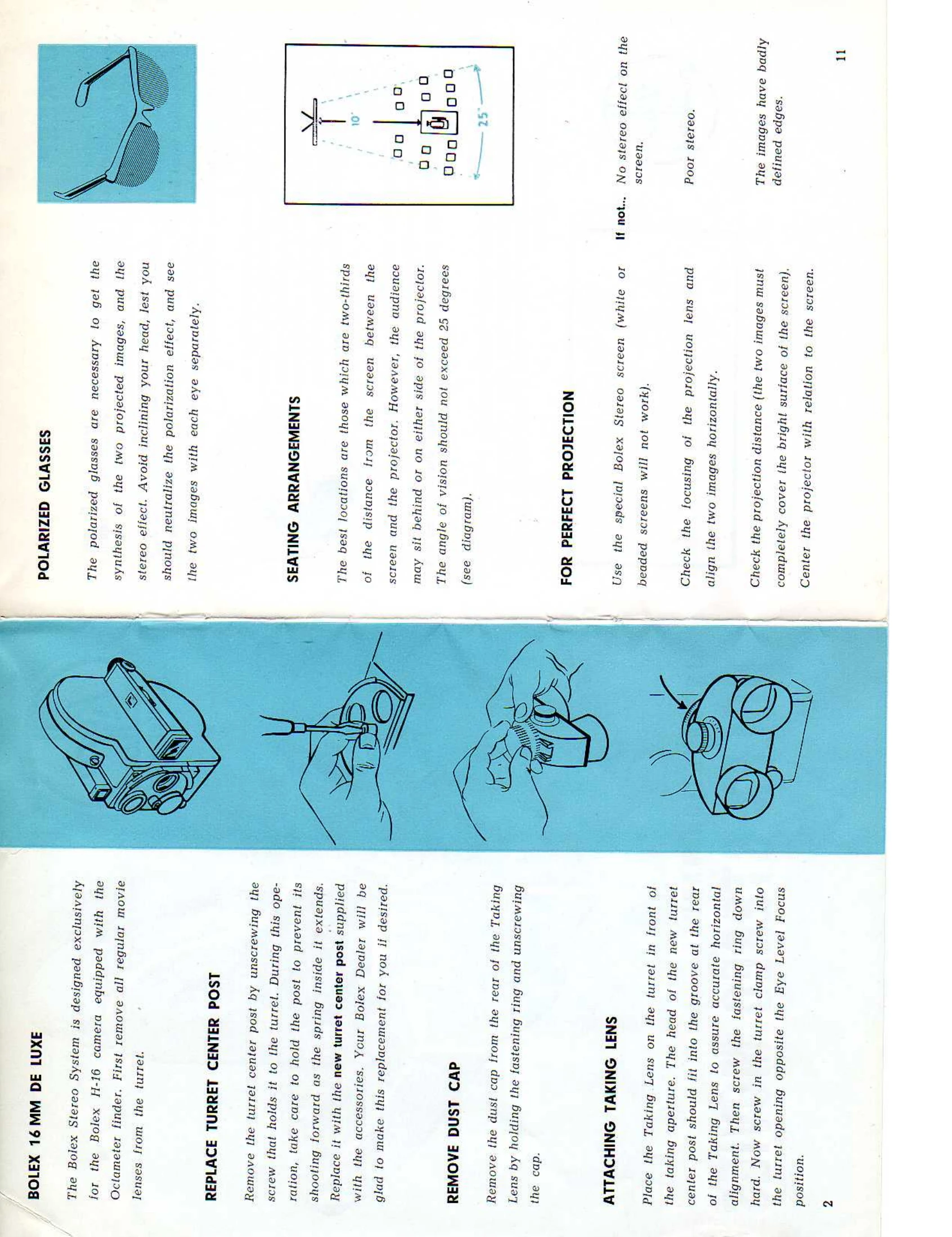
Place lens on turret, aligning turret center post groove. Screw fastening ring. Screw turret clamp screw.
Type G: Rough focus by moving lens in housing. Horizontal alignment by turning lens; fine adjustment with uncolored knob.
Type S: Focus by sliding lens. Turn lens for fine adjustment.
Note: Horizontal alignment without glasses, final adjustment with glasses.
Use standoff bracket conversion chart for corrected parallax.
Use same as ordinary work. Overexpose slightly for color (1/4-1/2 stop).
Screw filters/sunshades onto front of taking lenses. Use Bolex filter rings for Kodak/Ansco filters.
Uses standard 16mm film.
Use tripod or stable support for steadying camera.
Use special Bolex Stereo projection lenses with polarizing filters.
Remove regular projector lens and substitute Bolex Stereo Lens (Type G or S), using adapter sleeves if needed.
Use only special Bolex Stereo screen.
Align projector lens and images horizontally. Check projection distance. Center projector.