Search
Manual for 160
Brand:
BOLEX
Category:
Camera
Document Type:
Manual
Language:
EN
Uploaded:
Aug. 10, 2025, 12:38 a.m.
Download Manual
Getting to Know Your Camera
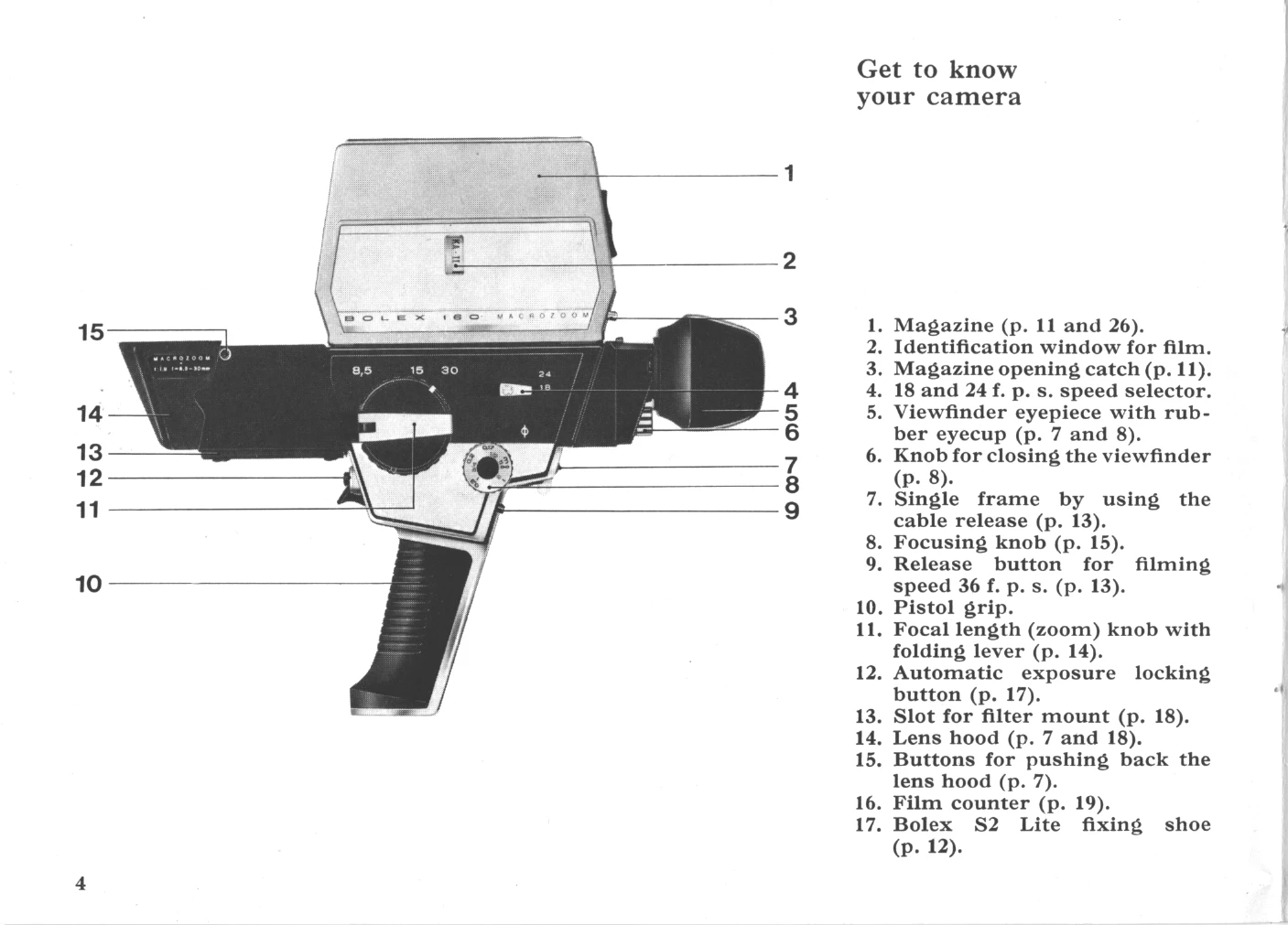
Identify camera components: magazine, viewfinder, speed selector, pistol grip, zoom knob, etc.
Adjust viewfinder for comfortable viewing using eyecup and adjustment knob.
Check battery condition using the battery checking lever.
Setting Up
Lift the lens hood to one of three positions (filming, close-up, or closed).
Loading the Camera
Open the magazine lid by pressing the catch.
Insert the Super 8 film cartridge, ensuring the identification label is outwards and the flat end downwards.
Ensure the conversion filter lever is in the correct position for daylight or artificial light.
Filming
Start filming by pressing the trigger or using the cable release.
Select filming speed (18, 24, or 36 f.p.s.) using the speed selector.
Use the focusing knob for sharp images, adjusting to infinity or specific distances.
Utilize the power-zoom or manual zoom to change focal length during filming.
The automatic exposure system adjusts the diaphragm; locking is possible for specific effects.
Create a "curtain effect" using the tilting lens hood.
Attach and use filters in the filter mount.
Monitor remaining film using the film counter.
Using the Multitrix
Mount the Multitrix accessory onto the camera lens.
Frame subjects of various sizes using the card frame and lens focal length.
Create titles on postcards or acetate sheets, and achieve various visual effects.
Privacy Policy