Search
Manual for 16MM DE LUXE
Brand:
BOLEX
Category:
Camera
Document Type:
Manual
Language:
EN
Uploaded:
Aug. 10, 2025, 12:37 a.m.
Download Manual
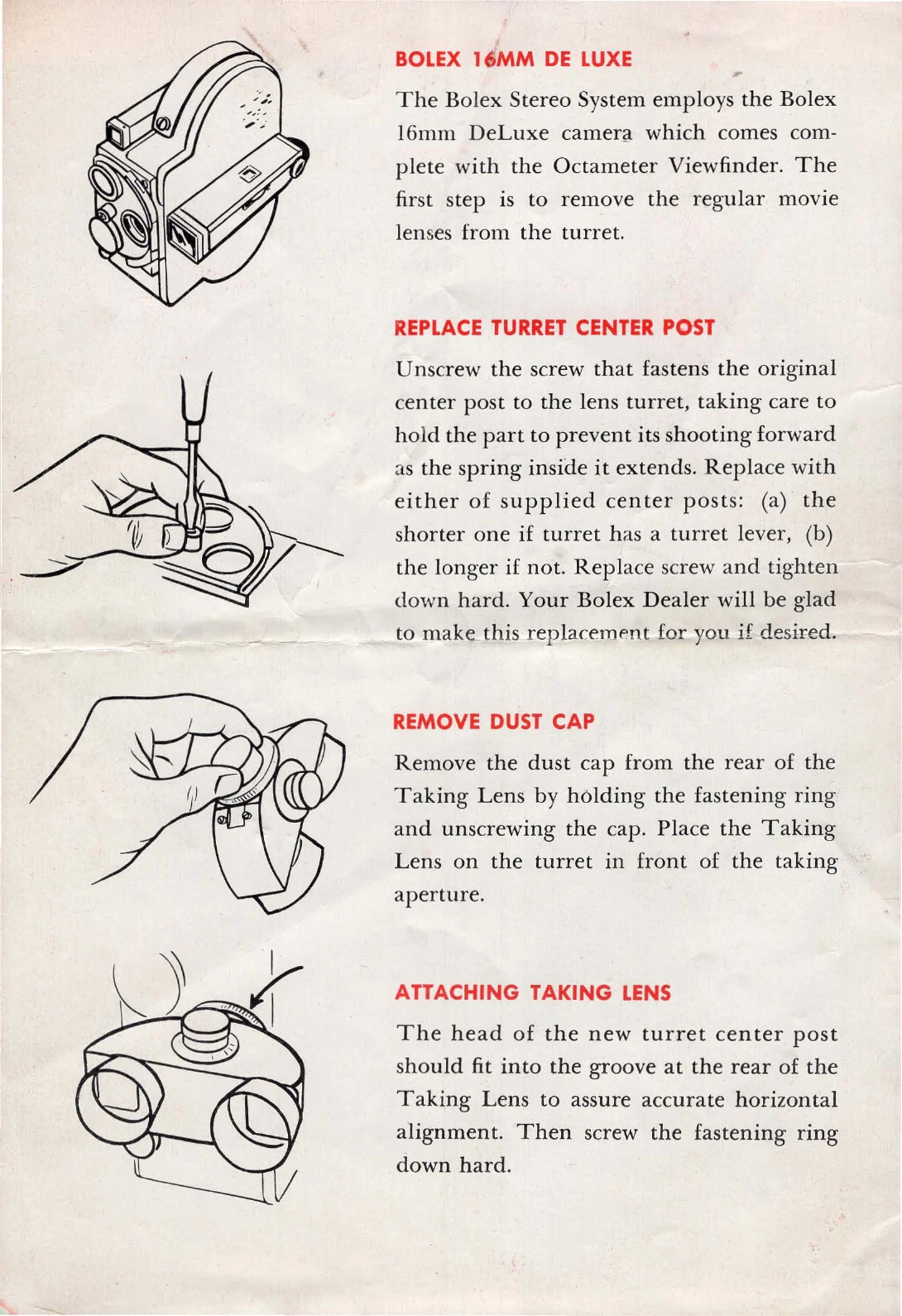
Attaching the Taking Lens:
Remove the regular movie lenses from the turret.
Unscrew and remove the original center post.
Replace with the supplied center post (shorter for turret with lever, longer otherwise).
Screw in the new center post firmly.
Remove the dust cap from the rear of the Taking Lens.
Place the Taking Lens on the turret in front of the taking aperture.
Align the lens head with the groove on the center post for horizontal alignment.
Screw the fastening ring down firmly.
Attaching the Octameter Finder:
Remove the Octameter finder by disengaging the locking lever and turning it downward.
Insert the standoff support into the front clamp on the camera lid.
Bring the standoff into contact with the rear clamp and swing the lever down to secure it.
Fasten the Octameter finder to the standoff in the same manner.
Attach the viewfinder mask to the Octameter finder, ensuring a snug fit.
Projection:
Use the special twin projection lenses.
Remove the regular lens from your projector.
Substitute the Bolex Stereo Lens (Type G or Type S) with appropriate adapters if needed.
Focus and align the projection lenses as described.
Set up the Bolex Stereo screen 10 feet from the projector, ensuring it is taut and centered.
Use Polaroid spectacles for viewing and ensure they are clean and worn correctly.
Privacy Policy