Manual for 480

Manual for 480

Brand: BOLEX

Category: Camera

Document Type: Manual

Language: EN
Uploaded: Aug. 10, 2025, 12:37 a.m.

Warranty Information

No warranty information is available in this manual.

Getting Started:
  • Adjust the eyepiece for clear vision.
  • Insert batteries (5 x 1.5V cells recommended: alkaline-manganese).
  • Load Super 8 film cartridges.
Filming Modes:
  • Normal Operation: Hold hand grip to activate motor and exposure system. Use release trigger or cable release.
  • Continuous Operation: Use cable release in socket (A), turn crown anti-clockwise; press to lock.
  • Single-Frame Filming: Use cable release in socket (B) for titles, time-lapses. Requires tripod.
  • Remote-Control Cable: Attach camera to tripod, insert cable, set to Continuous Operation, operate with cable switch.
Key Features:
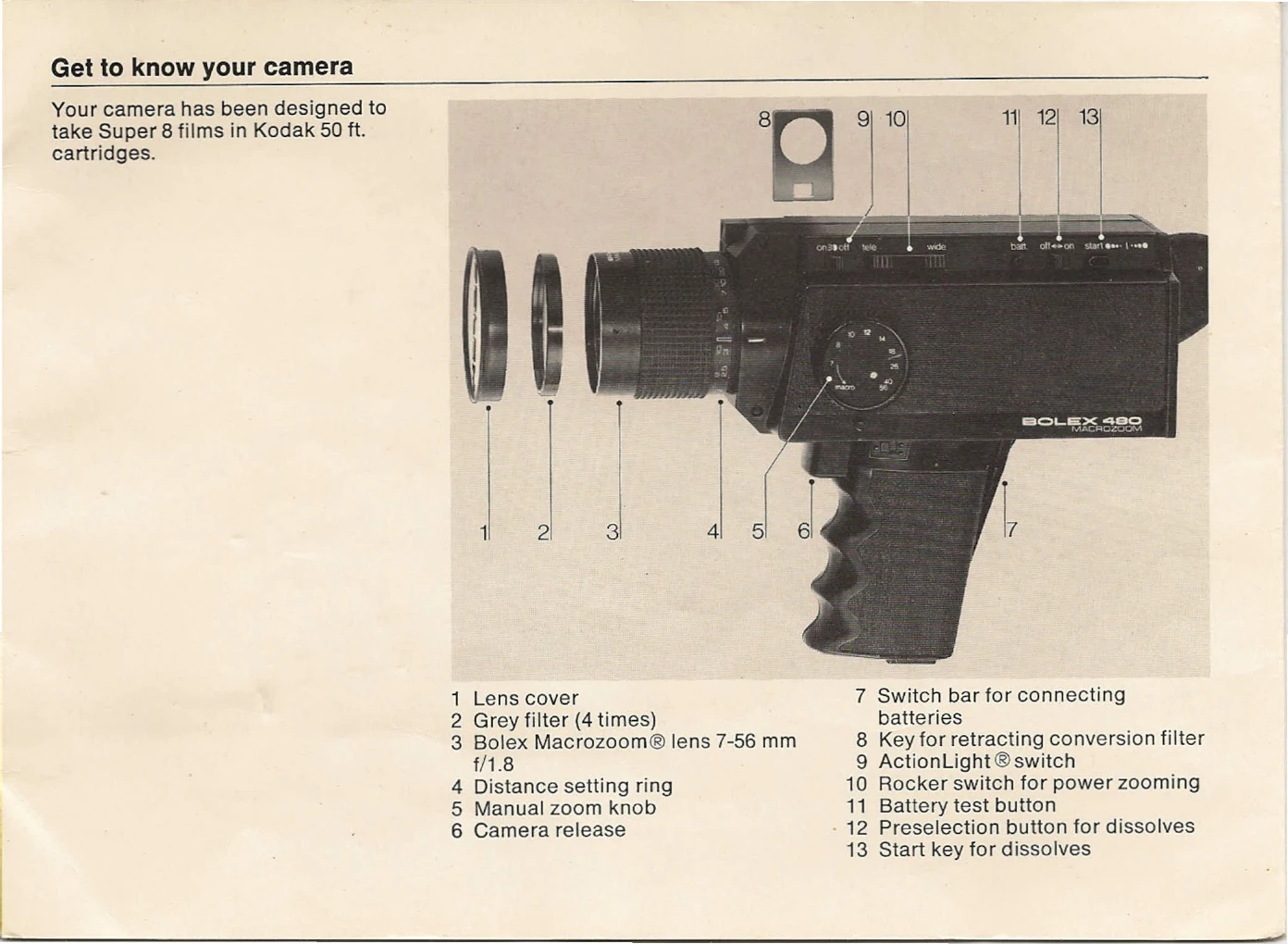
  • Zooming: Manual or power zoom (7-56mm).
  • Focusing: Use split-image rangefinder at longest focal length.
  • Macro Shots: Press macro button to extend focusing range.
  • Exposure: Automatic system, with override control.
  • Filming Speeds: 18, 24, or 40 frames per second.
  • Special Effects: Fade-ins/fade-outs by diaphragm control.

Troubleshooting and error codes

Problem Possible Cause Solution
Red light in viewfinder during filming Camera not loaded (no film) Load a film cartridge.
Red light in viewfinder during filming Film finished Unload and load a new cartridge.
Red light in viewfinder during filming Film not advancing (jammed) Take out cartridge, manually advance film a few perforations, reinsert.
Red light in viewfinder when checking batteries Batteries low or dead Replace batteries.
Film appears over/under-exposed Incorrect exposure setting Check lighting conditions, adjust aperture (manual override if needed), ensure correct film speed is set.
Privacy Policy