Manual for B2

Manual for B2

Brand: Bolsey

Category: Camera

Document Type:

Language: EN
Uploaded: Aug. 9, 2025, 11:35 p.m.

Warranty Information

Send back the warranty card with 15 cents for handling to receive the Bolsey Pocket Exposure Guide free.

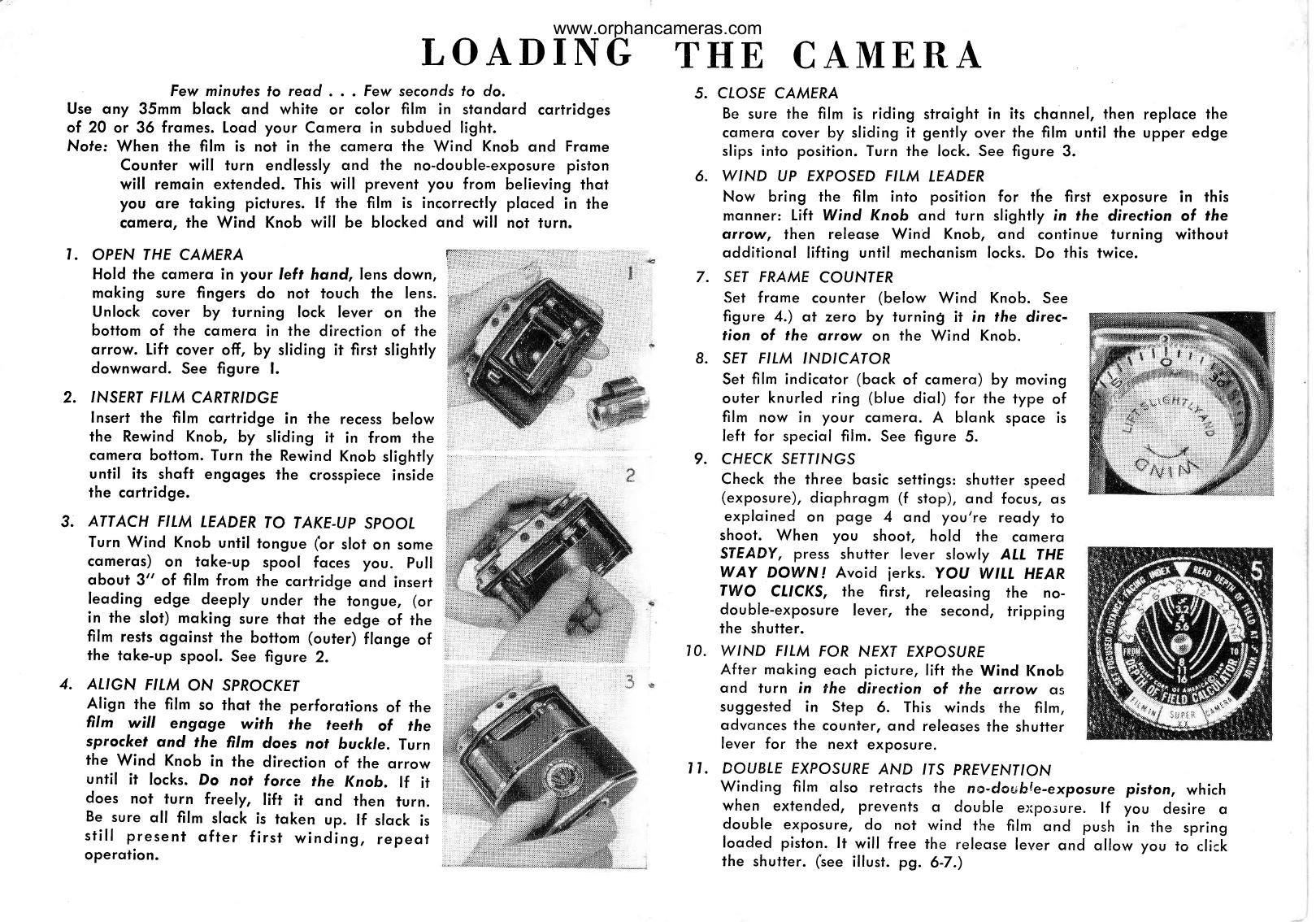
  1. Open Camera: Unlock and slide the top cover off.
  2. Insert Film Cartridge: Place the cartridge in its recess and turn the rewind knob until it engages the cartridge.
  3. Attach Film Leader: Pull about 3" of film and insert the leading edge under the take-up spool tongue/slot.
  4. Align Film on Sprocket: Ensure perforations engage sprocket teeth. Turn winding knob until it locks, and take up any slack.
  5. Close Camera: Replace cover, slide it down, and lock it.
  6. Wind Up Exposed Film Leader: Lift winding knob, turn slightly, release, and continue turning twice to position for the first exposure.
  7. Set Frame Counter: Turn the counter below the winding knob to zero.
  8. Set Film Indicator: Adjust the indicator on the back for the film type.
  9. Check Settings: Verify shutter speed, aperture, and focus.
  10. Wind Film for Next Exposure: After each shot, lift and turn the winding knob.
  11. Prevent Double Exposure: Winding film retracts a piston that prevents double exposures.

Troubleshooting and error codes

Symptom Possible Cause Remedy
Winding knob turns endlessly without stopping when film is not loaded. Film is not loaded in the camera. This is normal; the no-double-exposure piston remains extended.
Winding knob is blocked and will not turn. Film is incorrectly placed in the camera. Open the camera and re-load the film correctly.
Film resist further winding after all exposures are taken. Roll of film is fully exposed. Rewind the film back into the cartridge.
Privacy Policy