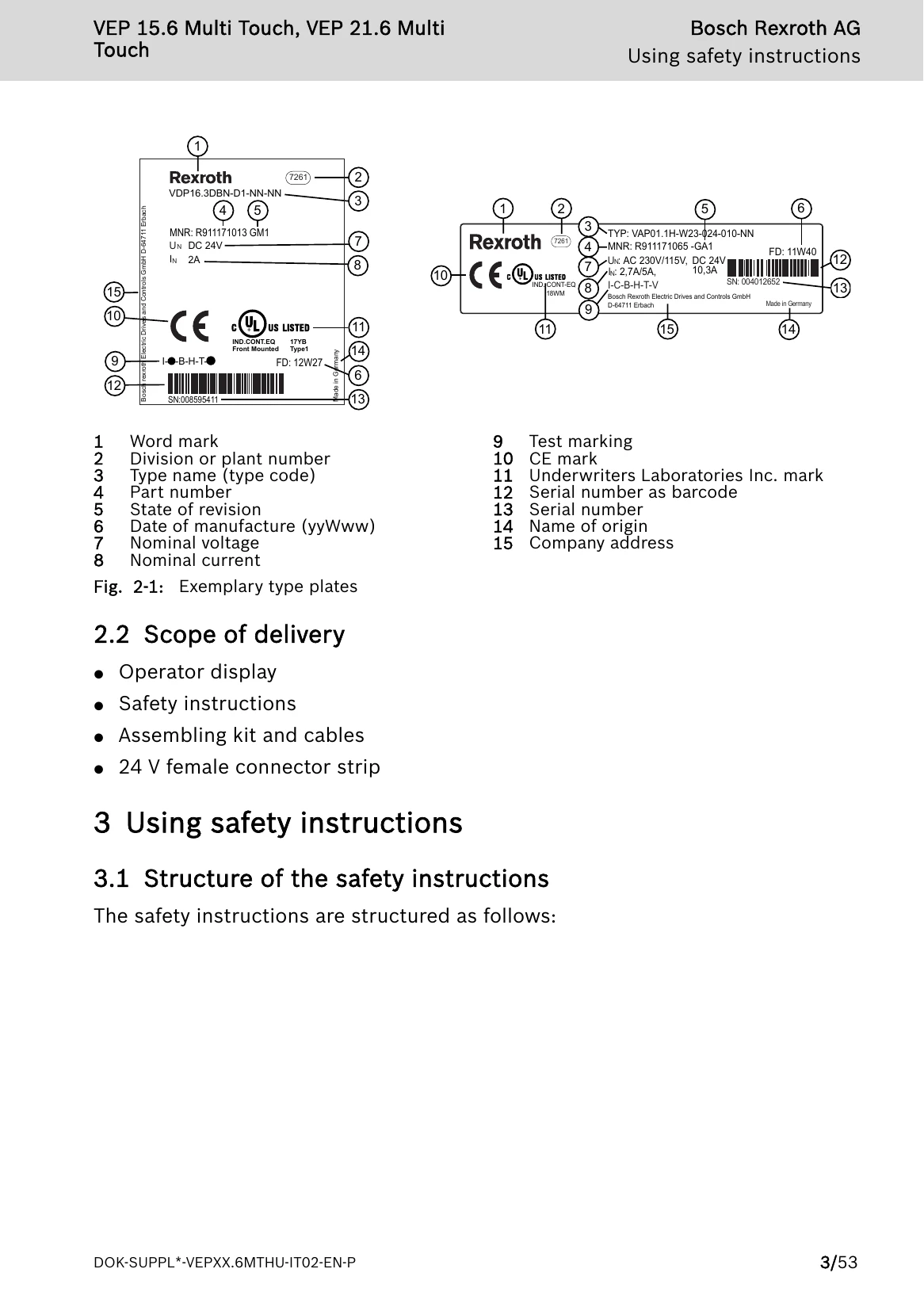
The Bosch Rexroth IndraControl VEP 15.6 and VEP 21.6 operator displays are passive operator and visualization terminals. They form a PC-based operator terminal when used with a Bosch Rexroth control cabinet PC. The operator displays may only be used as intended and with the accessories, mounting parts and other components specified in this documentation. Components that are not expressly mentioned must neither be attached nor connected. The same applies to cables and lines. Only to be operated with the component configurations and combinations expressly defined and with the software and firmware specified in the corresponding functional description. Typical areas of application include handling and assembly systems, packaging and food processing machines, printing and paper converting machines, machine tools, and wood processing machines. The displays are designed for use in industrial environments and have certain EMC emission limits. When used in residential areas, measures may be needed to prevent radio interference.