Manual for GSM 909 DUAL S

Manual for GSM 909 DUAL S

Brand: BOSCH

Category: Other

Document Type: Manual

Language: EN
Uploaded: April 20, 2026, 8:05 p.m.

Warranty Information

Refer to the product packaging or manufacturer for warranty information.

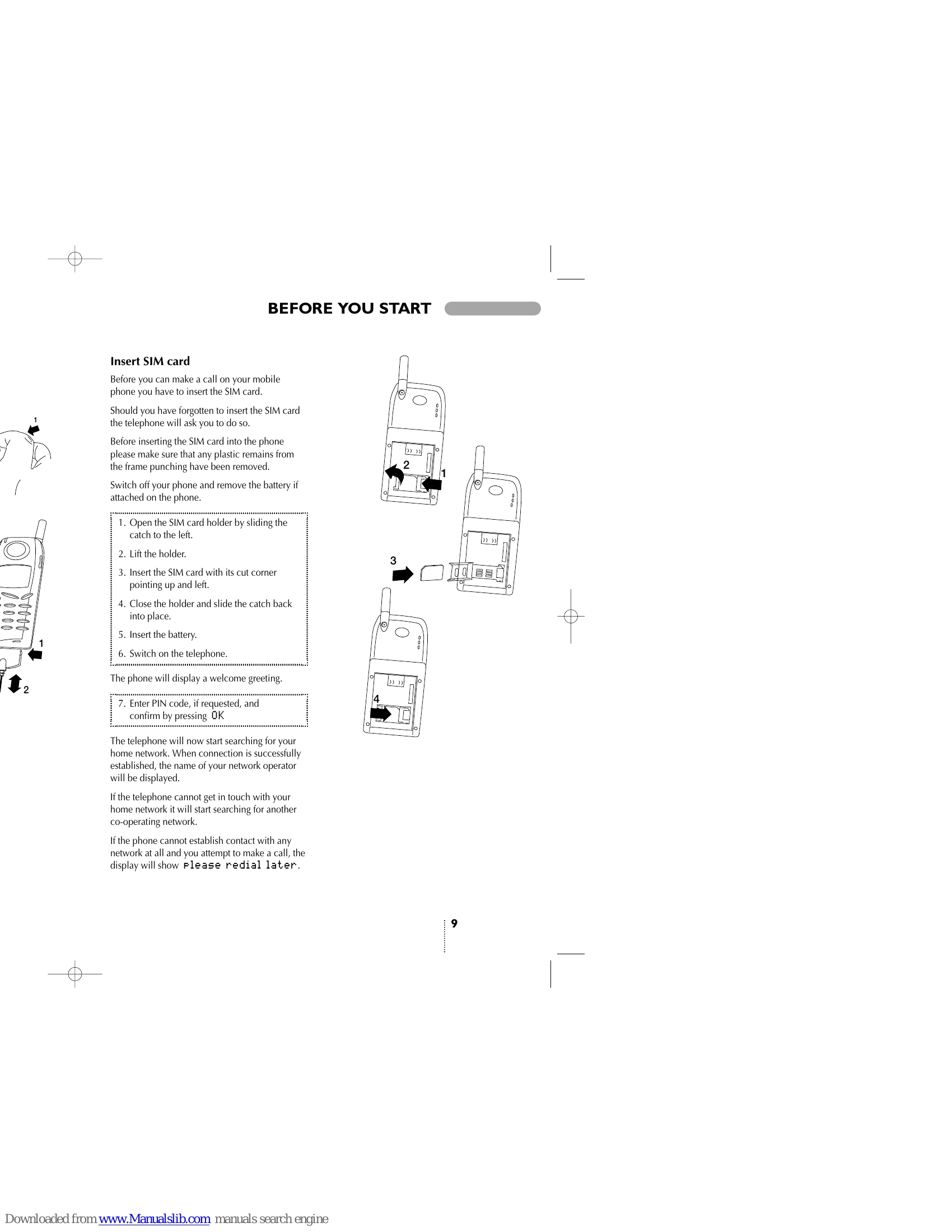
Precautions: Follow safety guidelines for mobile phone use, including in-car safety, avoiding areas with explosion risk, and safe aircraft usage. Be mindful of medical electronics and children. Ensure proper electrical safety with approved chargers and handle batteries with care. SIM Card Insertion: Switch off the phone, open the SIM card holder, insert the SIM card with the cut corner pointing up and left, close the holder, insert the battery, and switch on the phone. Enter the PIN code if requested. Making a Call: To make a call, dial the number and press CALL. For extension numbers, enter a pause using the #-key. Emergency calls can be made using 112. Answering a Call: Press ANSWER when the phone rings and END to end the call. Keypad Lock: To prevent accidental calls, lock the keypad by pressing MENU then #. To unlock, press UNLOCK then #. Phone Book: Store and edit contact information. Speed dialling allows quick access to stored numbers. Messages: Read, send, and delete SMS messages. Access point-to-point and cell broadcast messages. Events: Use the phone as a calendar to add and manage events like meetings and birthdays. Setup Menu: Customize phone settings like language, dial setup, network selection, and display options. Call Divert/Barring/Waiting: Manage call routing and restrict incoming calls. Accessories: Information on car kits, headsets, and belt clips for enhanced functionality.

Troubleshooting and error codes

Problem Possible Cause Solution
Phone does not switch on Battery is discharged or not inserted correctly. Charge the battery or ensure it is correctly inserted.
No network connection SIM card not inserted or not registered. Insert SIM card correctly. Check network registration.
Cannot make or receive calls Call barring is active or network issue. Check call barring settings. Contact network operator.
Poor sound quality Weak signal or microphone/speaker issue. Move to an area with better signal. Clean microphone/speaker openings.
SMS not sent/received Network issue or message memory full. Check network service. Delete old messages.
Privacy Policy