Brand: BOSCH
Category: Refrigerator
Document Type: Manual
Language: EN
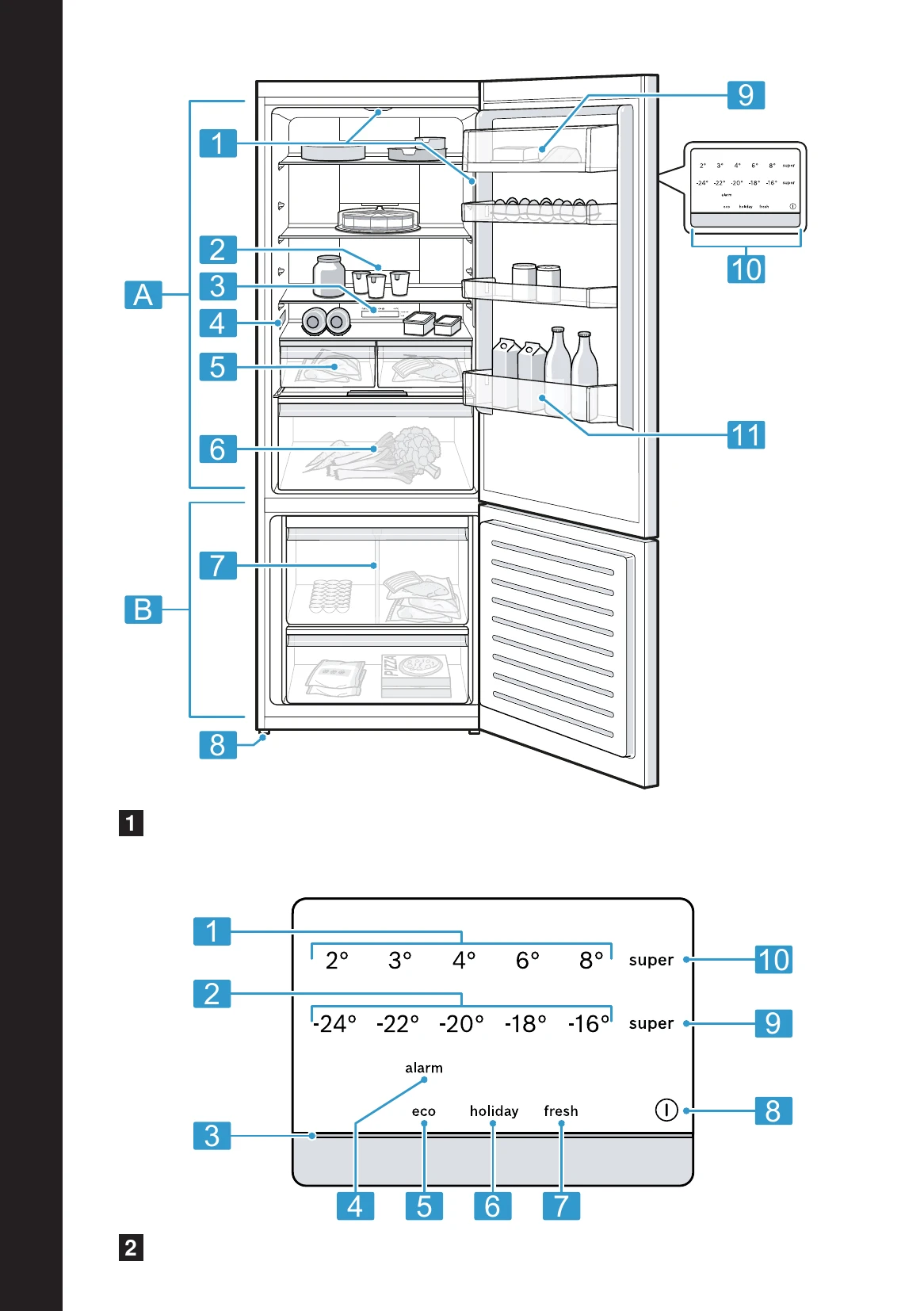
Brand: BOSCH
Category: Refrigerator
Document Type: Manual
Language: EN
Uploaded: Nov. 21, 2025, 9:20 p.m.
Contact Bosch for warranty information or check your purchase documentation for specific terms.
| Fault | Possible Cause | Remedy |
|---|---|---|
| Appliance not cooling, displays and lights are on. | Demo mode is activated. | 1. Switch off the appliance. 2. Wait 2 minutes. 3. Switch on again. 4. Press and hold the Super (Fridge) button for approx. 3-5 seconds until you hear 4 acoustic signals. Check if the appliance is cooling. |
| LED lighting not working. | Various causes. | Contact Customer Service. |
| Side walls of the appliance are warm. | This is normal. | The appliance's side walls generate heat during the cooling process. This does not damage adjacent furniture. |
| Fridge door is open. | Door open warning sounds. | Close the fridge door. |
| Freezer door is open. | Door open warning sounds. | Close the freezer door. |
| Door alarm is activated. | Door has been open for too long. | Close the door or press the "Alarm" button. |
| Temperature alarm is activated. | Freezer temperature is too high. | Press the "Alarm" button to silence. Check if fresh food was added recently or if the door was left open. |
| Appliance makes buzzing, gurgling, whistling, or knocking noises. | Normal operating noises. | These are caused by the compressor, circulation fan, refrigerant flow, or activation of components like the motor, switches, or magnetic valves. No action required. |
| Appliance is not level. | Appliance not standing straight. | Level the appliance using the adjustable feet. |
| Appliance is making noises. | Parts of the equipment are loose or jammed. Bottles or containers are touching each other. Bottles or containers are touching each other. Super cool is activated. | Check and refit removable parts. Move bottles or containers apart. No action required for Super Cool. |
| The set temperature is not reached. | Freezer door was open for a long time. The evaporator in the No Frost system is frozen. | 1. Switch off the appliance. 2. Disconnect from mains. 3. Open appliance door and allow to defrost. 4. Clean the appliance interior. 5. Switch on again. |
| Fully automatic defrosting is no longer functioning. | Freezer door was open for a long time. The evaporator is frozen. | Follow the defrosting procedure as described above. |
| Temperature deviates significantly from the setting. | Various causes. | 1. Switch off the appliance. 2. Switch on again after approx. 5 minutes. Check temperature after a few hours or the next day. |
| Water forms on the surface of the appliance and on the shelves. | Condensation from humid air. | Wipe up water with a soft, dry cloth. Ensure the appliance is closed properly and minimize door opening times. |