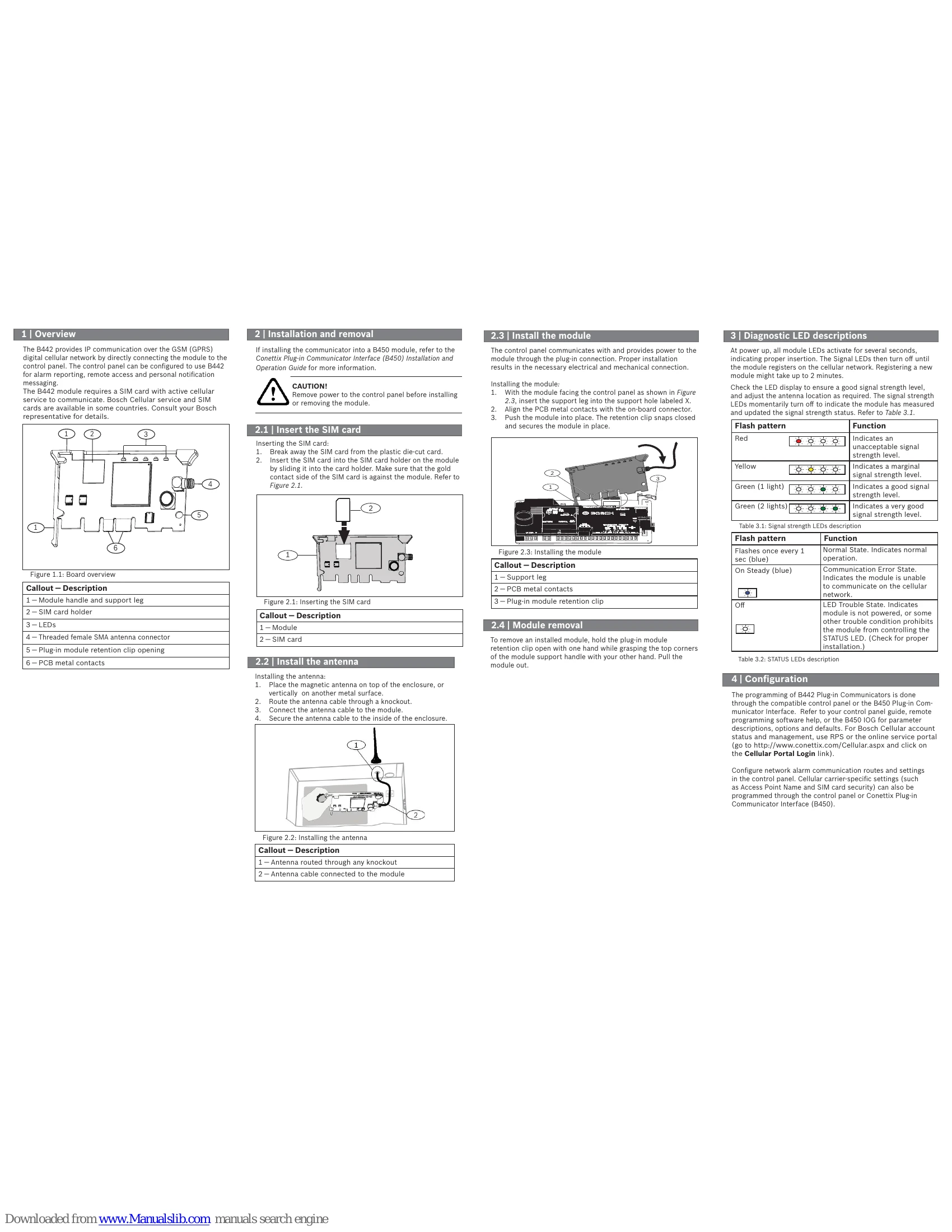
1 | Overview
The B442 provides IP communication over the GSM (GPRS) digital cellular network by directly connecting the module to the control panel. The control panel can be configured to use B442 for alarm reporting, remote access and personal notification messaging.
The B442 module requires a SIM card with active cellular service to communicate. Bosch Cellular service and SIM cards are available in some countries. Consult your Bosch representative for details.
2 | Installation and removal
If installing the communicator into a B450 module, refer to the Conettix Plug-in Communicator Interface (B450) Installation and Operation Guide for more information.
CAUTION! Remove power to the control panel before installing or removing the module.
2.1 Insert the SIM card
Inserting the SIM card:
1. Break away the SIM card from the plastic die-cut card.
2. Insert the SIM card into the SIM card holder on the module by sliding it into the card holder. Make sure that the gold contact side of the SIM card is against the module. Refer to Figure 2.1.
2.2 Install the antenna
Installing the antenna:
1. Place the magnetic antenna on top of the enclosure, or vertically on another metal surface.
2. Route the antenna cable through a knockout.
3. Connect the antenna cable to the module.
4. Secure the antenna cable to the inside of the enclosure.
2.3 Install the module
The control panel communicates with and provides power to the module through the plug-in connection. Proper installation results in the necessary electrical and mechanical connection.
Installing the module:
1. With the module facing the control panel as shown in Figure 2.3, insert the support leg into the support hole labeled X.
2. Align the PCB metal contacts with the on-board connector.
3. Push the module into place. The retention clip snaps closed and secures the module in place.
2.4 Module removal
To remove an installed module, hold the plug-in module retention clip open with one hand while grasping the top corners of the module support handle with your other hand. Pull the module out.
3 | Diagnostic LED descriptions
At power up, all module LEDs activate for several seconds, indicating proper insertion. The Signal LEDs then turn off until the module registers on the cellular network. Registering a new module might take up to 2 minutes.
Check the LED display to ensure a good signal strength level, and adjust the antenna location as required. The signal strength LEDs momentarily turn off to indicate the module has measured and updated the signal strength status. Refer to Table 3.1.
4 | Configuration
The programming of B442 Plug-in Communicators is done through the compatible control panel or the B450 Plug-in Communicator Interface. Refer to your control panel guide, remote programming software help, or the B450 IOG for parameter descriptions, options and defaults. For Bosch Cellular account status and management, use RPS or the online service portal (go to http://www.conettix.com/Cellular.aspx and click on the Cellular Portal Login link).
Configure network alarm communication routes and settings in the control panel. Cellular carrier-specific settings (such as Access Point Name and SIM card security) can also be programmed through the control panel or Conettix Plug-in Communicator Interface (B450).