Brand: Braun
Category: Camera
Document Type:
Language: EN
Brand: Braun
Category: Camera
Document Type:
Language: EN
Uploaded: Aug. 9, 2025, 11:46 p.m.
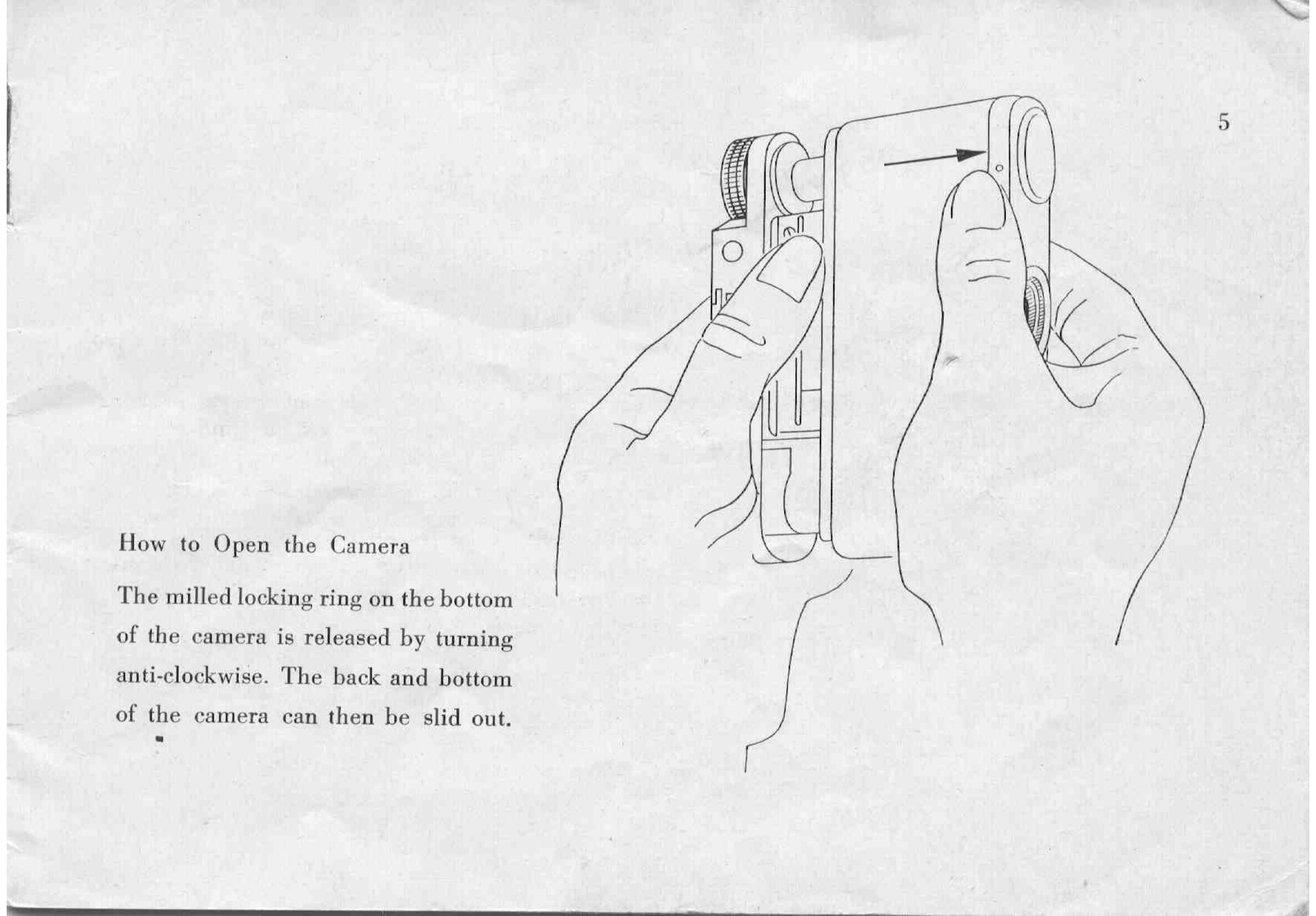
1. Opening the Camera: Turn the milled locking ring counter-clockwise to release it. Slide the back and bottom of the camera out.
2. Inserting Film: Swing the retaining arm outwards. Engage the cassette in the REWIND dog. Swing the lever back to fit over the spool knob.
3. Attaching Film: Swing the film pressure plate up. Insert the film end into the take-up spool slot. Wind the knob until sprocket teeth engage the film perforations. Lower the pressure plate. Winding the knob also cocks the shutter.
4. Closing the Camera: Insert the back between the housing and front plate. Tighten the locking ring.
5. Setting Film Counter: After loading and closing, set the counter to the red dot near '36' using the projecting teeth. Turn the winding knob until '36' is displayed. Release the shutter to wind on.
6. Taking a Picture: Hold the camera firmly. Gently move only the finger to operate the release lever until it runs off. Remain calm.
7. Unloading Film: When the counter reads '1', release the shutter. Press the locking stud and pull out the rewind knob. Turn the knob in the direction of the arrow to wind the film into the cassette. A stronger resistance indicates the end of the film. Open the camera and remove the cassette.