Brand: Braun
Category: Dash Cam
Document Type:
Language: EN
Brand: Braun
Category: Dash Cam
Document Type:
Language: EN
Uploaded: Aug. 9, 2025, 11:46 p.m.
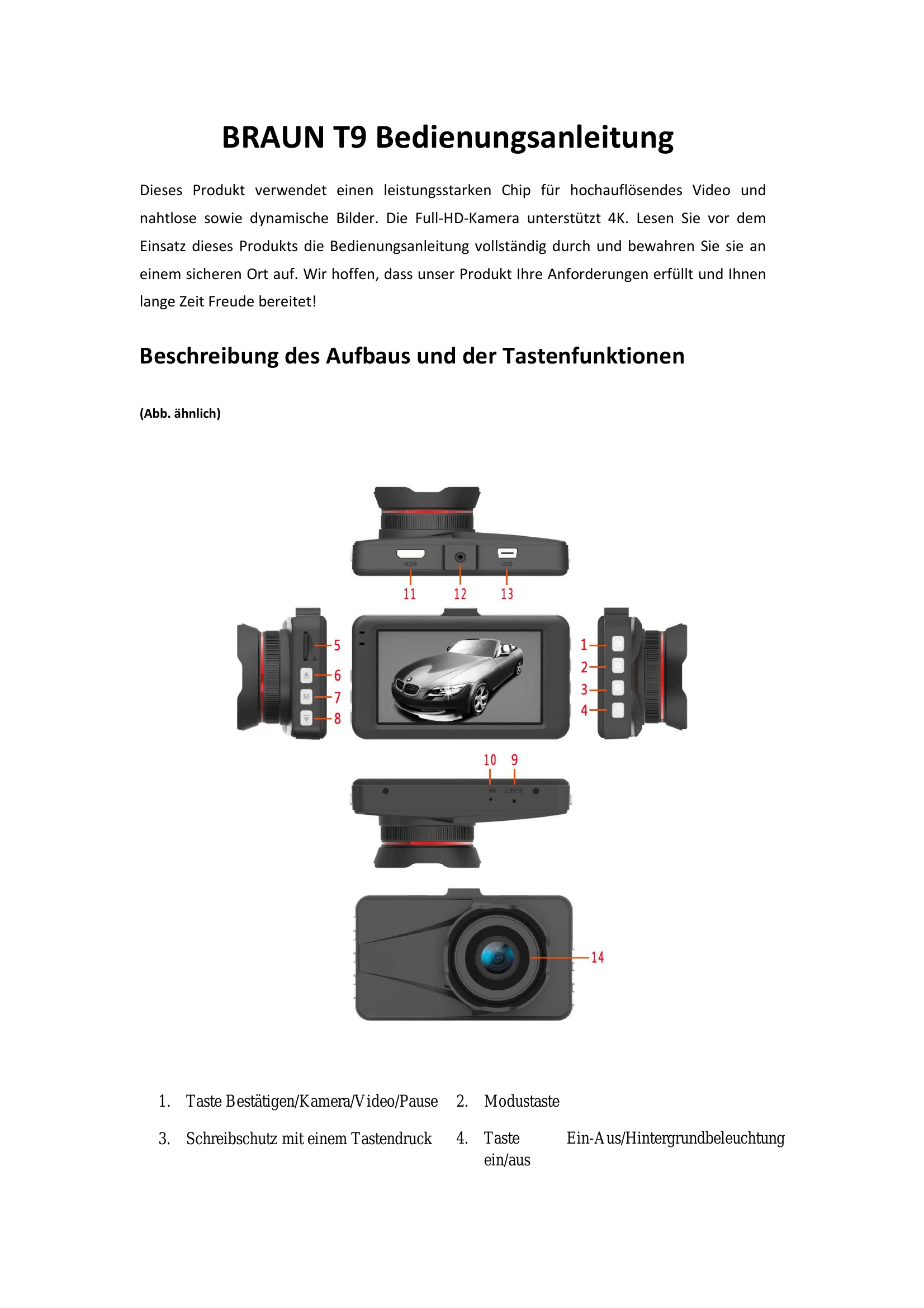
Powering On/Off: Long press the Power button (3s) to turn the device on or off. The camera automatically starts recording upon power on.
Recording: Short press the Confirm button to start/stop video recording. Short press the Confirm button in camera mode to take a picture.
Mode Switching: Short press the Mode button to switch between video, camera, and playback modes.
File Locking: In video mode, short press the Menu button to protect the current file from overwriting.
Wi-Fi Connection: Install the "DriverLook" app, enable Wi-Fi on the camera, connect your mobile device to the camera's Wi-Fi, and open the app to view the live feed.
Motion Detection: Long press the Up button to activate motion detection. The camera records when motion is detected.
Parking Monitor: Activate this function via the menu. The camera will automatically record for 15s if motion is detected while parked.
| Inverted image on display | Contact us promptly. |
| No sound recorded | Ensure the microphone is not muted. Press the Down button to unmute. |
| Camera not turning on | Ensure the device is properly connected to a power source. |
| Cannot connect to Wi-Fi | Verify the Wi-Fi name and password. Ensure Wi-Fi is enabled on both the camera and your mobile device. |