Brand: Braun
Category: Trail Camera
Document Type:
Language: EN
Brand: Braun
Category: Trail Camera
Document Type:
Language: EN
Uploaded: Aug. 9, 2025, 11:46 p.m.
None
| Problem | Solution |
|---|---|
| Photos not capturing subject | Adjust camera placement to avoid movement in branches or heat. Avoid pointing at water. Try indoor placement with no movement. Contact customer service if issues persist. |
| Battery life shorter than expected | Ensure alkaline batteries are used. Check if the power switch is in the 'ON' position, not 'TEST'. Battery life varies with temperature and usage. |
| Camera not taking photos | Check if the SD card is full. Ensure the SD card write-protect switch is not in the 'Lock' position. Use new alkaline batteries. Verify the power switch is 'ON'. Consider enabling 'infinite capture' function. |
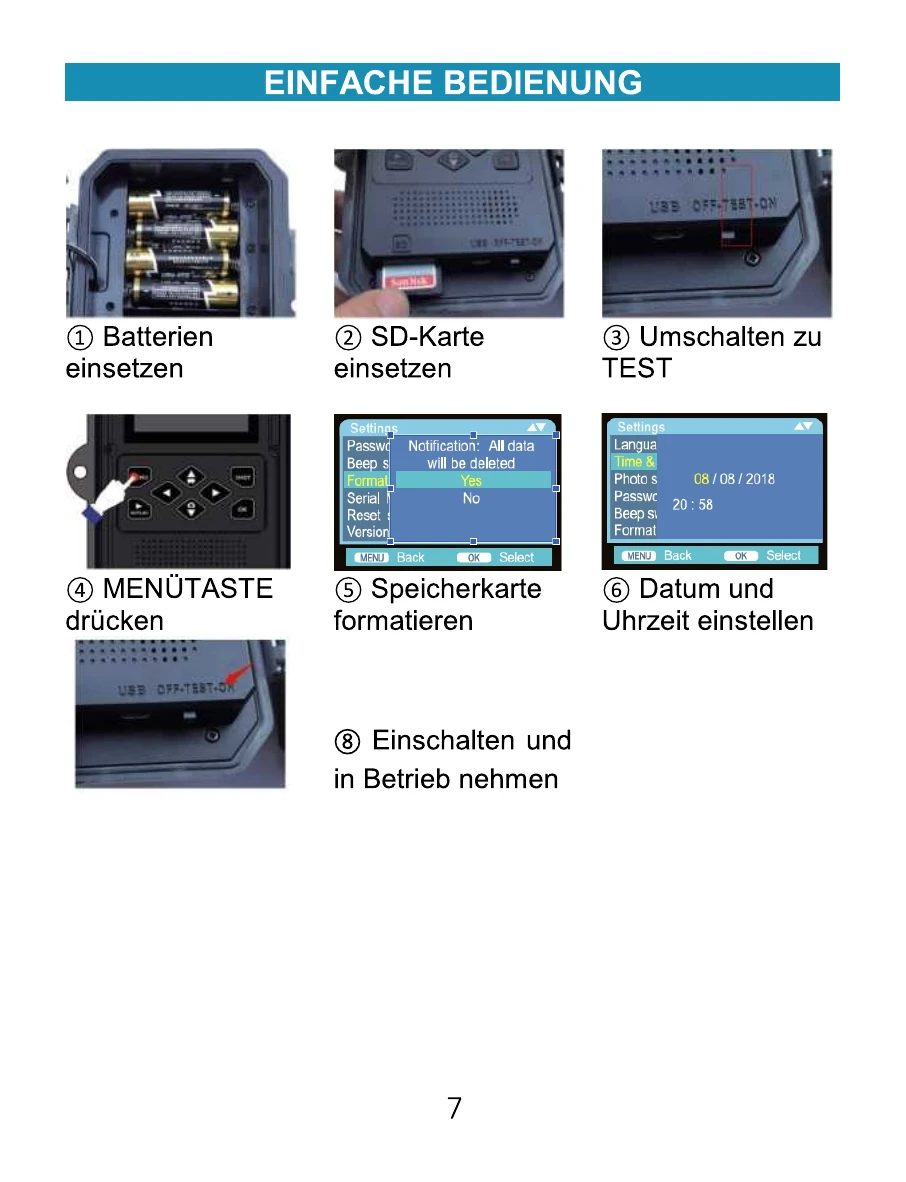
| Camera not turning on | Ensure at least 4 batteries are installed correctly with proper polarity. Verify the power switch is securely in the 'OFF', 'TEST', or 'ON' position. Do not switch directly from 'ON' to 'TEST'; go through 'OFF' first. |
| Poor photo/video quality | Night shots too dark: Check battery charge. Ensure subject is within flash range (20m). Rapid capture can affect flash recharge time. Day shots too dark: Avoid pointing at the sun or bright lights. Night shots too bright: Subjects may appear overexposed at close distances. Day shots too bright: Avoid pointing at the sun or bright lights. Subject with stripes: Try lower resolution settings (e.g., 5MP). Short video clips not recorded: Check if SD card is full. Ensure fresh batteries are installed. Low batteries may result in shorter videos to save power. |
| Date/Time stamp not appearing | Ensure the 'Time Stamp' parameter is set to 'ON'. |
| PIR sensor LED blinking/not blinking | LED blinks in TEST mode to assist with aiming. In normal ON mode, the LED does not blink during capture to maintain stealth. |
| Camera not saving settings | Ensure changes are saved by pressing OK after making adjustments in the configuration mode. |
| Moisture or ants inside camera | Ensure the external DC power adapter jack is securely connected. Ants may be attracted to low-level electronic vibrations; ensure the DC power jack is properly connected. |