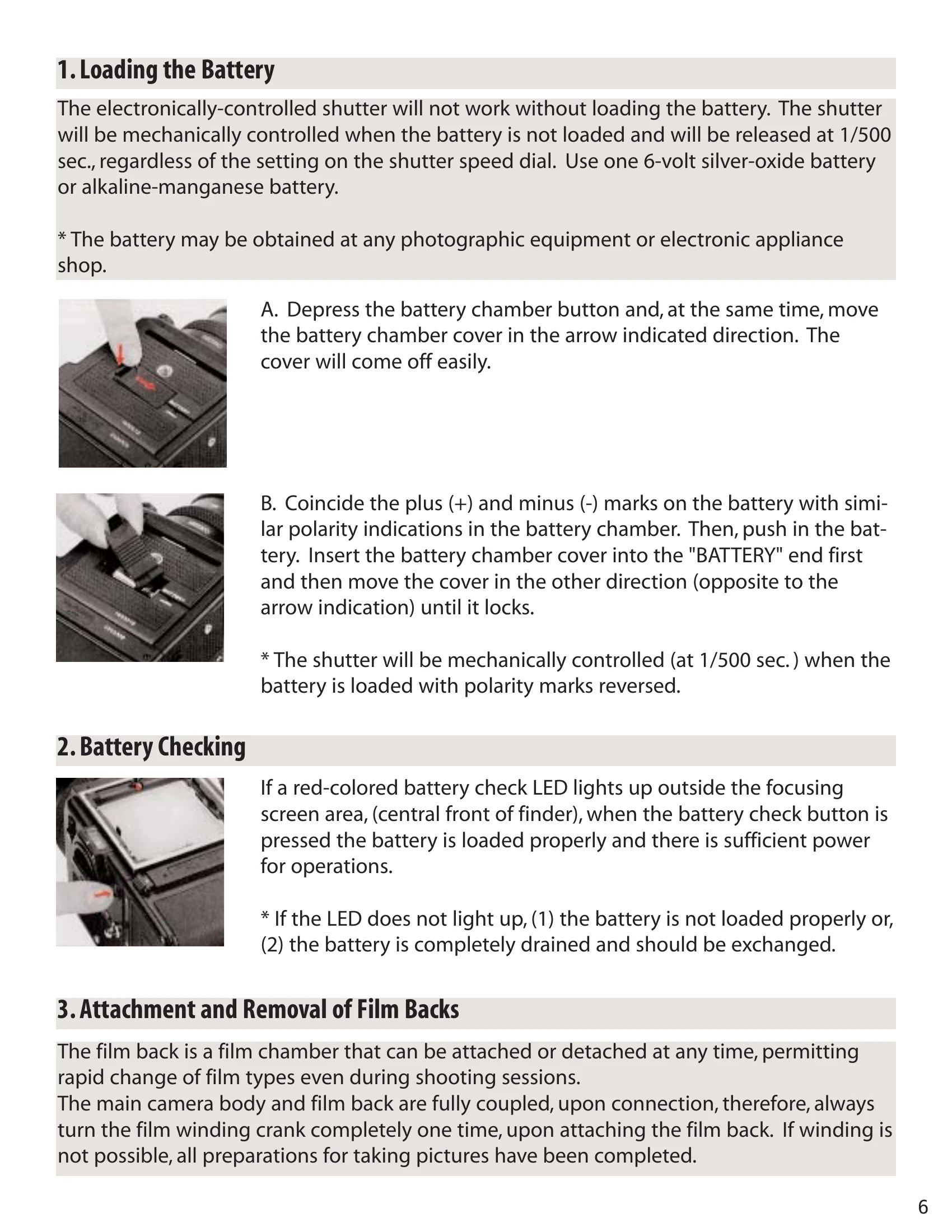
Loading the Battery: Insert a 6-volt silver-oxide or alkaline-manganese battery, ensuring correct polarity.
Attaching Film Back: Align latches at the top of the film back with camera body openings and press the lower end until it locks.
Film Loading: Open the back cover, remove the film holder, load 120 roll film, draw out the leader, and secure it to the take-up spool. Close the back cover.
Basic Operation:
Film Advance & Shutter Cocking: Rotate the film winding crank one complete turn to advance the film and cock the shutter.
Setting Shutter Speed & Aperture: Use the shutter speed dial and aperture ring on the lens.
Taking a Picture: Depress the shutter release button gently. A red LED will indicate exposure completion.
Changing Lenses: Cock the shutter, align alignment dots, insert the lens, and rotate counterclockwise until it clicks.
Advanced Features:
Mirror Lock-Up: Use the mirror lock-up switch lever for vibration-free shooting.
Multiple Exposures: Engage the multiple exposure lever before cocking the shutter.
Time (T) Exposure: Use with Zenzanon-PS lenses other than the standard PS/B 80mm lens.