Brand: CANON
Category: Camera
Document Type: Manual
Language: EN
Brand: CANON
Category: Camera
Document Type: Manual
Language: EN
Uploaded: Aug. 10, 2025, 12:26 a.m.
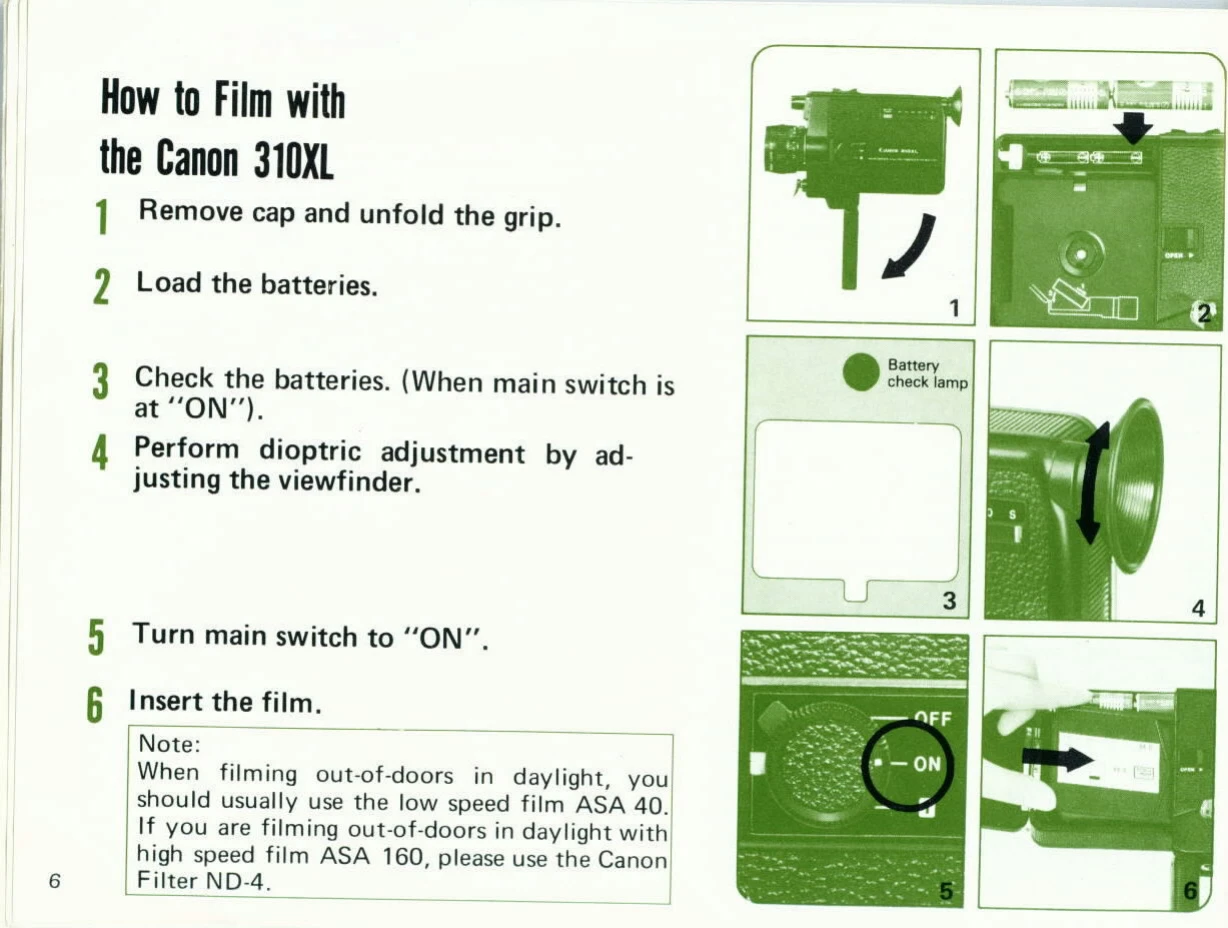
1. Prepare the Camera: Remove the lens cap and unfold the grip. Load the batteries, ensuring correct polarity. Turn the main switch to "ON" and check the battery level via the viewfinder.
2. Adjust for Vision: Perform dioptric adjustment by looking through the viewfinder and turning the dioptric adjustment ring until the image is clear.
3. Load Film: Insert the film cartridge with the identification label facing as shown.
4. Set Up for Shooting: Check the CCA filter setting based on the light source. Set the focus by aligning the distance with the index or using zone focusing. Confirm the exposure, using additional light if the under-exposure mark appears.
5. Shoot: Decide on composition and pull the shutter release lever to start filming. Use the zooming switch for power zooming or the manual zooming lever for manual control.
6. Finish: When the film ends, the film transport indicator will stop. Remove the film cartridge.