Brand: CANON
Category: Camera
Document Type: Parts/Service
Language: EN
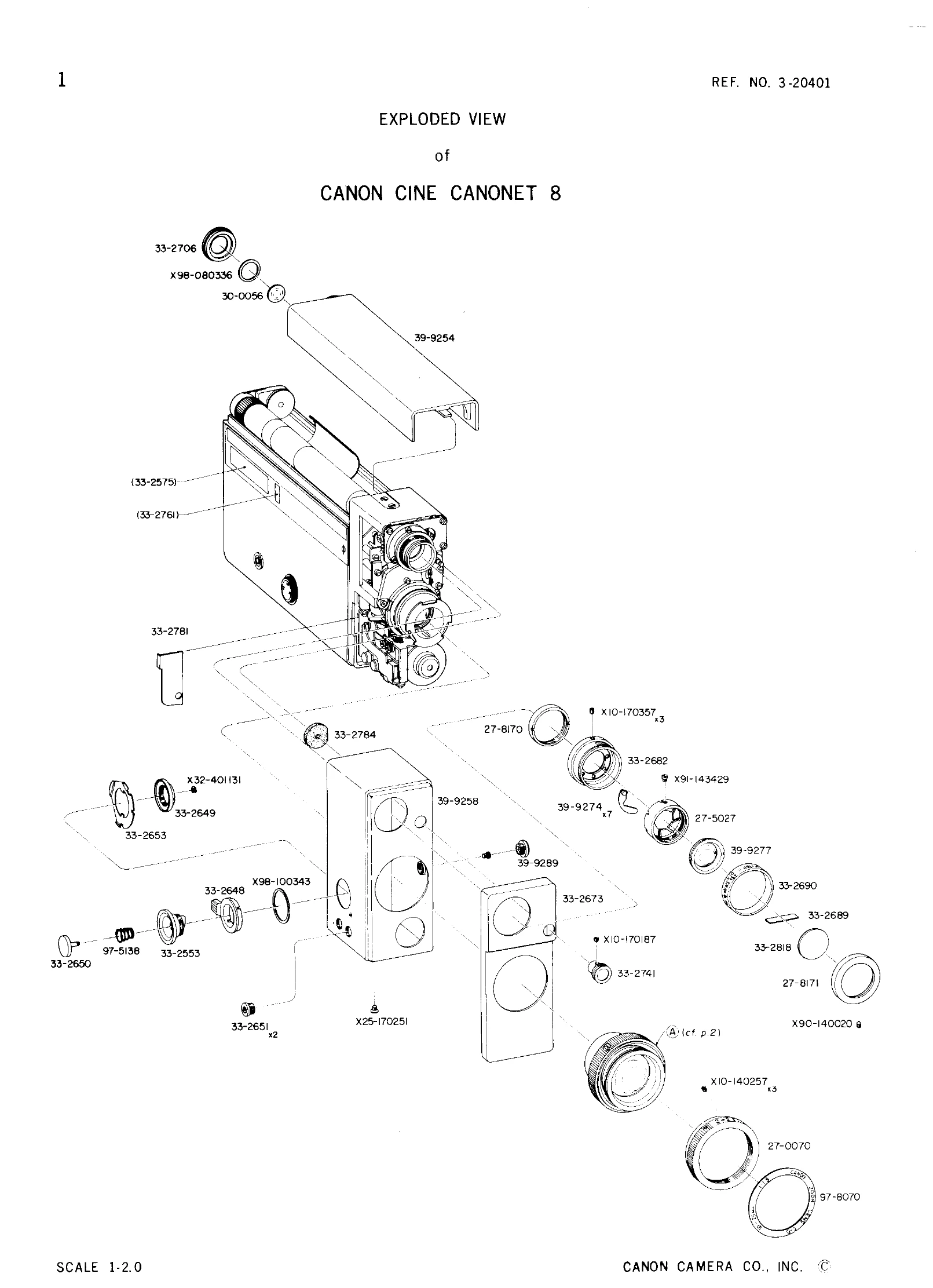
Brand: CANON
Category: Camera
Document Type: Parts/Service
Language: EN
Uploaded: Aug. 10, 2025, 12:26 a.m.
| TROUBLE, CAUSE & REMEDY | ||
|---|---|---|
| MOVING PARTS | 1. Does not move | 1. Battery has been used up |
| Check with new battery. | ||
| 2. Faulty connection with battery | Push the battery towards the (+) pole. | |
| Check with new battery. Check and adjust the (+) pole | ||
| spring and the dejection. | ||
| 3. Faulty connection with (+) pole | Remove rust or glue from (+) pole or replace. | |
| Check with new battery. Particularly check the | ||
| soldered parts. | ||
| 4. Faulty connection with switch | Remove the cover, clasp the switch and press the | |
| release. If it moves under this condition it means (1) | ||
| the lock lever cam position is faulty, or (2) the dejec - | ||
| tion of the switch contact plate is the cause. | ||
| Therefore, make adjustments. After adjusting, check | ||
| to see that the switch is completely cut off at "OFF". | ||
| 5. Short circuit | If short circuit occurs before the (+) pole of the motor | |
| it will not move. | ||
| In this case, check with a tester. | ||
| Check CdS base plate and (+) pole lead wire. | ||
| 5-1 | Check lug plate and ground. | |
| 5-2 | Check governor and ground. | |
| 5-3 | Check (+) pole of motor and ground. | |
| 5-4 | Faulty motor | |
| 6. | Pass electricity through both poles of motor and | |
| check. If it does not revolve, replace it. | ||
| 7. Faulty governor | Check contact point of governor and needle contact. | |
| Wipe or replace. | ||
| 8. Cut wire or faulty soldering | Check with tester. | |
| 9. | Faulty revolving parts | |
| Resolder or replace lead wire. | ||
| Improper meshing or metal dust. | ||
| 2. Revolution is unstable | 1. Faulty governor | |
| Check governor eccentricity and contact between | ||
| needle and contact point. Wipe or repair. Replace if | ||
| still faulty. | ||
| 2. Excessive load | Measure the current without load. If it is more than | |
| 100 mA..... | ||
| 2-1 Check mesh of gears and adjust. | ||
| 2-2 Check insulation and repair insulated parts. | ||
| 3. Decrease in battery voltage | Confirm with checker. Replace with new battery. | |
| 4. Faulty revolving parts | Check for improper meshing or metal dust. |