Manual for EOS C700

Manual for EOS C700

Brand: Canon

Category: Camera

Document Type: Manual

Language: EN
Uploaded: Aug. 10, 2025, 12:26 a.m.

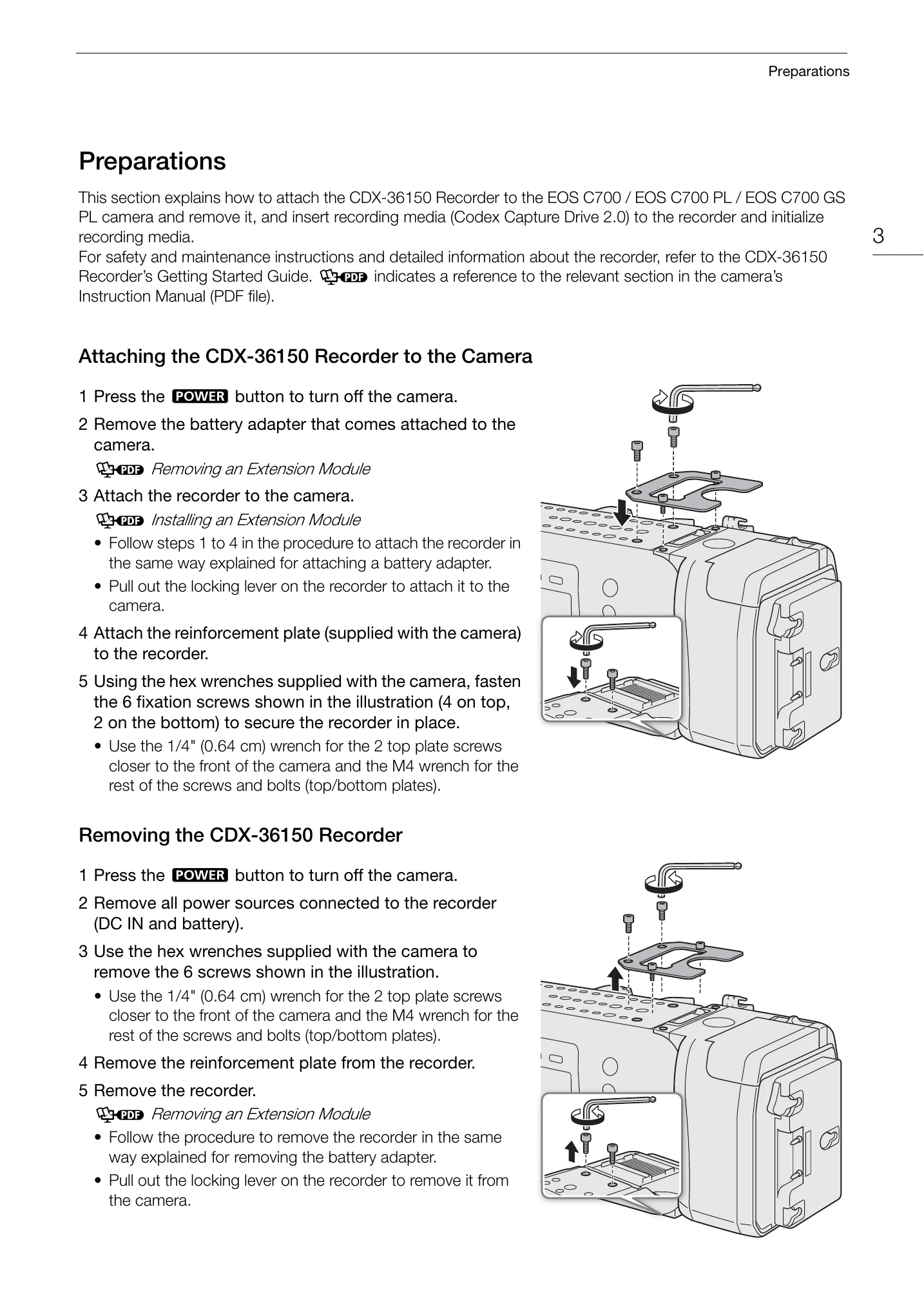
Attaching the CDX-36150 Recorder to the Camera:
  1. Turn off the camera and remove the battery adapter.
  2. Attach the recorder to the camera and secure it with the reinforcement plate using the supplied hex wrenches.
Removing the CDX-36150 Recorder:
  1. Turn off the camera and disconnect all power sources.
  2. Remove the screws securing the recorder and the reinforcement plate.
  3. Remove the recorder from the camera.
Powering the CDX-36150 Recorder:
  1. Connect the power supply to the recorder before turning on the camera.
  2. Turn on the camera using the POWER button. The recorder's LED indicates its status (standby, recording, playback, off).
Initializing a Capture Drive:
  1. Set the main recording format to [RAW (CDX Capture Drive)] or [ProRes (CDX Capture Drive)].
  2. Initialize the Capture Drive using the camera's menu [Rec/Media Setup] > [Initialize Media].
  3. Press both [FORMAT] buttons simultaneously to confirm initialization.

Troubleshooting and error codes

Messages for the CDX-36150 Recorder
Capture Drive bay open. The recorder's Capture Drive bay is open. Insert a Capture Drive and close the Capture Drive bay.
Media is not supported - The Capture Drive inserted in the recorder is not compatible for use with the camera. Check the Capture Drive.
Privacy Policy