Brand: CANON
Category: Camera
Document Type: Manual
Language: EN
Brand: CANON
Category: Camera
Document Type: Manual
Language: EN
Uploaded: Aug. 10, 2025, 12:31 a.m.
Manual Publish Date: 2022-01-01
Canon USA provides a one-year limited warranty covering defects in materials and workmanship for products purchased in the United States.
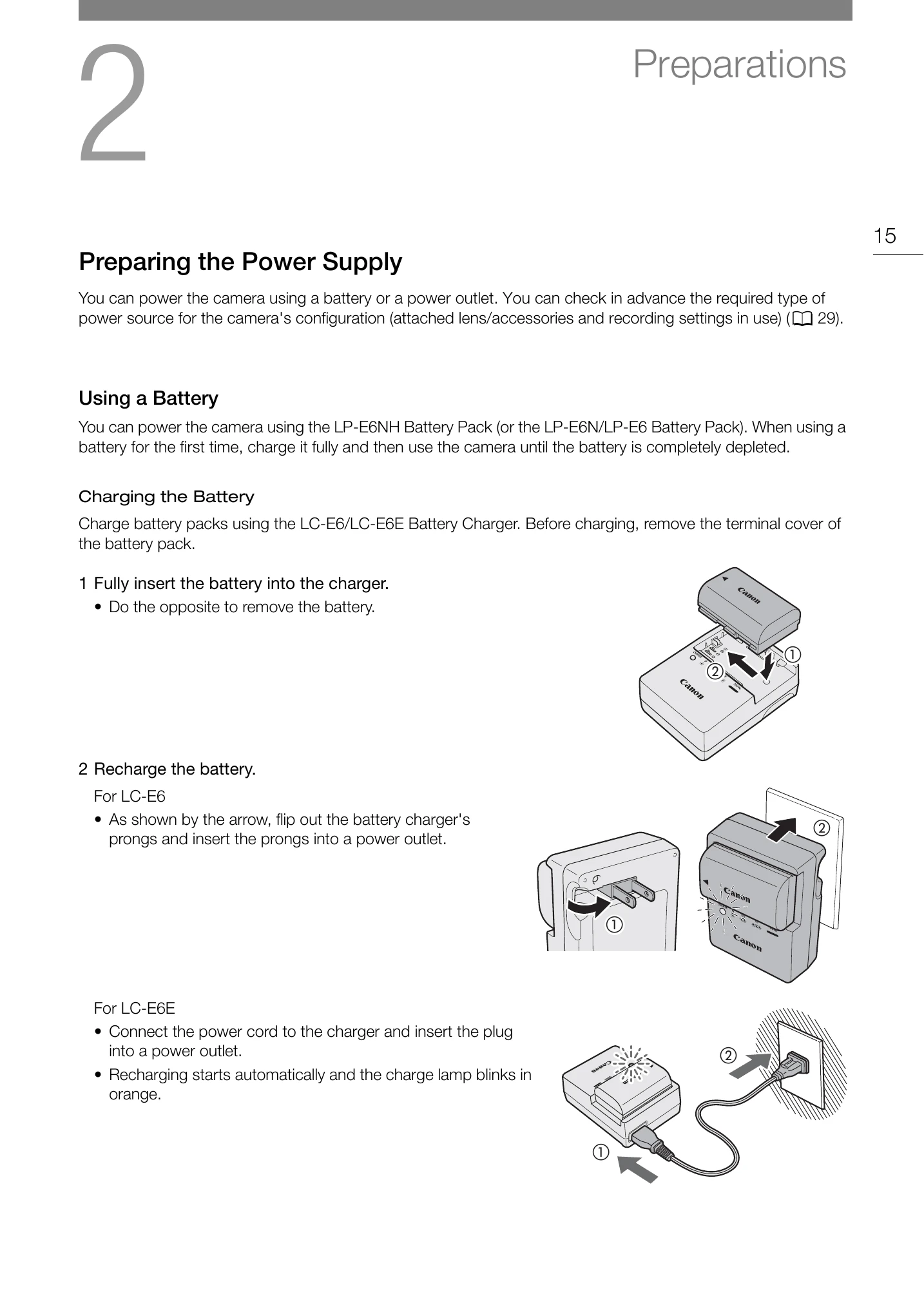
Powering the Camera: Use the supplied LP-E6NH battery pack or an optional AC adapter. For first-time use, fully charge the battery and use until depleted.
Charging the Battery: Use the LC-E6/LC-E6E Battery Charger. Insert the battery, and the charge lamp will indicate the status.
Attaching/Removing the Battery: Turn off the camera, slide the lock, open the cover, and insert or remove the battery. Ensure the terminal cover is attached when not in use.
Using the LCD Screen: Adjust the screen direction for optimal viewing and use touch controls for settings.
Date, Time, and Language: Set the date and time by selecting the time zone and desired values. Change the camera's language via the system setup menu.
| Issue | Possible Cause | Solution |
|---|---|---|
| Camera does not operate | Battery is depleted. | Charge the battery pack or use the AC adapter. |
| Cannot record | No memory card inserted or memory card is full. | Insert a memory card or use a card with available space. |
| Image quality is poor | Lens is dirty or not properly attached. | Clean the lens or reattach it securely. |