Brand: CANON
Category: Camera
Document Type: Manual
Language: EN
Brand: CANON
Category: Camera
Document Type: Manual
Language: EN
Uploaded: Aug. 10, 2025, 12:30 a.m.
Introduction: Before shooting, read Safety Instructions and Handling Precautions. This guide covers the "Advanced User Guide" for the "PHOTO edition" of the EOS R5 C. For video recording details, refer to the "VIDEO edition." The camera operates in PHOTO or VIDEO mode.
Package Contents: Verify all items are present, including the camera, battery pack, charger, strap, interface cable, and cable protector. Note that a memory card and HDMI cable are not included.
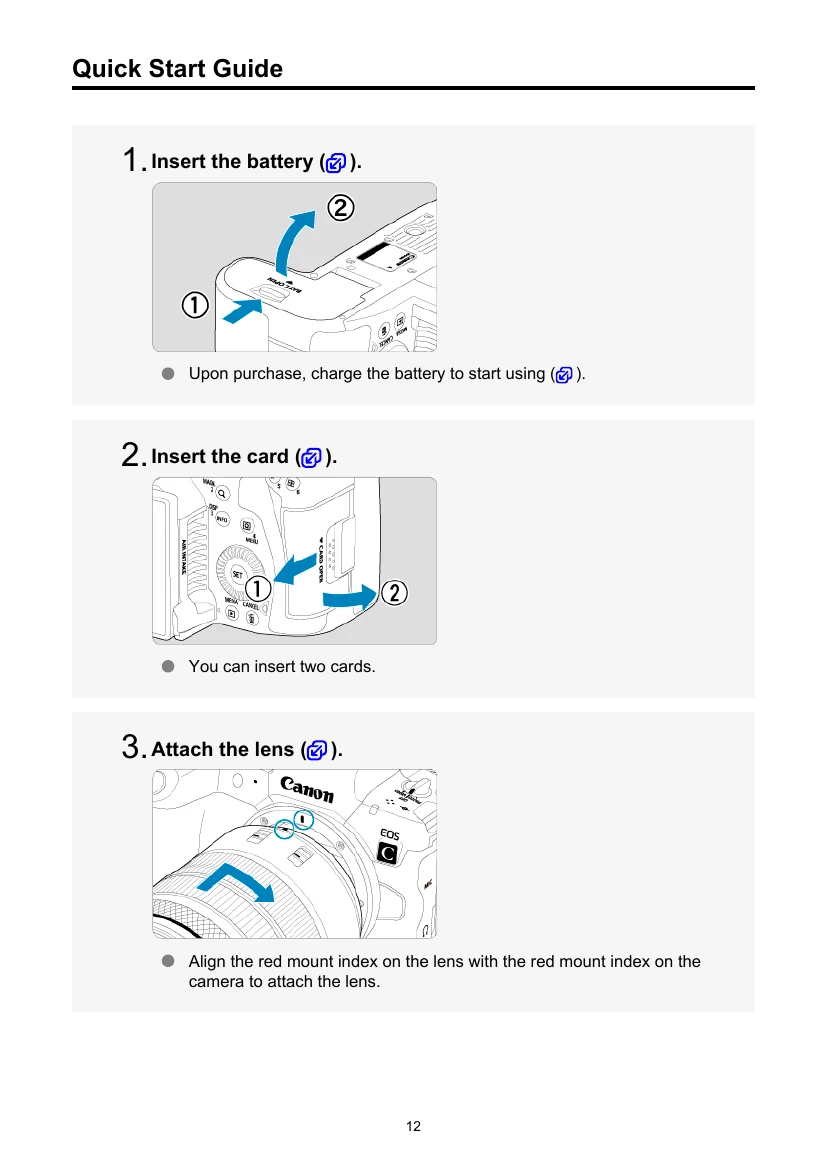
Quick Start Guide: Basic steps to get started include inserting the battery and card, attaching the lens, setting the focus mode to AF, switching the power to PHOTO, flipping out the screen, setting the shooting mode to A+, focusing on the subject, taking the picture, and reviewing it.
Icons: Familiarize yourself with icons used for dials, buttons, and special functions like shooting mode availability.
Compatible Cards: The camera supports CFexpress cards (Type-B) and SD/SDHC/SDXC memory cards (UHS-II and UHS-I). Format new cards with the camera.