Brand: CANON
Category: Camera
Document Type: Manual
Language: EN
Brand: CANON
Category: Camera
Document Type: Manual
Language: EN
Uploaded: Sept. 12, 2025, 4:31 a.m.
Refer to the product documentation for specific warranty details.
Introduction
Thank you for purchasing the Canon Network Camera VB-C60. This Operation Guide explains how to set up and use the VB-C60, providing detailed instructions for its various functions. It is recommended to read this guide carefully before use to maximize the product's potential. The guide also refers to the included Start Guide and the ReadMe file on the Setup CD-ROM for comprehensive information.
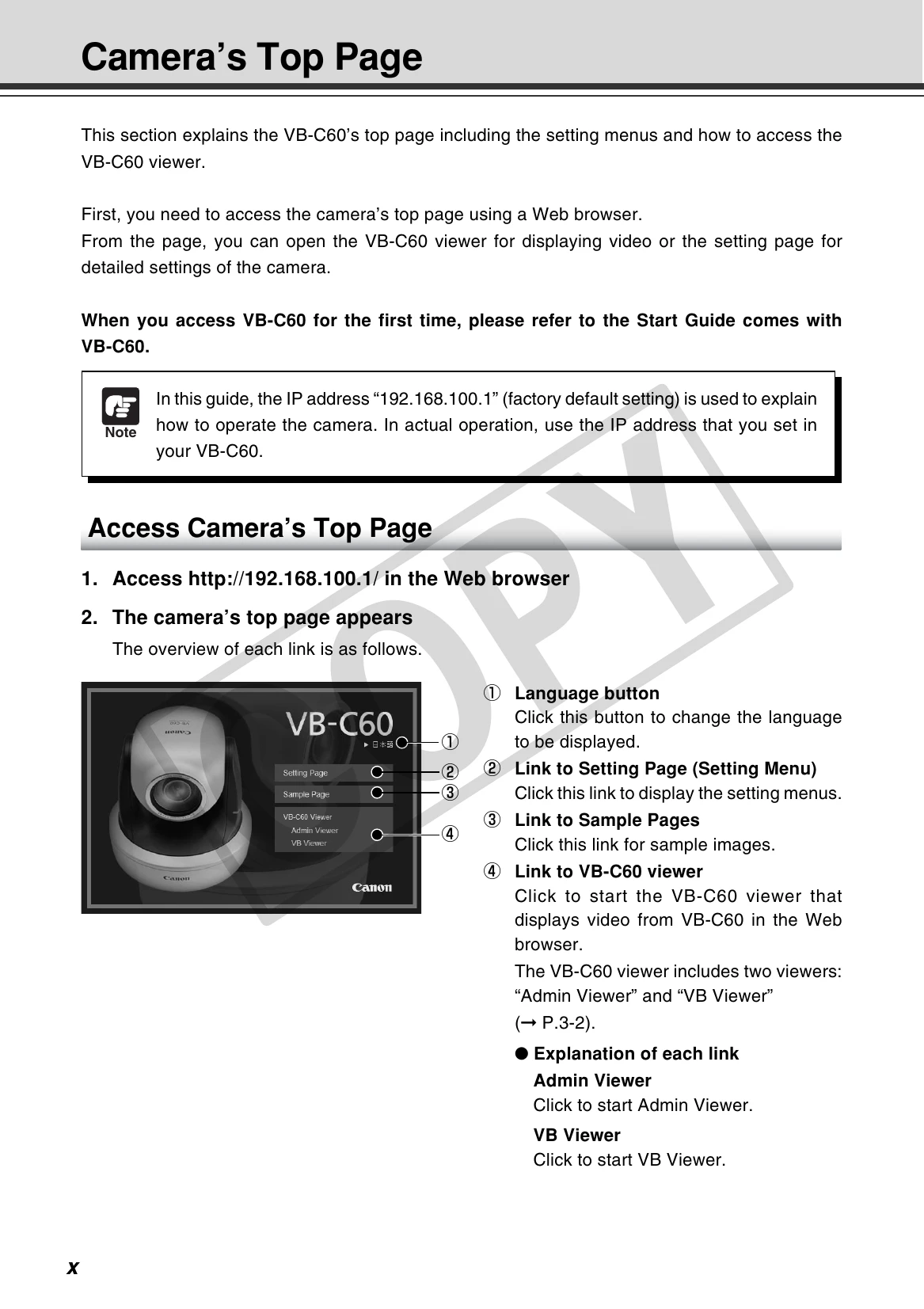
Accessing the Camera Interface
Key Features and Settings
Restoring Defaults: The camera's settings can be restored to factory defaults via the Maintenance Menu or by using the reset switch.
| Message | Classification | Description |
|---|---|---|
| %1 unusual request [%2] | Information message | help messages for buttons and pull-down menus, pan/tilt/zoom information from the camera, frame rate information, bit rate information, etc. |
| %1 request denied [%2] | Warning message | messages to alert users, for example, when an unsupported browser is used, an audio session is disconnected, etc. |
| %1 access denied [%2] | Error message | messages to notify users of errors in the viewer. |
| cannot use audio device for tx [%1: %2] | B301 Transmission audio device error [err] | An audio device error was detected. |
| Error process (ld | buff) | ||
| audio device initialization error [%1] | B401 Audio device initialization failed [crit] | The Audio device initialization failed. The Audio Server will stop. |
| Error number | ||
| wvaudio initialization error [%1] | B402 Audio Server initialization failed [crit] | The Audio Server initialization failed. The Audio Server will stop. |
| Error number | ||
| cannot set config [%1] | B403 Setting change failed [crit] | Update of the setting values failed. The Audio Server will stop. |
| Error number | ||
| (http_auth.c.858) get_password failed (H143) | H143 User name specification failure [notice] | An unknown user has been specified in the user authentication. |
| (http_auth.c.865) password doesn't match for %1 %2 (H144) | H144 Password specification failure [notice] | An incorrect password has been specified in the user authentication. |
| (mod_haccess.c.XXX) host %1 access denied (H145) | H145 Connection rejected due to host access restriction [notice] | A connection has been rejected due to host access restriction. |
| %1 webview | S004 System start and stop [info] | The Video Server (webview) has started or stopped. |
| (vbadmin.c.XXX) System settings updated (S005) | S005 System setting changed [info] | The settings have been changed without a reboot. |
| serviceman call (S240) | S240 Camera error [warning] | The camera may have an error. Ask for service. |
| Can't update system settings (S306) | S306 Error in saving setting values [err] | An error occurred when saving setting values in the system. The setting values failed to be saved. |
| (vbadmin.c XXX) Can't update system settings (S307) | S307 Error in saving setting values [err] | An error occurred when saving setting values using the setting protocol. The setting values failed to be saved. |