Brand: CANON
Category: Camera
Document Type: Manual
Language: EN
Brand: CANON
Category: Camera
Document Type: Manual
Language: EN
Uploaded: Aug. 10, 2025, 12:31 a.m.
The limited warranty covers defective parts and workmanship for ONE YEAR from the date of original purchase for products bought in the US and Canada.
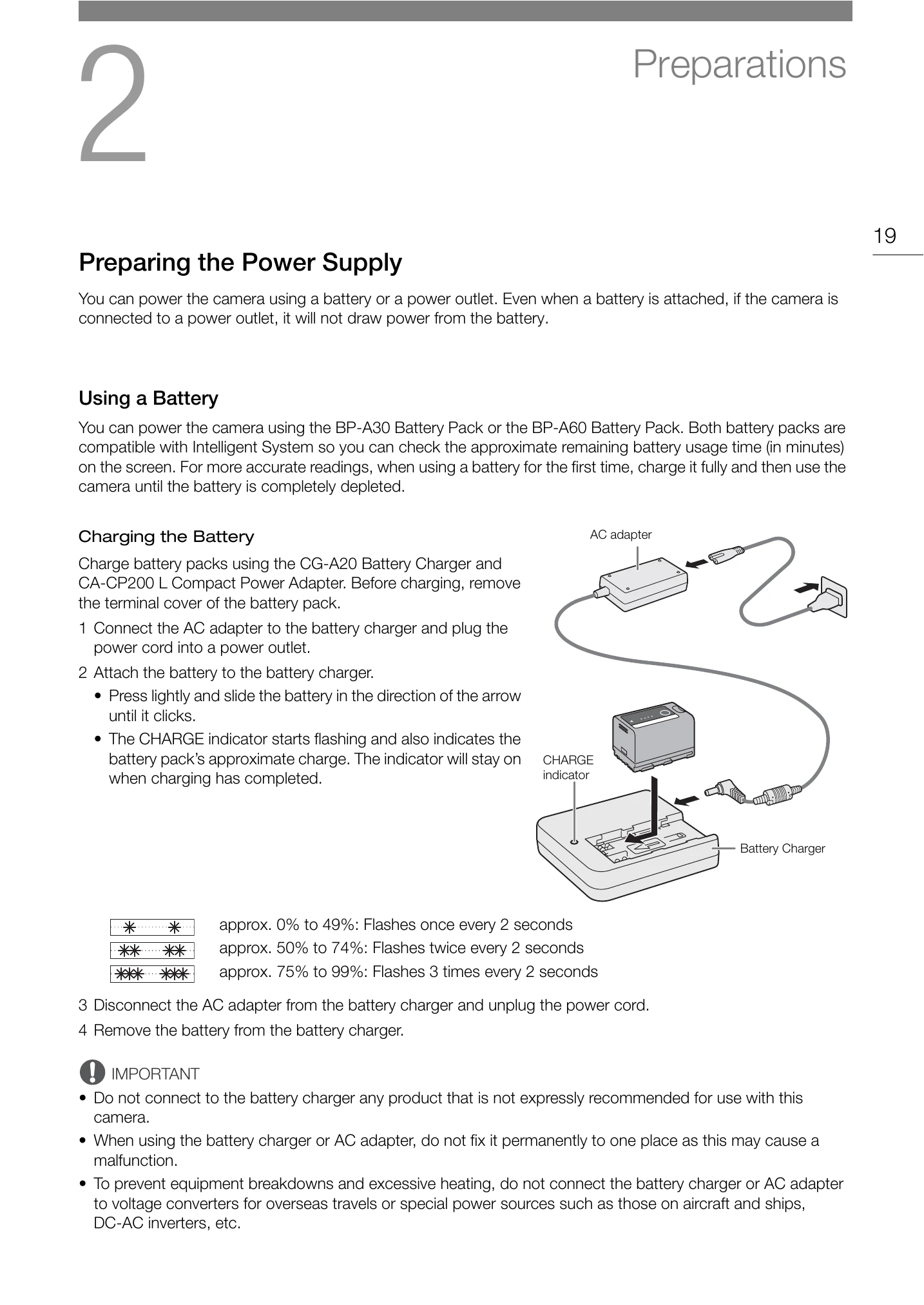
Powering the Camera: Use either the BP-A30/BP-A60 battery pack or the AC adapter (CA-CP200 L Compact Power Adapter) connected to a power outlet. Ensure batteries are fully charged before first use. For extended use, prepare extra batteries.
Attaching and Removing Batteries: Turn off the camera before attaching or removing the battery. Slide the battery into the compartment until it clicks. To remove, turn off the camera, press the battery release button, and slide the battery upwards.
Checking Battery Charge: The remaining battery life can be viewed in minutes on the screen or by checking the indicator lights on the battery itself. The camera may consume power differently based on usage conditions.
| Problem | Possible Cause | Solution |
|---|---|---|
| Camera does not turn on. | Battery is depleted. | Charge or replace the battery. |
| Cannot record. | SD card is full or not inserted. | Insert a new SD card or delete files. |
| Image is shaky. | Camera shake. | Use image stabilization or a tripod. |
| Poor sound quality. | Microphone not connected properly. | Check microphone connection. |
| Overheating. | Operating in extreme temperatures. | Move to a cooler environment. |