Brand: CANON
Category: Projector
Document Type: Manual
Language: EN
Brand: CANON
Category: Projector
Document Type: Manual
Language: EN
Uploaded: Nov. 21, 2025, 8:56 p.m.
Refer to the User Guide for warranty information.
When you boot up for the first time, you will enter the initial setup mode. Follow the on-screen prompts to:
Adjust by turning the focus adjustment ring left and right until the screen image projected from the projector becomes clear. Turn gently.
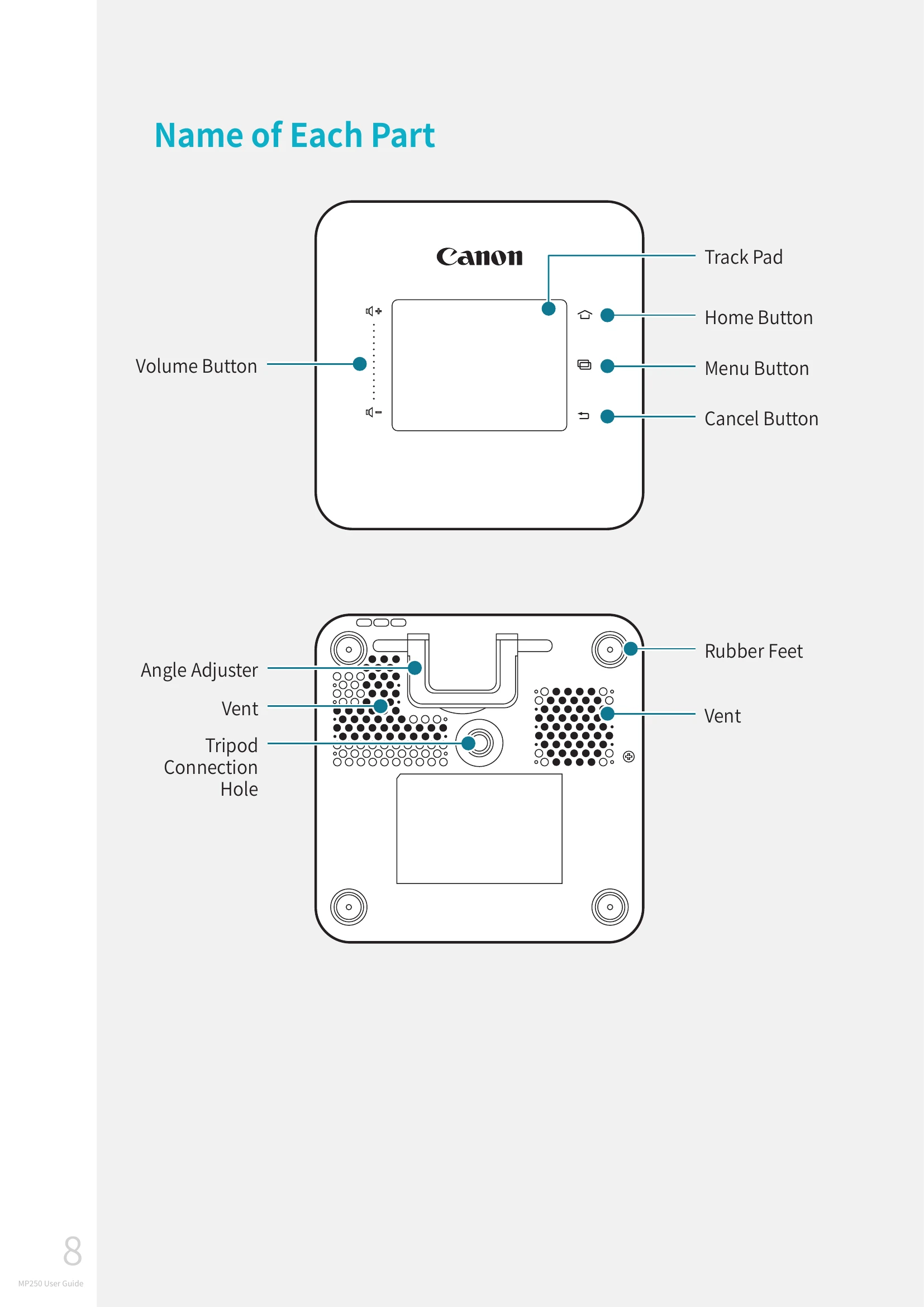
Adjust volume by pressing the volume adjustment buttons (+, -).
On the screen where the image is projected, use the touchpad for actions like selecting menus, launching applications, clicking buttons, or entering text.
| Problem | Solution |
|---|---|
| When the power does not turn on | Check the charged state of battery. |
| When wireless connection fails | Check the wireless environment. |
| When the screen appears as trapezoid shape | Adjust the position so that the screen and the transmitted light of the product become perpendicular. |
| When large video caption is displayed | Adjust the caption size using a video player app (application) that can adjust the caption size. |
| When video and sound are not played |
|