Brand: Canon
Category: Projector
Document Type: Manual
Language: EN
Brand: Canon
Category: Projector
Document Type: Manual
Language: EN
Uploaded: Nov. 21, 2025, 7:18 p.m.
None
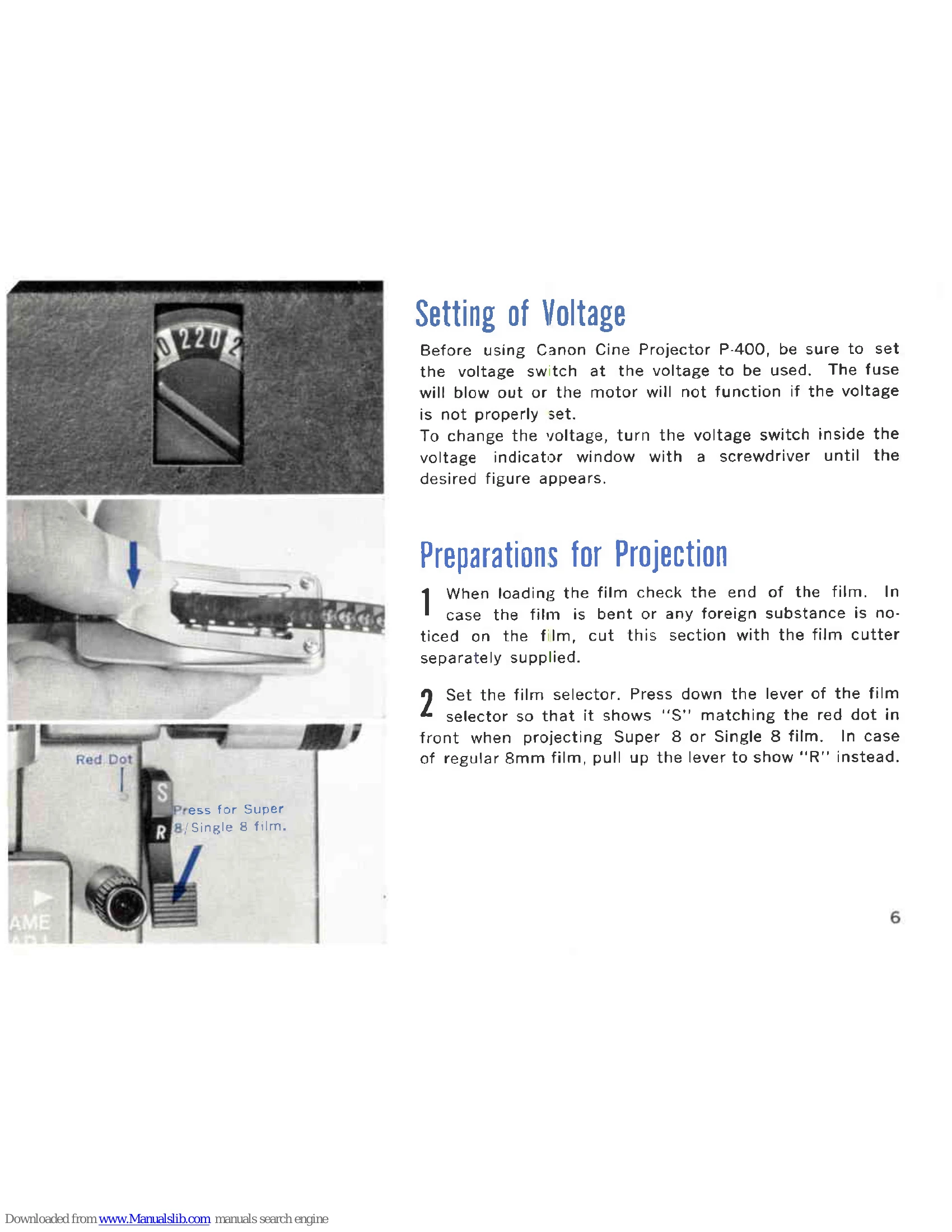
Setting Voltage: Ensure the voltage switch matches the power supply to prevent fuse blowouts or motor malfunction. Adjust using a screwdriver through the indicator window.
Film Loading: Check film for bends or debris. Set the film selector (S for Super 8/Single 8, R for regular 8mm). Pull up the supply reel arm. For Super 8/Single 8, attach the reel adapter. Mount loaded film onto the supply reel shaft and bend the clutch lever. Lift the take-up reel holding lever, mount the take-up reel, and secure the lever. Plug in the power cord.
Pre-Adjusting: Turn the power switch to 'LUMP' to check screen illumination. Adjust height with the angle adjusting leg. Set projection size with the zoom lens and focus using the focusing knob.
Projection: Turn the switch to 'FWD. & REW.' Insert film tip into the slot. Guide film through the loading path. Turn to 'LAMP' for projection. Adjust focus and framing as needed.
Rewinding: Turn switch to 'OFF'. Wind remaining film manually. Pass film end to rewinding guide and insert into supply reel shaft. Bend supply reel clutch lever. Set switch to 'FWD. & REW.' to rewind.