Manual for EX-H10

Manual for EX-H10

Brand: CASIO

Category: Digital Camera

Document Type:

Language: EN
Uploaded: Aug. 9, 2025, 11:38 p.m.

Basic Operation Summary

  1. Unpacking: Check all included items: digital camera, battery, charger, power cord, strap, USB/AV cables, CD-ROM, and basic reference.
  2. Charging the Battery: Insert battery into the charger, plug into a power outlet. Charging takes about 180 minutes. Check lamp status for charging complete (Off).
  3. Loading the Battery: Open the battery cover, slide the battery in with EXILIM logo facing down until it clicks, then close the cover and lock it.
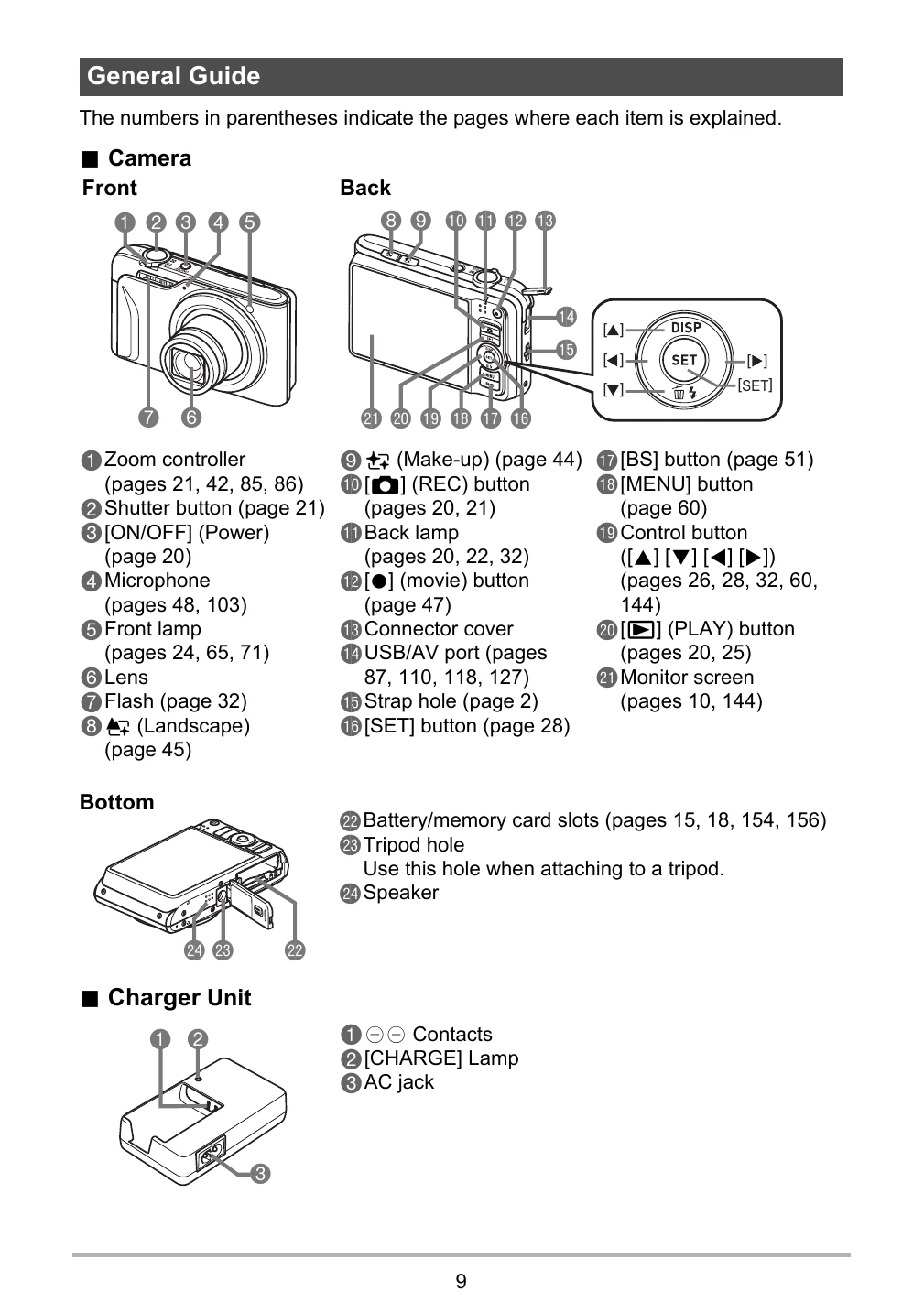
  4. Turning On/Off: Press the [ON/OFF] button to turn on the camera. Press [ON/OFF] again to turn it off.
  5. Shooting a Snapshot: Press [O] (REC) to turn on. Point at subject, half-press shutter to focus, then full-press to take the picture.
  6. Viewing Snapshots: Press [] (PLAY) to enter playback mode. Use directional buttons to browse images.
  7. Dynamic Photo: Special feature to extract a moving subject and insert it into another image. Requires specific shooting steps.

Troubleshooting and error codes

When things don't go right... See page
No power 154
Battery not charging 154
Cannot shoot images 162
Display messages 167
Camera settings incorrect 162
Privacy Policy