Manual for EX-H15

Manual for EX-H15

Brand: CASIO

Category: Digital Camera

Document Type:

Language: EN
Uploaded: Aug. 9, 2025, 11:42 p.m.

Warranty Information

No warranty information is available in the provided document.

  • Unpacking: Check all included items after unboxing the camera.
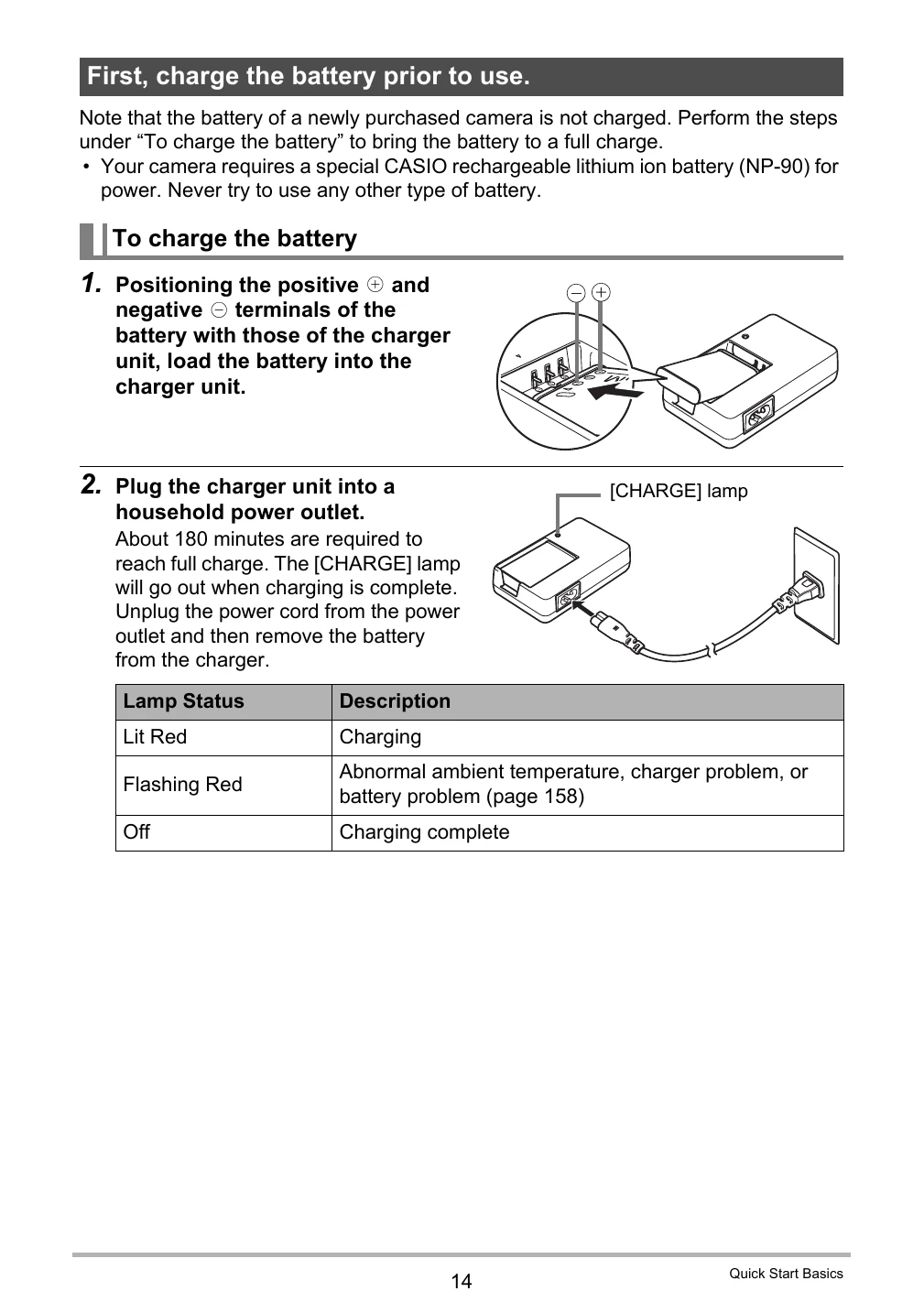
  • Charging the Battery: Connect the charger unit to a power outlet and load the battery.
  • Loading a Memory Card: Insert a compatible SD or SDHC memory card into the camera.
  • Formatting a Memory Card: Format new memory cards using the camera before first use.
  • Turning the Camera On/Off: Press the [ON/OFF] button to power the camera on or off.
  • Holding the Camera: Grip the camera firmly and keep it steady while shooting.
  • Shooting Snapshots: Select recording modes, compose shots, and press the shutter button.
  • Viewing Images: Use the PLAY button to review recorded images and movies.
  • Dynamic Photo: Create unique images by combining subjects and backgrounds.
  • Connecting to a Computer: Transfer images and videos to your PC using a USB cable.
  • Other Settings: Configure various camera settings like power saving, display, and sound.

Troubleshooting and error codes

Category Count
When things don't go right...
Troubleshooting 166
Display Messages 171
Privacy Policy