Brand: CASIO
Category: Digital Camera
Document Type:
Language: EN
Brand: CASIO
Category: Digital Camera
Document Type:
Language: EN
Uploaded: Aug. 9, 2025, 11:41 p.m.
Dynamic Photo allows you to extract a moving subject from a series of shots and insert it into another image or movie, creating unique composite visuals. You can shoot the subject, then shoot the background separately. The camera then combines these elements. Options include using sample subjects, creating your own, and even converting Dynamic Photos into movies.
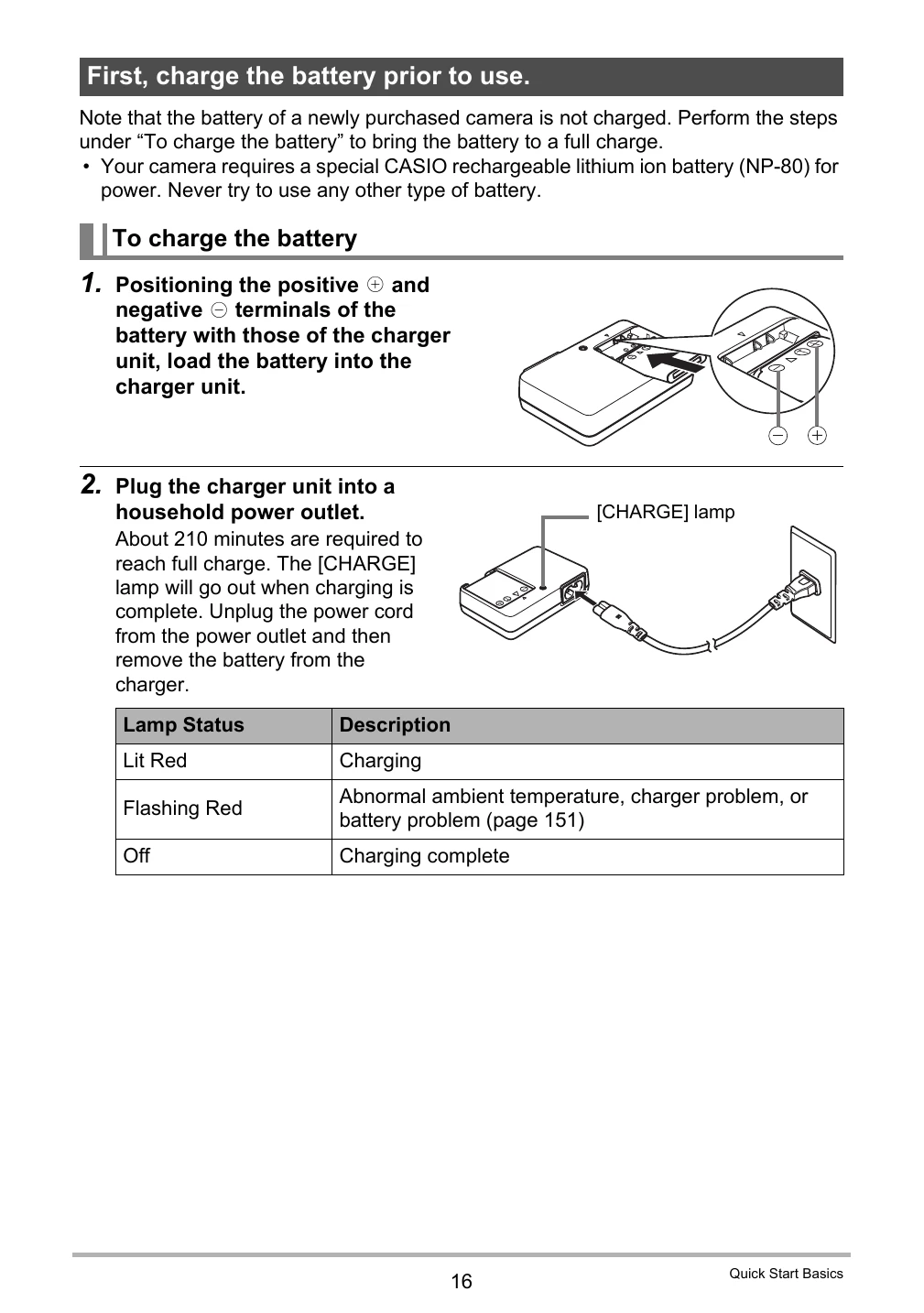
| Problem | The camera does not turn on. | The battery is not charged or inserted correctly. | Charge the battery and ensure it is inserted properly. |
|---|---|---|---|
| Problem | Images are blurry. | Camera shake or incorrect focus. | Hold the camera steady, use a tripod, or select an appropriate focus mode. |
| Problem | Cannot record movies. | Memory card is full or not formatted. | Insert a new memory card, format the card, or delete old files. |
| Problem | No sound when playing back movies. | Audio recording was not enabled or there was an issue with the microphone. | Ensure audio recording is enabled and check the microphone for obstructions. |
| Problem | Error message displayed. | Various system errors. | Refer to the troubleshooting section in the manual or reset the camera to factory defaults. |